Analytics tools
Wix Analytics: Sharing Your Reports with Contributors
Important:
You can share reports and make them private if you’ve already created custom reports. Creating new custom reports is currently not supported.
Sharing your Wix Analytics reports is a great way to keep your team informed about your site's performance, tailored to the metrics that matter most to you.
By default, pre-built Analytics reports are visible to all site collaborators with permission to view Analytics data. Newly created or duplicated reports are only visible to the creator and site owner, unless they are shared with others.
Sharing reports
Share reports you have created with the relevant stakeholders. This will allow them to access important data and help you make informed decisions.
To share reports:
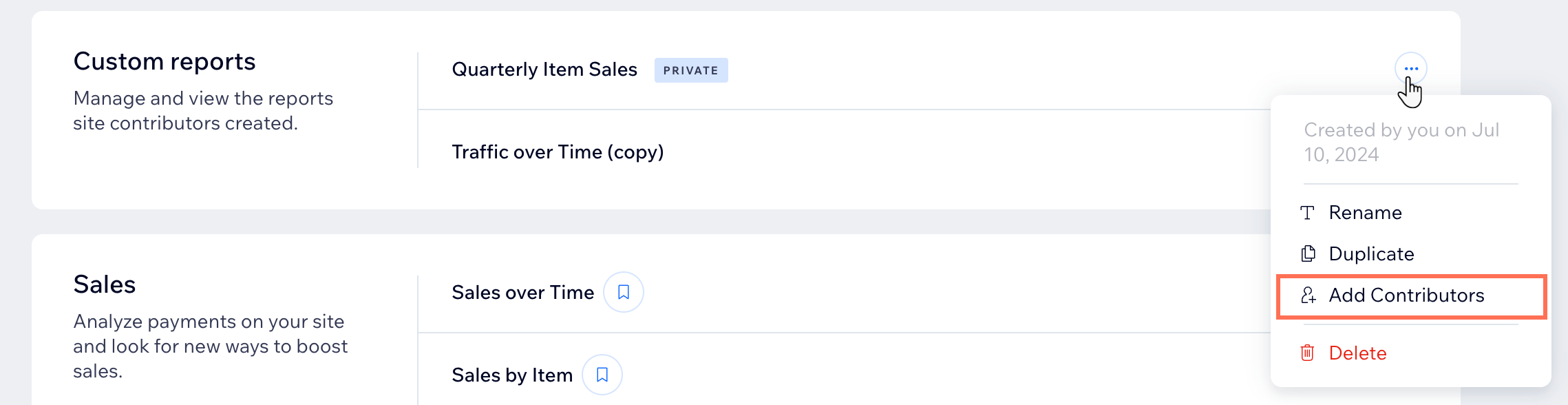
Go to All Reports in your site's dashboard.
Click the More Actions icon
 next to the relevant report.
Select Add Contributors.
Click Add Contributors in the pop-up.
Tip: This will instantly make the report available to all collaborators with permission to view Analytics data.
Making reports private
If it's not necessary for other people to view your reports, you can make them private. This means they will only be visible to you and site co-owners.
To make a report private:
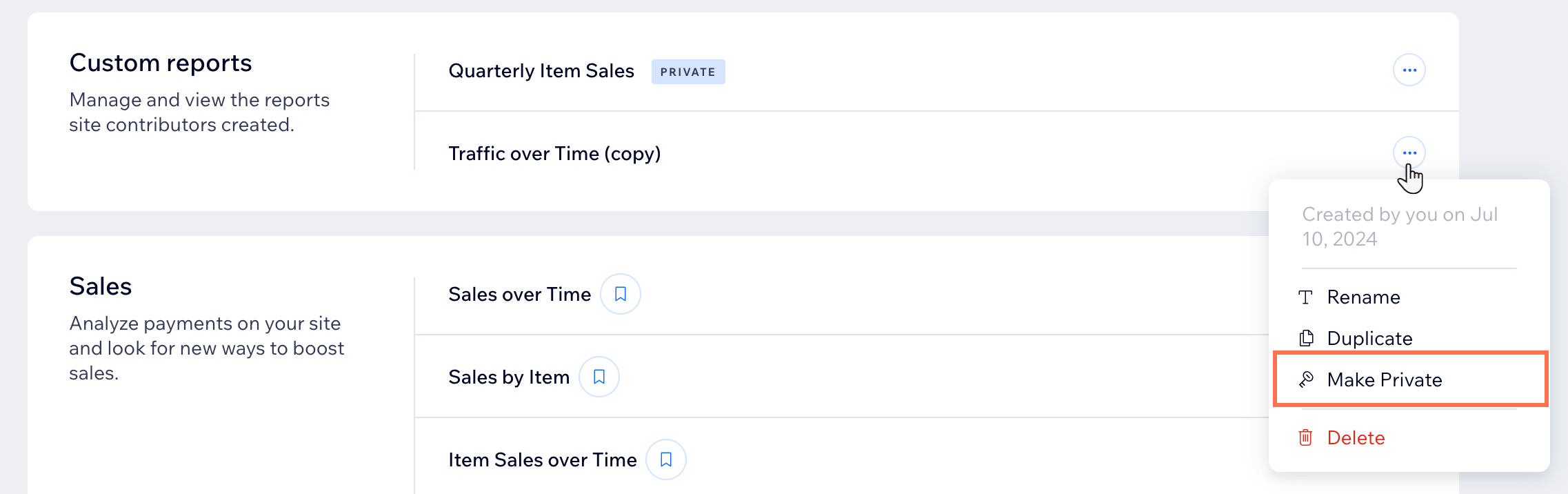
Go to All Reports in your site's dashboard.
Click the More Actions icon
next to the relevant report.Select Make Private.
FAQs
Click a question below to learn more about sharing custom reports.
Where do I see the reports I created?
The reports you created, as well as those you duplicated, appear under Custom Reports in the All Reports page in your site's dashboard.
How do I know which roles can view site analytics?
You can check which permissions each role has in your site dashboard.
Go to Roles & Permissions in your site's dashboard.
Click Manage Roles.
Hover over the role you want to check and click View / Edit.
Scroll down and click Analytics. If View Site Analytics is checked, that means they have permission.

Learn more about roles and permissions on your site.
Can I share a report view that I created?
No, report views are only visible to yourself. Learn more about customizing report views.
This article is credited to the Wix team - https://support.wix.com/
