Wix Editor: Viewing Your Mobile Site with a QR Code

Updated: 7 days ago
View the published mobile version of your site by scanning a QR code from the Wix Editor. Depending on your device, you can scan the code either with the phone's camera or a QR app.
Scanning a code is a quick and easy way to view your site on mobile, without ever having to open the browser or enter the URL.
Important:
You need to publish your site before you can view the mobile version.
Viewing Your Mobile Site from the Mobile Editor
Open the mobile editor.
Click Preview on the top tool bar.
Click the QR icon

.
Scan the QR code using your device.

Viewing Your Mobile Site from the Desktop Editor
Open the desktop editor.
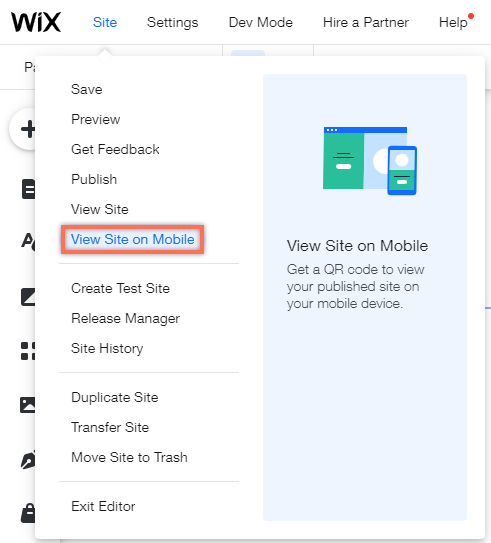
Click Site.
Click View Site on Mobile.
Scan the QR code using your device.
This article is credited to the Wix team - https://support.wix.com/ and we thank them for that!

Comments