Accessing the Wix Payments Dashboard After Disconnecting Your Account

Updated: Oct 25
If, for whatever reason, your Wix Payments account has been disconnected, you can still access all the information you need about past transactions, payouts and more.
To access your Wix Payments account:
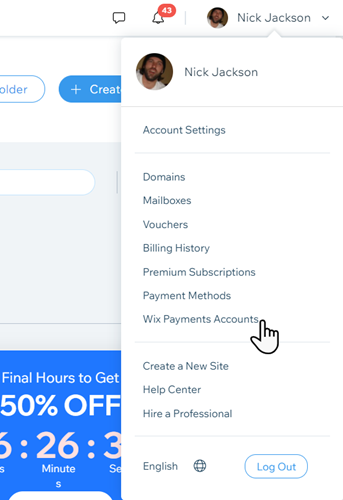
Click your account name at the top right.
Click Wix Payments Accounts.
Click View on the Wix Payments enabled site account you wish to see.
Select the information you want to view. Choose between:
Payments
Payouts
Settlement Report
Account Details
Tip:
Click on each payment to see more details about that payment.
This article is credited to the Wix team - https://support.wix.com/ and we thank them for that!

Comments