top of page
Wix Portfolio
Wix Portfolio: Adding a Project Page to a Site Menu
Showcase and attract more visitors to a portfolio project by adding it to a site menu. By linking your project to a menu, site visitors can click into your work from any page on your site.

To add a project page to a site menu:
Wix Editor
Studio Editor
Click the menu you want to add a link to.
Click Manage Menu.
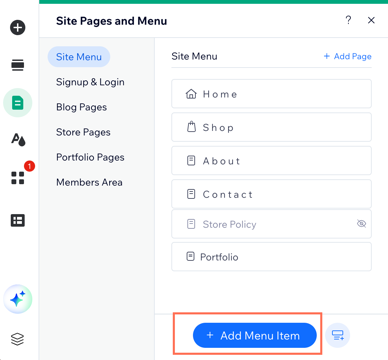
Click Add Menu Item at the bottom of the page.
Select Link.
Select Page.
Click the Which page? drop-down and select Project pages.
Click the Which item? drop-down and select the project you want to link to.
Note: This option only appears if your projects are connected to a collection, and you have more than one project within that collection.Click Done.
Update the name of the link as it will display on your site menu.
Click Done.

This article is credited to the Wix team - https://support.wix.com/

Need A Professional Website?
Contact Us Today!
bottom of page