Explore trends in video engagement and visitor behavior on your site. Wix Video analytics reports provide answers to questions such as "Which video performs best?", "What devices are my viewers using to watch videos?", and "Which channel generates the most subscriptions?"
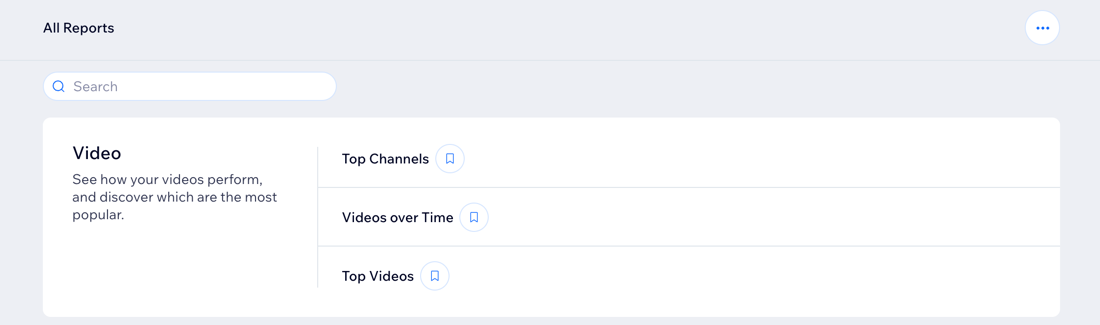
How to access your Wix Video reports:
Go to All Reports in your site's dashboard and scroll down to the Video section.
Types of Wix Video reports
Understanding the different types of Wix Video reports helps you gain insights into the performance of your videos and channels. These reports show metrics like plays, shares, purchases, and downloads over various time periods.
Click a report type below to learn more about it:
Top Channels
Your Top Channels report shows your best performing channels in terms of plays, shares, subscriptions, and sales over specific time periods.
Use this report to:
Discover which channels your visitors engage with most.
See your channel activity over different time periods, to understand if actions you've taken have impacted engagement.
Videos over Time
The Video over Time report shows when your videos received the most plays, shares, purchases, and downloads, over the last 30 days.
Use this report to:
See how many sales your videos attract over time.
Learn more about your viewers, for example, which browsers and devices they use, and which video or channel generates the most purchases.
Top Videos
Your Top Videos report displays your best performing videos in terms of plays, shares, times purchased and sales during specific timeframes.
Use this report to:
Find out which of your videos is the most popular, and which videos generate the most sales.
See how many times videos have been played in different time periods, to understand if actions you've taken have impacted views.
FAQs
Click a question below to learn more about your Wix Analytics Video reports.
Why are Wix Video reports not showing data for the videos on my site?
Analytics stats are only available if you use the Wix Video app. If you are using Pro Gallery or Single Video Player to showcase your videos, you won't be able to see data on your videos.
How do I save my favorite reports so that I can access them quickly?
On the All Reports page, click the Add to Saved reports icon

next to a specific report to add it to your saved reports. Your saved reports appear at the top of the page.

This article is credited to the Wix team - https://support.wix.com/ and we thank them for that!