You can share your videos, promote one of your channels or send an email campaign featuring a video using Wix Email Marketing.
To set up your email marketing campaign:
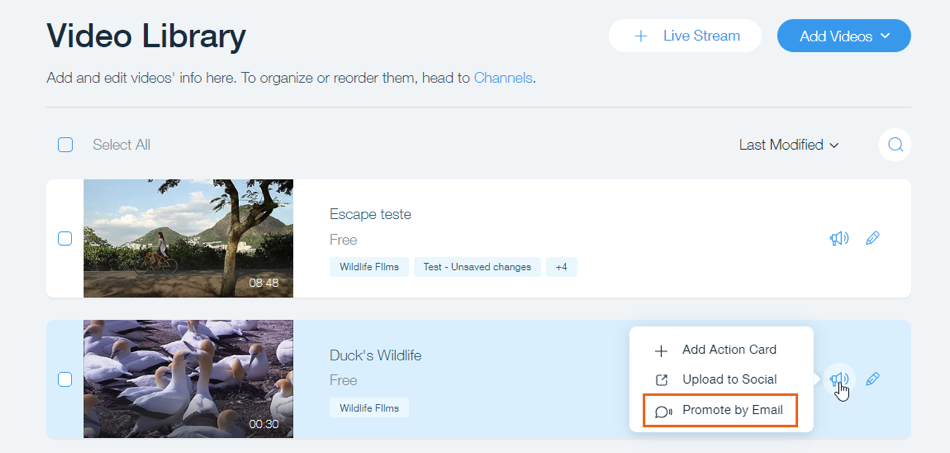
Go to Video Library in your site's dashboard.
Click the Promote icon

.
Click Promote by Email.
Click Next on the top right-hand side to add recipients.
Click Next to preview the newsletter and click Send Now to send your campaign.
This article is credited to the Wix team - https://support.wix.com/ and we thank them for that!