You can organize your videos into categories to let your visitors know the type of video it is.
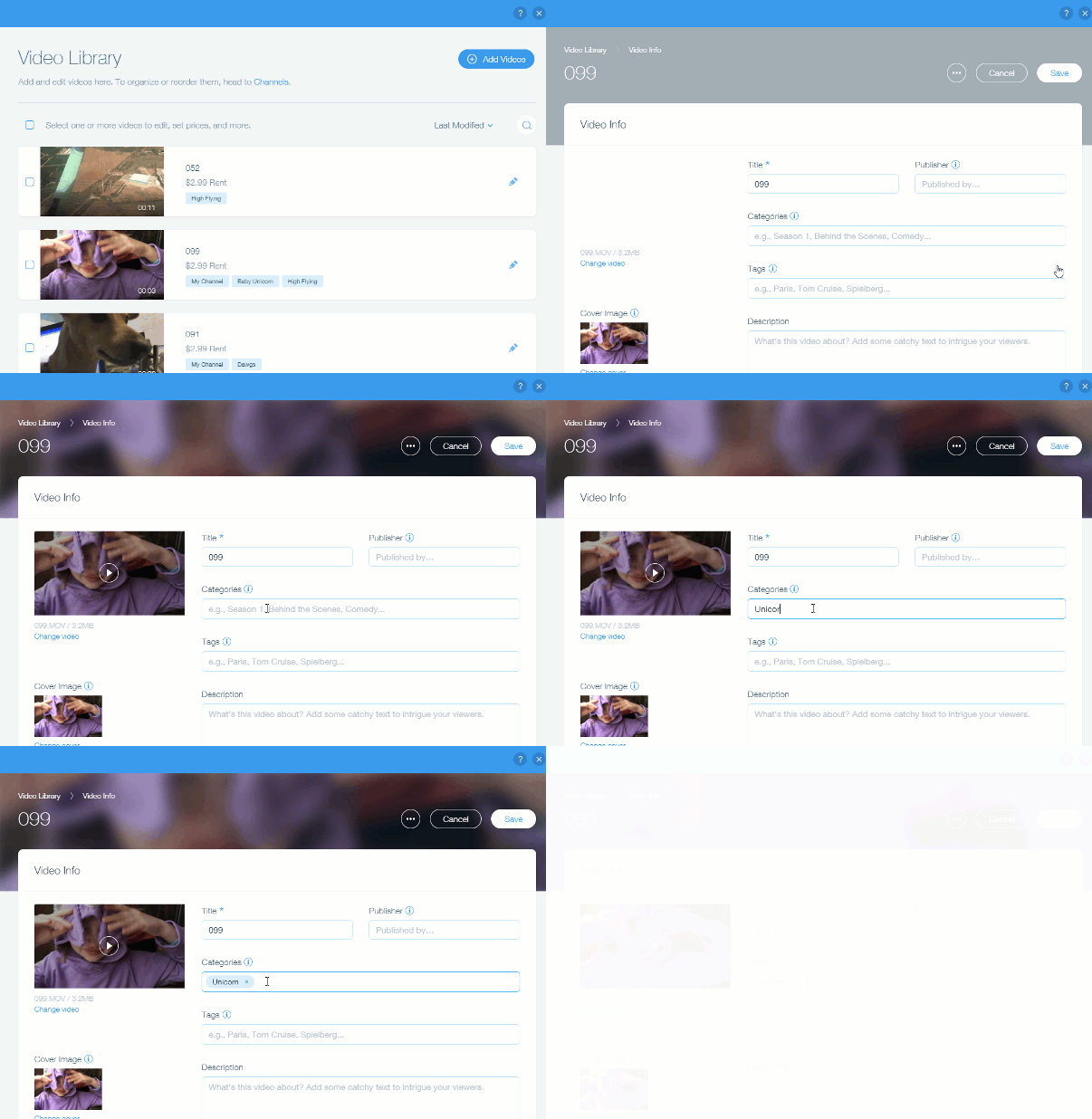
To add a category to Wix Videos:
Go to Video Library in your site's dashboard.
Click the Edit

icon on the relevant video.
Enter the category under Categories.
Press Enter on the keyboard.
This article is credited to the Wix team - https://support.wix.com/ and we thank them for that!