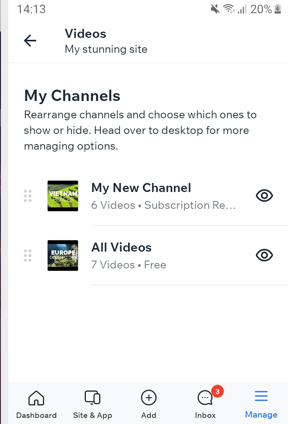
The Wix app lets you manage all your video content on the go. You can reorder your video channels and choose to show or hide a specific channel. This is a great way to maximize your time and content needs all at once, without having to be at a desk.
To manage video channels from the Wix app:
Go to your site in the Wix app.
Tap Manage at the bottom right.
Tap Video Library then tap Videos.
Choose what you want to do:
Reorder channels: Drag and drop the channels to reorder them.
Show/hide channels: Tap the Show/hide

icon next to the relevant channel to show or hide it from your site.
This article is credited to the Wix team - https://support.wix.com/ and we thank them for that!