You can delete a video from your Wix Video library at any time. If your video was displayed in your channel widget, it is immediately removed.
Important:
Deleting the video player from your live site does not remove any videos from your video library.
To delete a video from your video library:
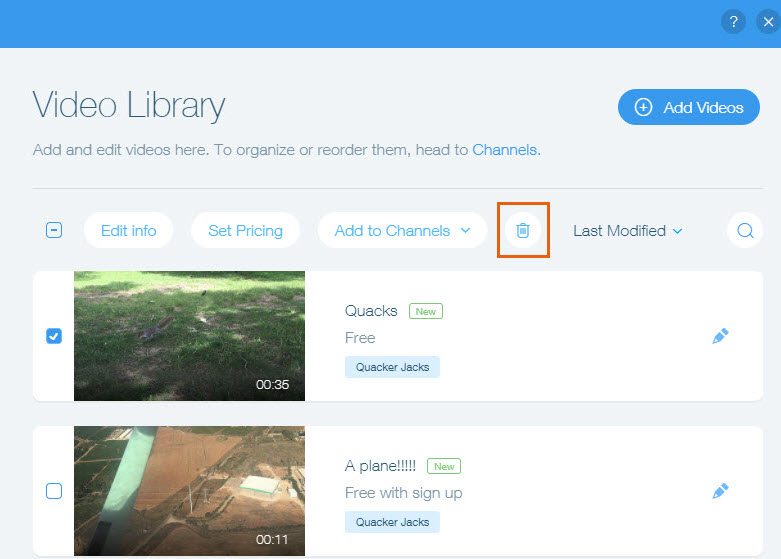
Go to Video Library in your site's dashboard.
Select the checkbox on the left side next to the video(s) you want to delete.
Click the Delete icon

.
Click Delete in the pop-up window.
This article is credited to the Wix team - https://support.wix.com/ and we thank them for that!