Important:
Currently, payouts are not issued to banks located in Russia and Pakistan.
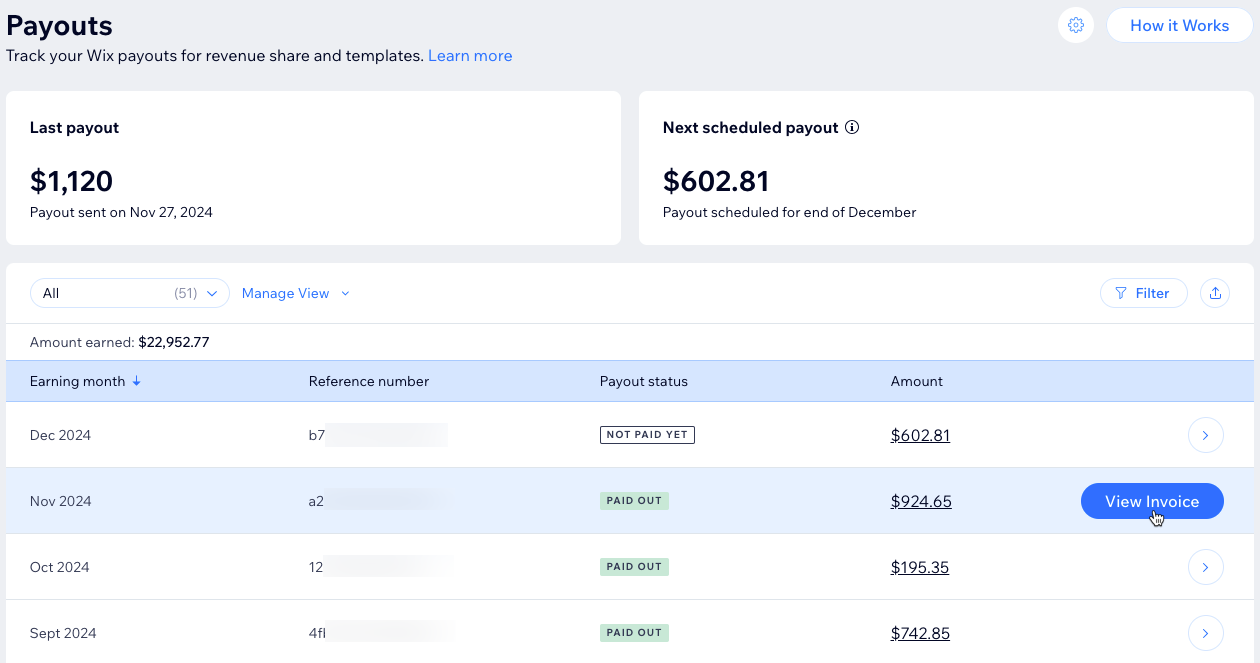
Track your payouts from revenue streams, including revenue share from site plans, client sales, and Studio template sales in the Marketplace. Access detailed payout information, such as reference numbers, payout statuses, and amounts. You can also view, download, or print invoices directly from your Wix Studio workspace.
Before you begin:
Connect your payout method to ensure your earnings are processed.
Tracking your payouts
Your payouts include earnings from site plans, client sales, and Studio template sales in the Wix Marketplace. Once your total earnings reach $200 or more, payouts are scheduled 30 days after the end of that month. If your earnings don’t meet the $200 threshold, they’ll roll over to the next month until the minimum is met.
Payout example:
In January, you earned $450 from revenue share and $300 from template sales, for a total of $750.
A payout is scheduled for the end of February.
On February 28th, your January earnings will be paid out to your bank account.
To track your payouts:
Go to Payouts in your Wix Studio workspace.
Choose what you want to do:
Filter: Click Filter to narrow down the list by earning month or amount.
Export: Click the Export icon

to download a .CSV file of your payout invoice history.
View, Download, and Print: Hover over a payout and click View Invoice to view, download, or print it.
Note:
If there are issues with your payout, it may be delayed.
FAQs
Click on a question below to learn more about payouts.
What happens if I don't reach the $200 threshold?
If your earnings don’t meet the $200 threshold, they’ll accumulate until the threshold is met. Once your earnings reach at least $200, a payout will be created and processed.
How can I access my invoice?
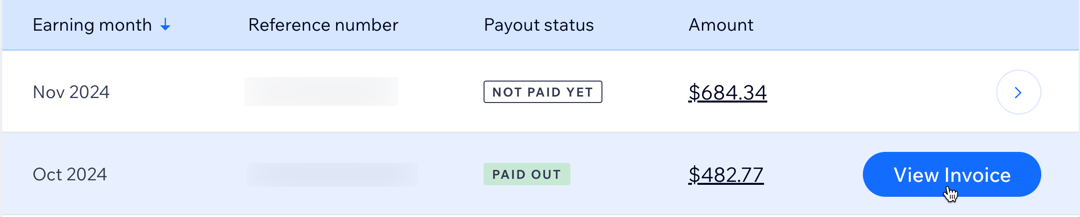
To access your payout invoice, hover over it and click View Invoice to view, download, or print it.
What should I do if my payment status remains "Not Paid Yet" for a long time?
If you’ve met the $200 threshold but haven't received your payout, verify that your payment details are correct in the payout settings of your workspace. If your account is still under verification, delays may occur. If the payout status hasn’t updated within 2 months, reach out to Wix Customer Care for assistance.
Can I change my payout details?
Yes. Click the Payout Settings icon

in the Payouts tab of your Wix Studio workspace to update your payment details. Note that some updates may require your confirmation.
Will I receive a notification when my payout is processed?
Yes. You’ll receive an email with the payout details once it’s processed.
This article is credited to the Wix team - https://support.wix.com/ and we thank them for that!