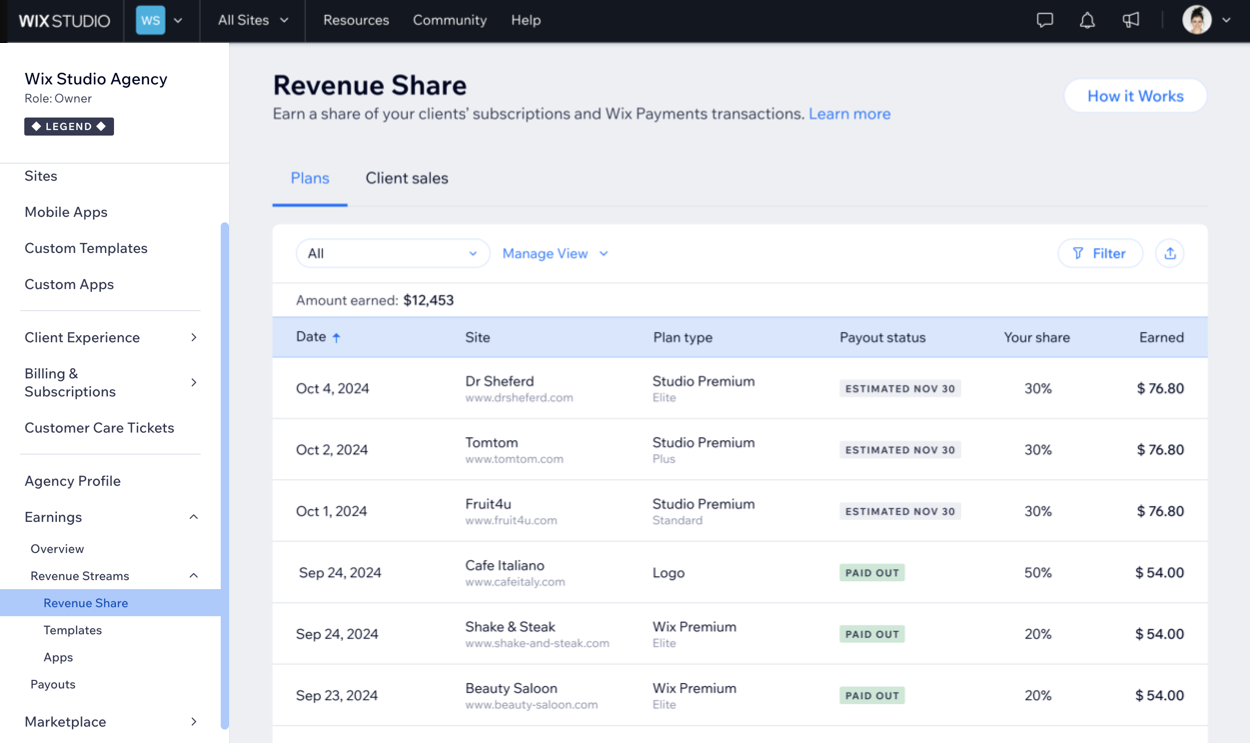
As a Wix Partner, you can earn revenue share through the sale of eligible Wix plans and transactions processed via Wix Payments on your clients' sites. Track your payouts and invoices in the Payouts tab of your Wix Studio workspace once you start earning.
Note:
Currently, revenue share payments are not issued to banks located in Russia and Pakistan.
Qualifying for revenue share
All Wix Partners can earn revenue share through the sale of eligible Wix plans and from transactions processed through Wix Payments on their clients' eligible sites.
Earning revenue share on Wix plans
Refer to the table below to see how revenue share is calculated for Wix plans.
Plans | All Partners | Legend Partners |
Wix Premium yearly, 2 year, or 3 year plans *Sites built on Wix Editor or Wix Harmony Editor | 0% | 20% |
Wix Studio yearly, 2 year, or 3 year plans *Sites built on the Studio Editor | 20% | 30% |
50% | 50% | |
50% | 50% | |
50% | 50% | |
50% | 50% | |
50% | 50% | |
20% | 20% | |
5% | 5% | |
5% | 5% |
To qualify for revenue share on Wix plans:
You must comply with the Wix Partner Program Terms of Use.
You must be the first owner of the site, even if you no longer have access to it.
The site must complete its trial period.
The site must be upgraded to a yearly Premium or Studio plan, or longer. Revenue share is not applicable on monthly plans, except for Google Ads and Facebook Ads.
Plans bought on sale may qualify for revenue share, depending on the type of sale and the editor the site was built on:
Personal or non-seasonal sales are not eligible for revenue share.
Official Wix.com seasonal sales are eligible for revenue share only when upgrading a site created on Wix Editor or Wix Harmony Editor. Wix Studio plans bought during a seasonal sale are not currently eligible.
Coupon codes from public resources, such as TAKE10, are not eligible for revenue share.
Note:
Reassigning an existing plan from one site to another is not eligible for revenue share.
Earning revenue share on client sales
As a Wix Partner, you can earn revenue share on transactions processed via Wix Payments on your clients' eligible sites. Revenue share is calculated daily based on the total sales generated by your clients' sites, including both online sales and sales made through Wix POS Register. Once your clients' sales qualify for revenue share, you can track your earnings in the Client sales tab.
Check out the table and example below to see how revenue share from client sales is calculated.
Total Daily Sales | Revenue Share % | Potential Yearly Earnings |
Less than or equal to $2000 | 0.05% | Up to $365 a year |
More than $2000 | 0.10% | Unlimited |
Example earnings from client sales:
On February 1st, a Partner had 2 client sites that collectively generated a total of $1,500 in sales through Wix Payments. The Partner's revenue share for this day would be: $0.75, calculated as 0.05% of $1,500.
On February 2nd, the Partner added 2 more sites. Together, the 4 sites generated $20,000 in sales via Wix Payments. The Partner's revenue share for this day would be $20, calculated at 0.10% of $20,000.
To qualify for revenue share on client sales:
You must comply with the Wix Partner Program Terms of Use.
You must be the first owner of the site, even if you no longer have access to it.
The site must have an active Premium or Studio plan, either yearly or longer (unless defined otherwise by Wix).
The site has completed its trial period.
The site must process payments through Wix Payments in the available countries and currencies.
Earnings are displayed and paid out in US dollars only. The site must generate a minimum of $1 in sales per day to be eligible. If sales fall below $1 on a specific day, revenue share will not be applicable for that day.
Connecting a payout method
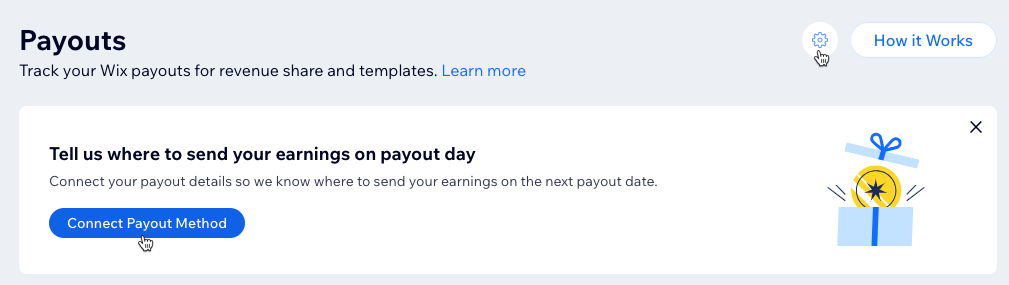
To start earning revenue share, you need to connect a payout method in your Wix Studio workspace. Make sure the payment method details you provide are accurate to avoid payout delays.
Note:
Only workspace owners and co-owners can manage the payout settings. Learn more about managing the roles and permissions of your teammates.
To connect a payment method:
Go to Payouts in your Wix Studio workspace.
Click Connect Payout Method.
Click Continue.
Add your contact info and click Next.
Add your payout method details and click Next.
Tip:
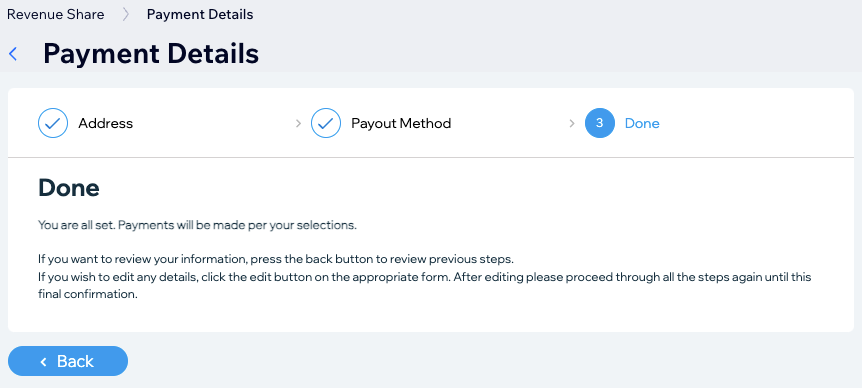
Click Back if you need to edit your payment details. You can always edit your details by clicking the Payout Settings icon

.
Receiving payouts for revenue share
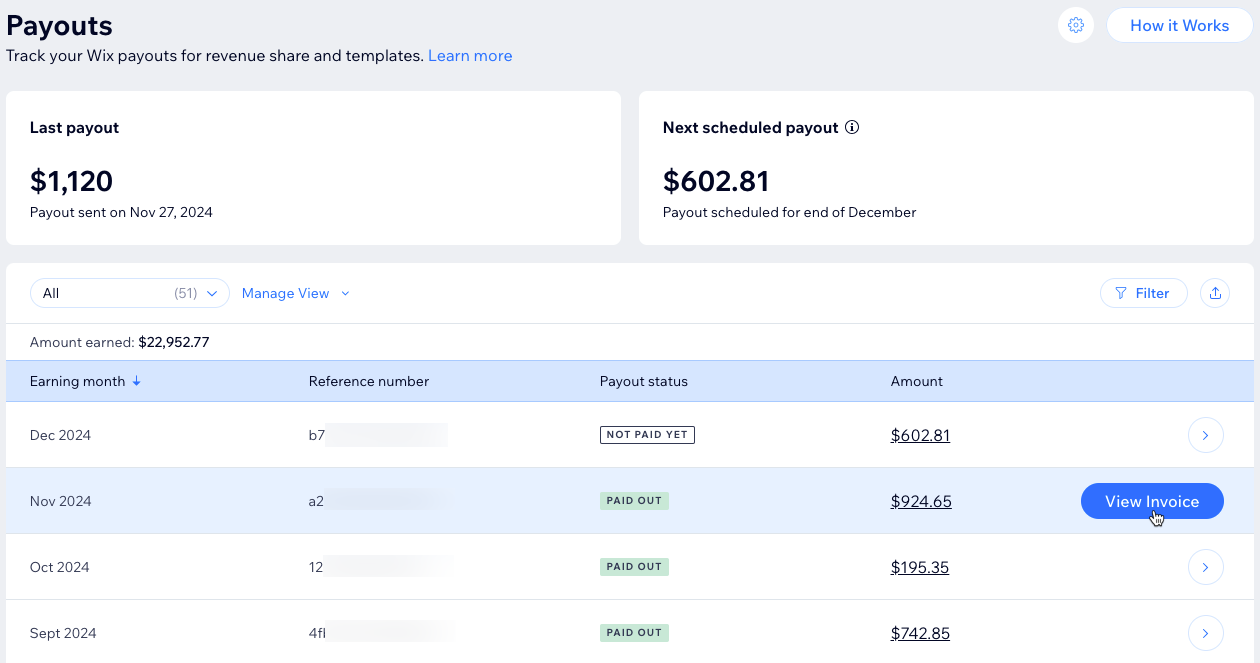
Your payouts include earnings from site plans, client sales, and Studio template sales in the Wix Marketplace. Once your total earnings reach $200, a payout is scheduled 30 days after the end of that month. If you don’t meet the $200 minimum, your earnings will roll over to the next month until the minimum is met. Learn more about tracking your payouts.
Notes:
Revenue share payouts are calculated based on the price of the plan, excluding the VAT.
Payouts for some plans may follow a 60-day payout cycle based on trial length and time of invoicing.
If there are any issues with your payout, it may be delayed.
FAQs
Click on a question below to learn more about revenue share.
What qualifies as the first owner of a site?
The first owner of the site is the one that initiated its creation from their Wix Studio workspace. When you click Create New Site in your Wix Studio workspace, you become the first owner of the site, regardless of whether you later transfer ownership to a client.
For sites with multiple branches, who qualifies as first owner of the site?
Just like for sites without multiple branches, the person who first clicked Create New Site in their Wix Studio workspace qualifies as the first owner.
What is the difference between Legend level and non-Legend level Partners in revenue share eligibility?
Legend-level Partners enjoy access to revenue share on all participating plans and earn higher percentages on specific plans:
Wix Premium yearly, 2 year, or 3 year plans: Legend level Partners earn 20% revenue share for sites built on the Wix Editor or Wix Harmony Editor, while non-Legend level Partners do not.
Wix Studio yearly, 2 year, or 3 year plans: Legend level Partners earn 30% revenue share for sites built on the Studio Editor, whereas non-Legend level Partners earn 20%.
Do all plans qualify for revenue share?
To qualify for revenue share, a site must have an active Premium or Studio plan, either yearly or longer (unless defined otherwise by Wix).
I’ve upgraded to a Studio plan in order to publish my site’s Wix Studio branch. Why didn’t I earn revenue share?
If you have upgraded to a Studio plan in order to publish the site’s Wix Studio branch, revenue share will be granted upon the date of renewal of the Premium subscription connected to the upgraded site, and will be calculated based on the price of the Studio plan.
Note:
In order to be eligible to earn revenue share, your site must be upgraded to a yearly plan or longer.
How is revenue share calculated for client sales?
Revenue share on client sales is calculated daily across all of the Partner's sites based on the net amount generated and processed through Wix Payments. This includes online sales and sales made with Wix POS Register.
The net amount refers to the total sales generated by your clients' sites, factoring in deductions such as applicable fees, charges, chargebacks, refunds, etc. If refunds or chargebacks occur after payout, this will be corrected in the next payout.
There are two tiers for revenue share:
Clients' daily sales generated less than or equal to $2000: You qualify for a revenue share of 0.05% on the net total from client sales for the day. If the total sales for a given day are equal to or less than $2000, your revenue share for that day would be calculated at 0.05%.
Clients' daily sales generated more than $2000: You can earn a higher revenue share of 0.10% on the net total from client sales for the day. No annual earning cap; earnings are unlimited if the total daily sales exceed $2000.
How often are revenue share earnings updated?
Revenue share earnings from client sales are updated once every 24 hours. On Wix plans, earnings are posted up to 30 days after the purchase date.
How often are revenue share earnings paid out?
To qualify for a payout, your combined earnings from plans, client sales, and template sales must reach at least $200. Once this threshold is met, a payout is scheduled 30 days after the end of the month.
Can I earn revenue share from my client's existing Wix plans?
No. You have to be the first owner to be eligible to earn.
Is there a limit to the number of sites I can onboard to earn from?
No. There's no limit.
This article is credited to the Wix team - https://support.wix.com/ and we thank them for that!