Customize your notification preferences in Wix Studio to manage notifications across all the sites in your workspace.
Each site includes general notifications and those tailored to its business type and site apps. Choose which notifications to enable or disable for both the dashboard and email, to stay updated on important site activities that matter to you.
You can also toggle notifications on or off for all sites or specific ones.
Notes:
You’ll still get important site updates such as transactional emails.
Changes to notification preferences only apply to your workspace and don't affect your team.
To manage your notification preferences:
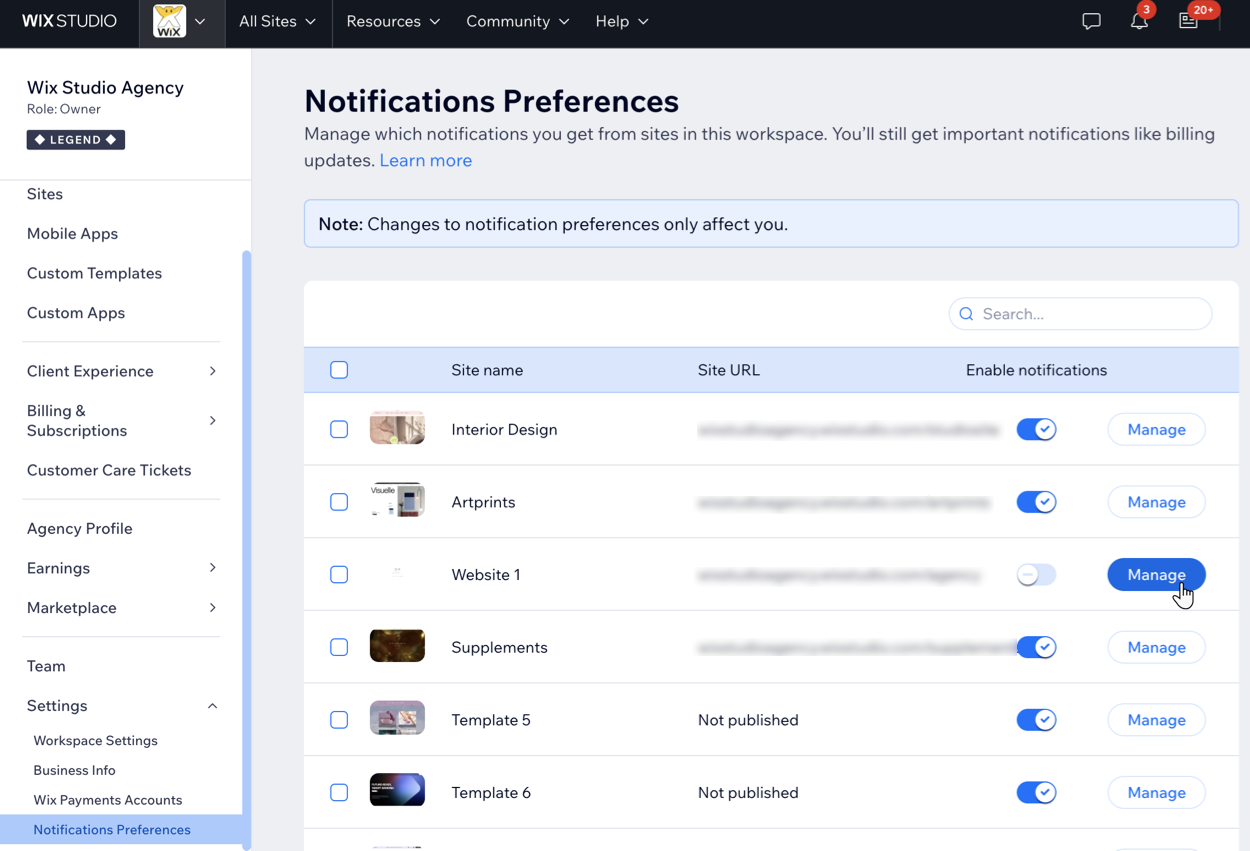
Go to Notification Preferences in your Wix Studio workspace.
Choose what you want to do:
Turn all notifications on or off for a specific site
Click the Enable notifications toggle by a site to turn all notifications on or off.

Tip: Use the search at the top right to find a specific site in your workspace.
Turn notifications on or off for all sites
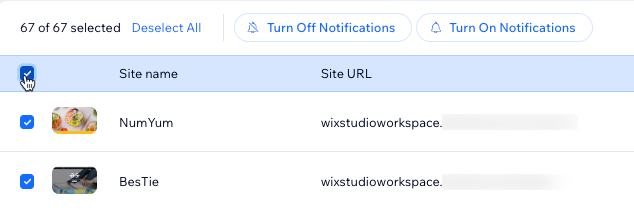
Click the checkbox at the top to select all sites, and then:
Click Turn Off Notifications to turn all notifications off for all sites in your workspace.
Click Turn On Notifications to turn all notifications on for all sites in your workspace.
Select specific notifications for a site
Click Manage next to the relevant site.
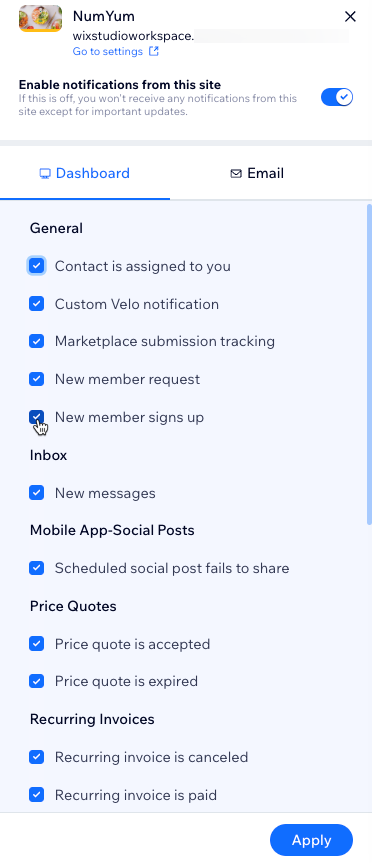
In the Dashboard tab, choose which dashboard notifications to enable for this site.
Click the Email tab and choose which email notifications to enable.
Click Apply to save your changes.
Tip:
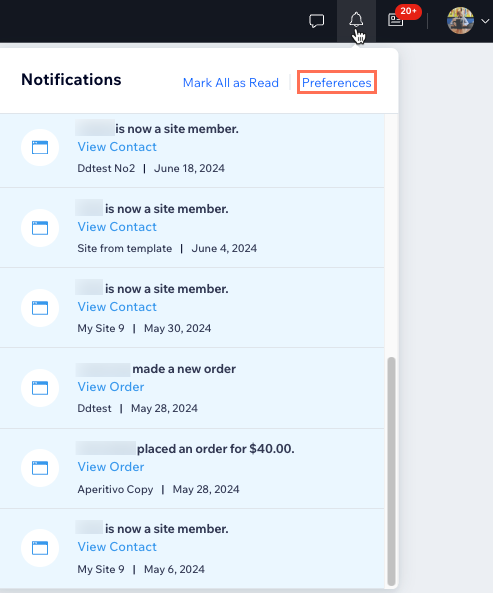
You can also click the Notifications icon at the top right of your workspace, and then Preferences, to quickly access and adjust your site notification settings.
This article is credited to the Wix team - https://support.wix.com/ and we thank them for that!