Shippo is a multi-carrier shipping solution that lets you purchase and print shipping labels. You can use Shippo to print labels for both domestic and international orders.
Tip:
Wix also offers an integrated solution that lets you purchase shipping labels (powered by Shippo) directly from your site's dashboard. Learn more about printing labels with Wix Shipping.
Adding the Shippo 3rd-party app
Before you begin:
Make sure you've entered your business address in the Business Info page.
Add the Shippo app to your site and start printing shipping labels. After setup, your previous orders appear in Shippo. From there, you can select the order you want to fulfill and then purchase and print the label.
To add the Shippo app:
Go to the Wix App Market in your site's dashboard.
Search for the Shippo app in the search bar.
Click Add to Site.
Click Agree & Add.
Do one of the following actions:
Log into your existing Shippo account.
Create a new Shippo account:
Fill in the required fields.
Click Try Shippo for Free.
Fill in the required information about your business.
Click Finish.
FAQs
Learn more about printing shipping labels using the Shippo third-party app.
Which carriers does Shippo work with?
The list of available carriers varies according to your location. Learn more about carriers supported by Shippo.
Where do I go to print shipping labels?
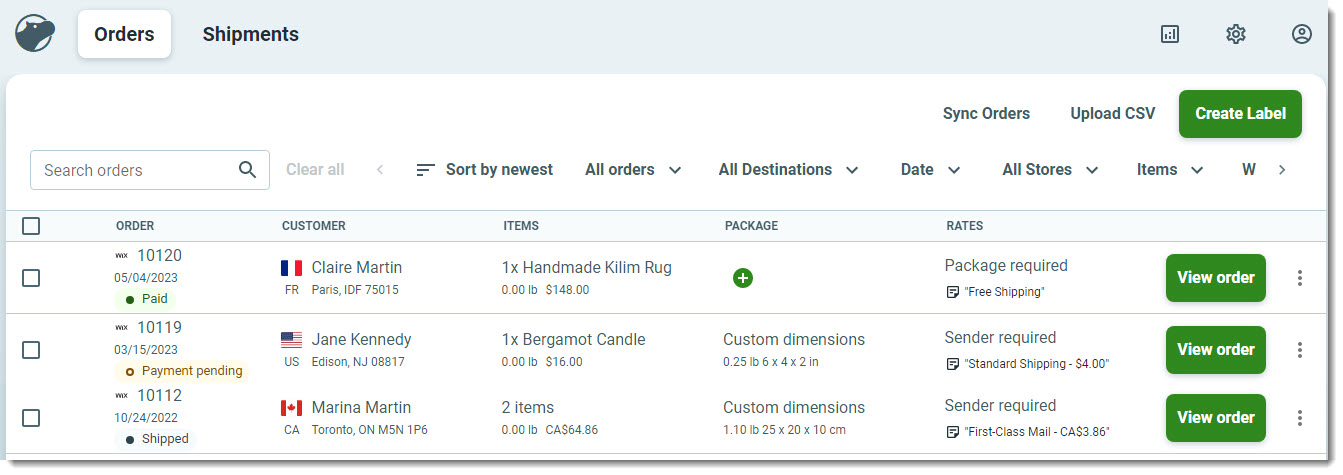
To print shipping labels, go to Shippo in the Wix dashboard. There, you'll see your store orders.
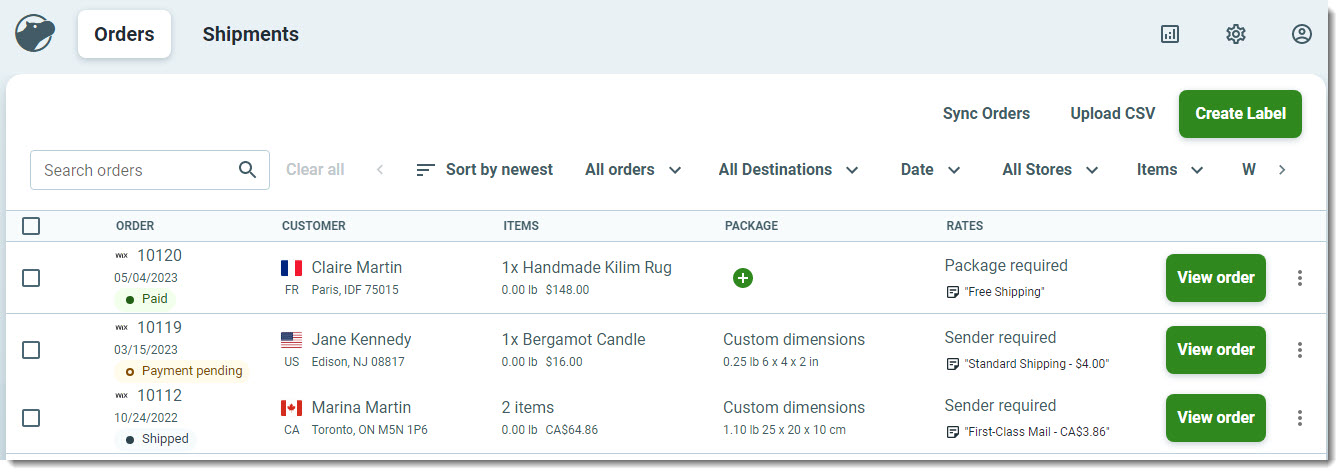
Tip: You can also log in to the Shippo site and print labels from there.
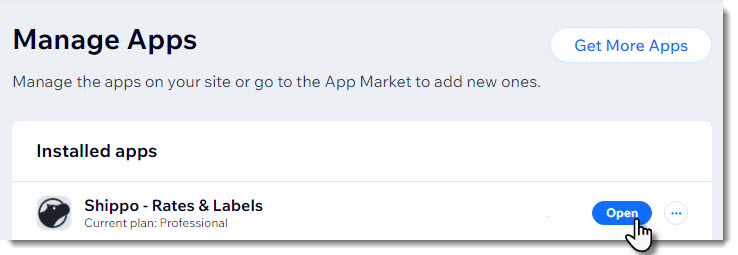
To access Shippo:
Click Open next to Shippo - Rates & Labels.
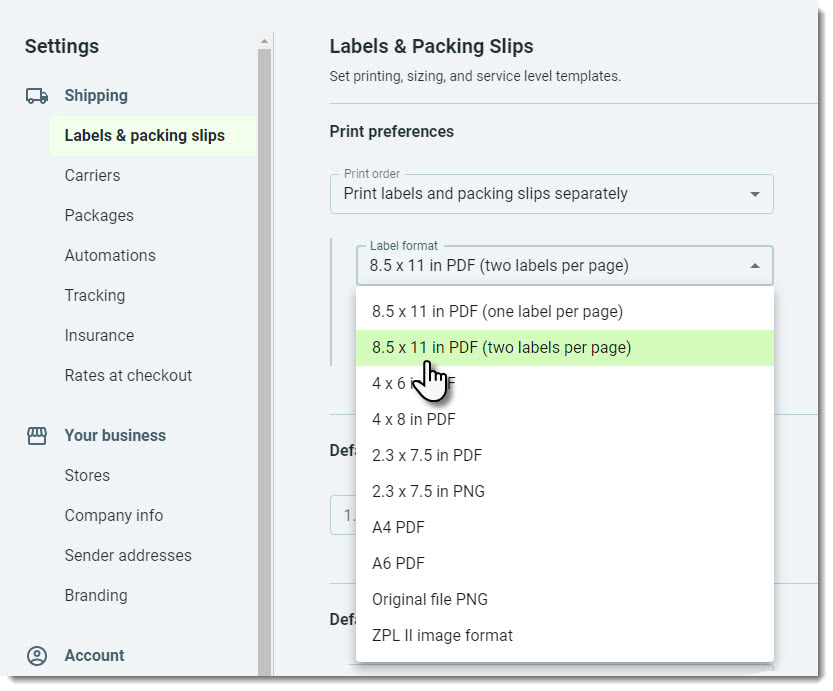
Can I customize the size of the label?
Yes, when printing, you can choose which size you want to print the label.
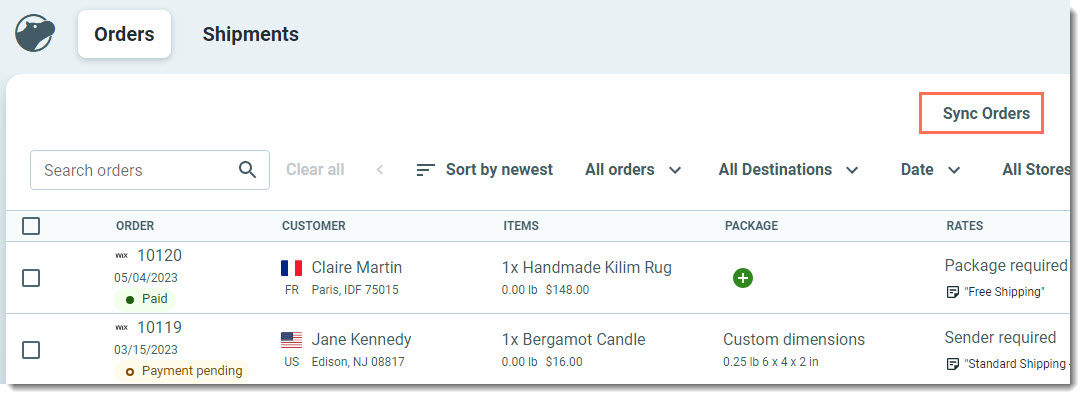
How can I sync between my store and Shippo to see the latest orders?
Click Sync Orders to manually sync your store data.
How can I get more information on how to print shipping labels with Shippo?
Learn how to:
Visit the Shippo Help Center for more information.
This article is credited to the Wix team - https://support.wix.com/ and we thank them for that!