Attract customers to your store, promote brand loyalty, and increase sales by offering price reductions. Wix Stores gives you 2 ways to reduce prices. Each one can be handy to use in different circumstances.
This article will explain what the 2 types of discounts are, when you should use them, and what happens when more than one discount applies to the same order.
Automatic discounts
Automatic discounts is a powerful tool that helps you manage store promotions efficiently. Let's look at a few examples of how you can use them.
You can schedule a 1-day sale that starts and ends at midnight without having to be by your computer at midnight to start and end it.
You can create discounts that only take effect if a customer buys a set quantity of a particular item (buy 3 hats, get 30% off) or a set amount (buy $50 worth of hats and get $10 off).
You can offer a discount or freebee on a different item when a customer meets requirements (buy a coat and get a free hat).
You can use automatic discounts to create wholesale prices (e.g. 40% off when you purchase more than 100 of the same product).
When you add an automatic discount, your customers see the discount in the Side Cart, on the Cart page, and on the Checkout page. You can also optionally display the discounts on the Product page and galleries (only the discount name appears in some cases).
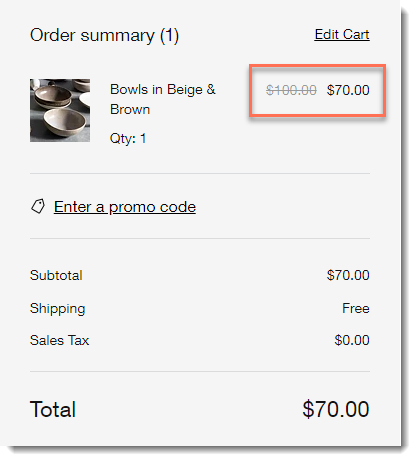
How do I get started?
To create your first automatic discount, go to the Automatic Discounts tab in your site's dashboard. Get detailed instructions on how to create automatic discounts.
Coupons
Coupons are discounts that customers can use by applying the coupon code in the Cart page, Side Cart, or Checkout page.

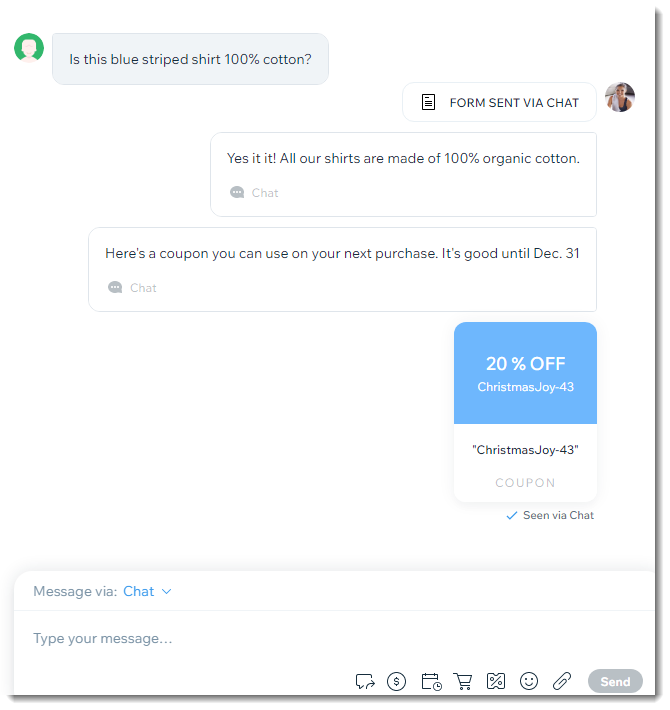
They're a great way to offer discounts to a particular set of customers. For example, you can send coupon codes only to your site subscribers. Additionally, when you're chatting with site visitors, you can send a coupon code right there in the chat.
With Wix Stores, you can create 5 types of coupons:
$ Discount: Offer a fixed price discount, (e.g. $10 off)
% Discount: Offer a discount as a percentage, (e.g. 20% off)
Free Shipping: Reward customers with free shipping
Sale Price: Offer products at a specific price (e.g. Buy t-shirts for only $12)
Buy X Get Y Free: Offer free products when making a purchase (e.g. buy 4 cupcakes, get the 5th free)
To create your first coupon, go to Coupons in your site's dashboard.
Tip:
You can use the free Bulk Coupon Creator app to generate bulk codes.
Video tutorial
Watch the video, or scroll down to read the FAQs.
FAQs
Click a question below to learn more about discounts and coupons.
How do discounts and coupons apply to product subscriptions?
Automatic discounts cannot be applied to product subscriptions.
By default, coupons are not applied to subscription products, however, you can apply them by selecting the Include subscriptions checkbox while creating the coupon.

Important: If a customer uses a coupon to purchase a subscription, it applies to each cycle (e.g. for a 12-month subscription for $100/month with a 10% off coupon, the customer pays $90 each month - for a year).
Can different types of price reductions apply to the same product?
Each of these price reductions works independently. In other words, if you created a coupon and an automatic discount, a customer can get both price reductions.
How can I send coupons to my customers?
You can send coupons to your contacts and customers in a variety of ways.
Send an email marketing campaign including a coupon:
Promote your special offer in a marketing email. Tell your customers about your special offer and include your coupon code. Learn more about email marketing campaigns
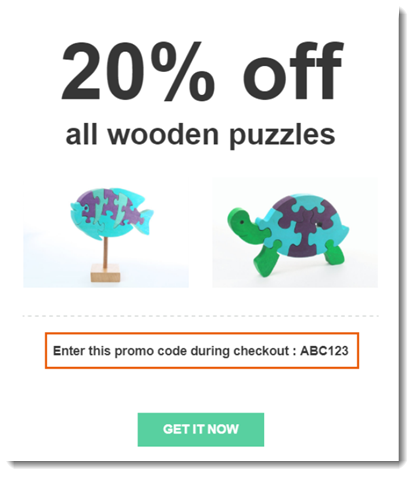
Automatically send a coupon when customers perform an action:
Use Wix Automations to send coupons whenever a customer performs a particular action. You choose which of your coupons you send and what triggers it to be sent automatically.
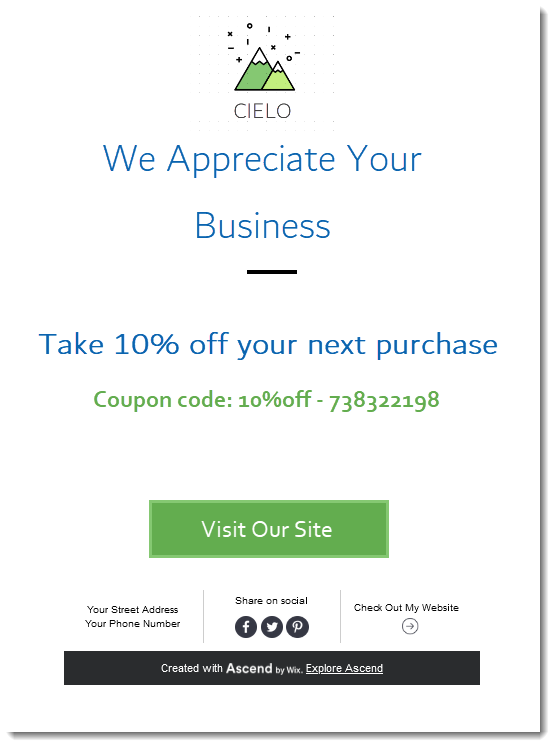
Learn how to create an automation to send a coupon.
Send coupons by chat or email:
If you are communicating with a site visitor by email or chat, you can easily send coupons directly from your Wix Inbox to customers you're communicating with.
This article is credited to the Wix team - https://support.wix.com/ and we thank them for that!