When a customer buys Modalyst products in your store, the items are shipped by the Modalyst supplier. To trigger the process, you need to pay the supplier for the order.
To pay for Modalyst products so they can be shipped:
Go to Orders in your site's dashboard.
Click the relevant order.
Click Go to Modalyst.
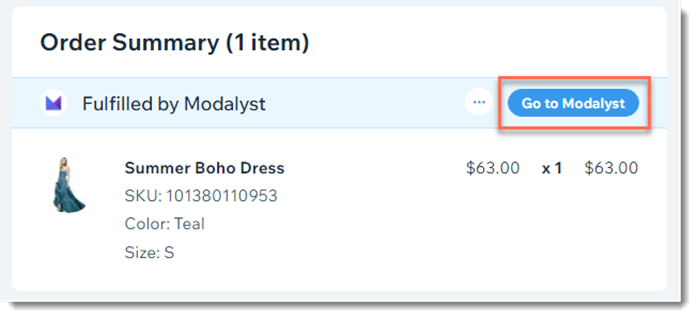
After you complete payment, the following happens:
The supplier ships the order to your customer.
A shipping confirmation email with the tracking number is sent to your customer. This email is sent from your store brand and looks identical to other emails sent to your customers.
Note: Sending shipping confirmation emails when an order is fulfilled by a third party can be disabled in the eCommerce Settings tab.
The tracking number, carrier name, and tracking link are added automatically to the relevant order in your Wix dashboard.
Note:
If a customer purchases both your own products and Modalyst products, you need to fulfill your products in the regular way. Learn more about adding tracking number to orders with your products and Modalyst products.
This article is credited to the Wix team - https://support.wix.com/ and we thank them for that!