You can export your store products - along with all their data - to a CSV file.
Viewing products in a spreadsheet makes it easier to see all the data together on one page. You can also use the file to make multiple changes and then import the products with the updated data back to your store.
Important:
Exporting digital products is not currently supported. Vote for this feature.
You can export up to 5,000 rows per CSV file.
To export your physical products:
Go to the Product tab in your site's dashboard.
Choose what you want to export:
Export all products: Select the checkbox at the top left.
Export a category or other filtered products: Click filter, select the type of products you want to export, and click Done.
Export selected products: Select the checkboxes next to the products you want to export.
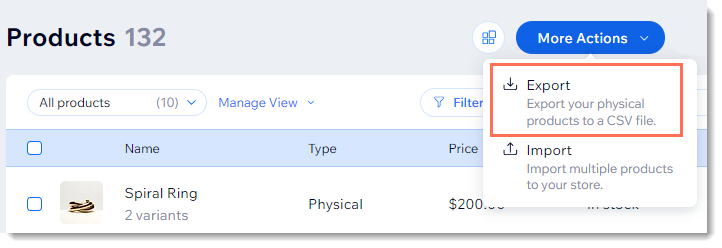
Click More Actions.
Click Export.
Select an export option.
Click Export.
Note:
Mac users should open the CSV file with Numbers or Excel version 15 or higher.
This article is credited to the Wix team - https://support.wix.com/ and we thank them for that!