Add Wix Stores to create a professional online shop and grow your eCommerce business. With Wix Stores, you'll have all the tools you need at your fingertips. You can display your products in stunning galleries, manage your inventory and orders in a professional dashboard, provide customers with secured checkout, and more.
Choose a template that already has Wix Stores installed, or pick any template you want and add Wix Stores to it following the step below..
Important:
To sell products, you need to upgrade your site to a Premium plan or Studio plan that allows you to accept payments.
Review the legal requirements for Wix features before adding Wix Stores.
All new Wix Stores are set up with the new product catalog by default.
Adding Wix Stores
You can add Wix Stores from inside your editor or from your site's dashboard.
Wix Editor
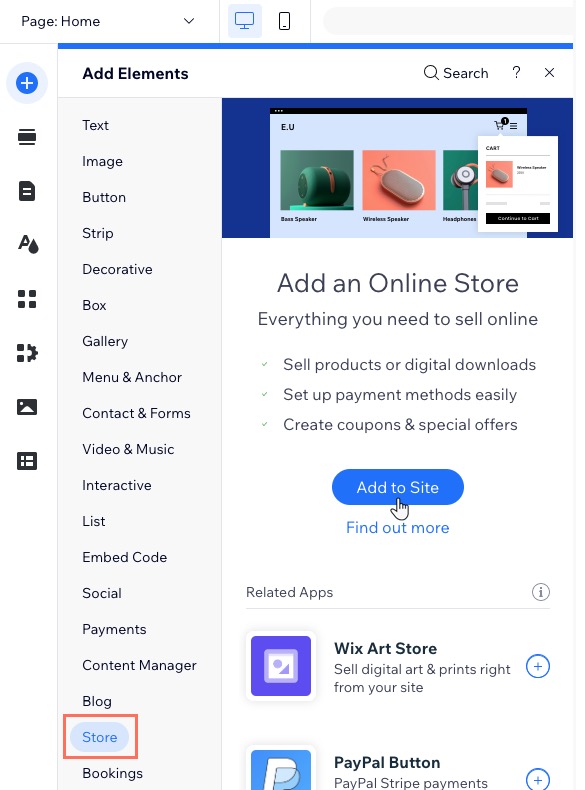
Click Add Elements

.
Click Store.
Click + Add to Site.
Wix Studio
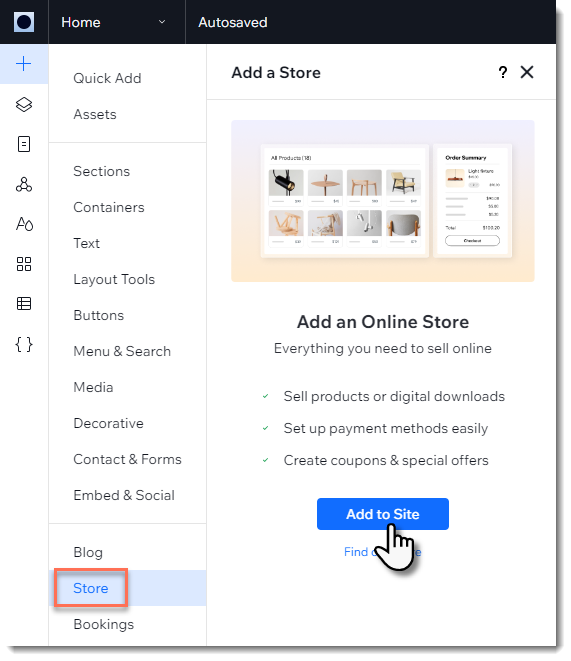
Click Add Elements

.
Click Store.
Click Add to Site.
Harmony Editor
Click + Add at the top left of the editor.
Click the Arrow icon

to navigate to the Apps category.
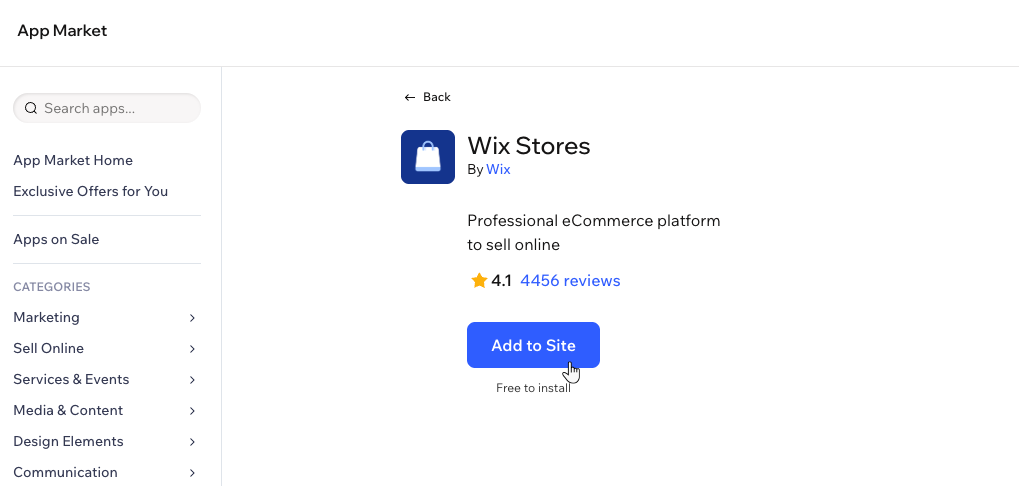
Click Wix App Market at the bottom left.

Search for the Wix Stores app, then select the app.
Click Add to Site.
Dashboard
If you add Wix Stores from your site's dashboard, you need to go to your editor afterwards and add the pending app inside your editor as well.
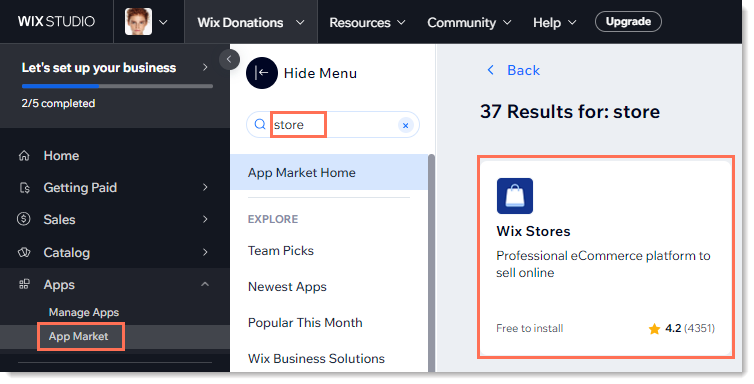
Click Apps on the left menu.
Click App Market.
Search for 'Wix Stores'.
Click the Wix Stores app.
Click Add to Site.
Click Go to Editor.
Click Add to Site.
About the pages in Wix Stores
After adding Wix Stores, you get several new pages on your site.
A new page called Shop is added which contains your product gallery. You also get additional hidden pages:
Product Page: The page which displays info about one product.
Category Page: The main store page (this new page is not yet available for all).
Cart Page: Where customers review products before checking out.
Checkout Page : Where customers complete purchases.
Thank You Page: The page customers view after a purchase.
Pages for your members are also automatically added so that customers can log in and view their order(s) status, store their addresses and manage credit cards for faster checkout (e.g. My Orders, My Addresses).
FAQs
How can I learn more about Wix Stores features?
Check out our overview of store features article to learn about some of the features that come with Wix Stores.
Can I sell products and manage services on the same website?
Yes, you can use Wix Stores for products and Wix Bookings for services.
Can I sell my products on other platforms like eBay or Amazon?
Yes. You can sell your Wix Stores products on many other sales channels, either through an integrated Wix connection or a 3rd party app. These include:
Facebook
Instagram
eBay
Amazon
TikTok for Business
Google Shopping
Faire
YouTube
Learn more about connecting your store to sales channels.
Can I sell both retail and wholesale?
Yes. In addition to your retail store, you can sell B2B (wholesale) using the SparkLayer app.
How can I set up my store to display products online without selling them?
Use Wix Stores to create a showcase by hiding the "Buy Now" and "Add to Cart" buttons from the Product page and anywhere else they appear.
Tip: Be sure to add a note instructing customers how to contact you if they are interesting in purchasing a product.
This article is credited to the Wix team - https://support.wix.com/ and we thank them for that!