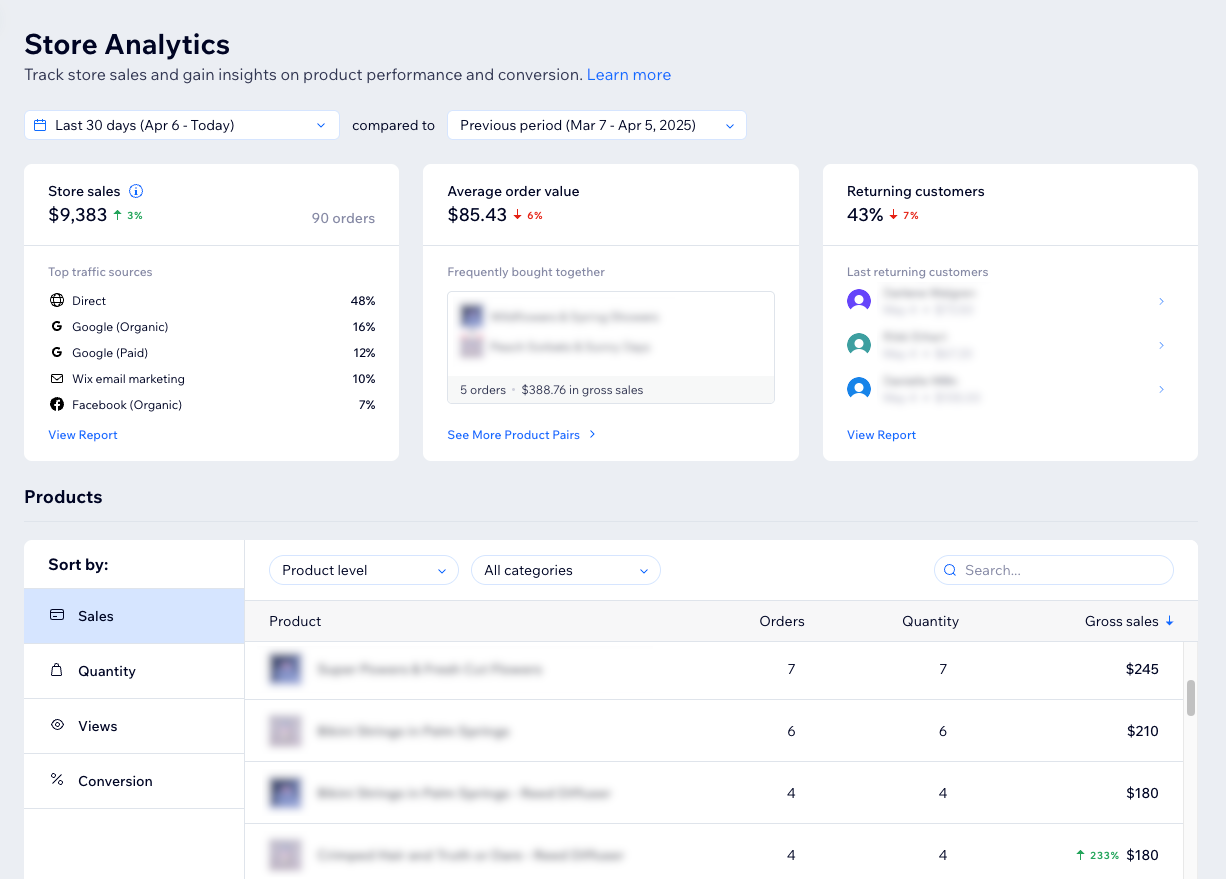
Get a comprehensive view of your online store's performance with Store Analytics. By analyzing key stats, product sales and conversions, you gain valuable insights into your store's sales trends and customer behavior.
Use this data to make informed business decisions. For example, if you notice that a particular product has many views but few sales, you could adjust its pricing or improve its product description to boost conversions.
You can find your Store Analytics in the Analytics section under Sales in your site's dashboard.
Tips:
Click the date picker drop-down at the top to change the time period that data is pulled from (the default is the last 30 days). Then use the next drop-down to compare it to the previous year or the previous time period (e.g. the previous 30 days).

Click View Report in a section to see an in-depth report about that activity.
Key stats
The first section of the Store Analytics page provides stats on your sales, the average order value, and your returning customers. Monitoring these key stats enables you to quickly see how your sales are doing and spot any trends.
Store sales
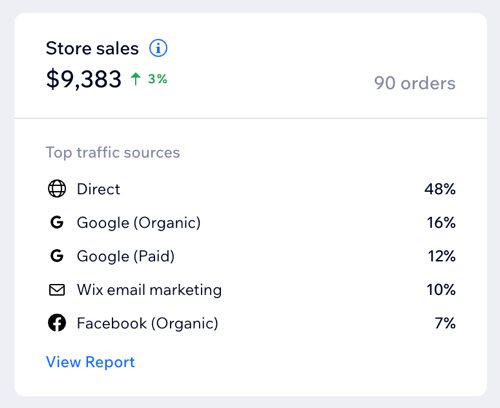
Store sales show the amount expected from Wix Stores sales and redeemed gift cards, including taxes, shipping, tips and fees, after discounts. Refunds aren't deducted, and amounts are included even if an order hasn't been paid yet, as long as it hasn't been cancelled.
In this section, you can see the total amount of sales and the number of orders placed. Below this, the top traffic sources show the sites that customers visited before landing on your store page.
Note:
Store sales only include sales from Wix Stores, but you may have more sales from Bookings, Subscriptions, and other sources. Check out the Sales Overview to see all your site's sales.
Average order value
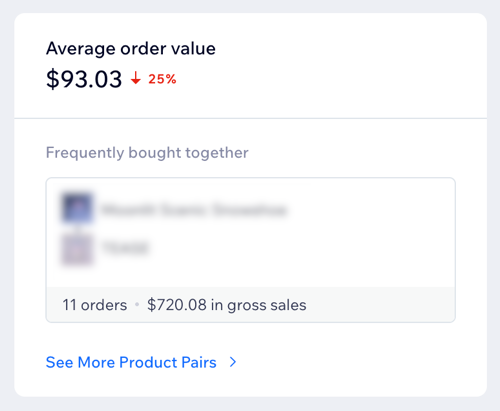
Your average order value is the calculation of store sales divided by the number of orders. You can also see here which products are frequently bought together, how many orders were placed with this combination, and how much it made in gross sales.
Tip:
Click See More Product Pairs for more popular products that are frequently bought together.
Returning customers
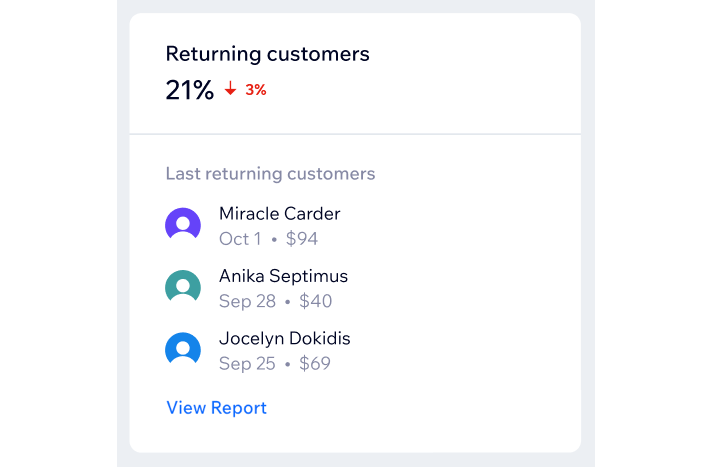
Returning customers show the customers who made a purchase in this period and have made a purchase before. Here you can see your last returning customers, sorted by the last order date, and the amount that the customer spent on this visit.
Products
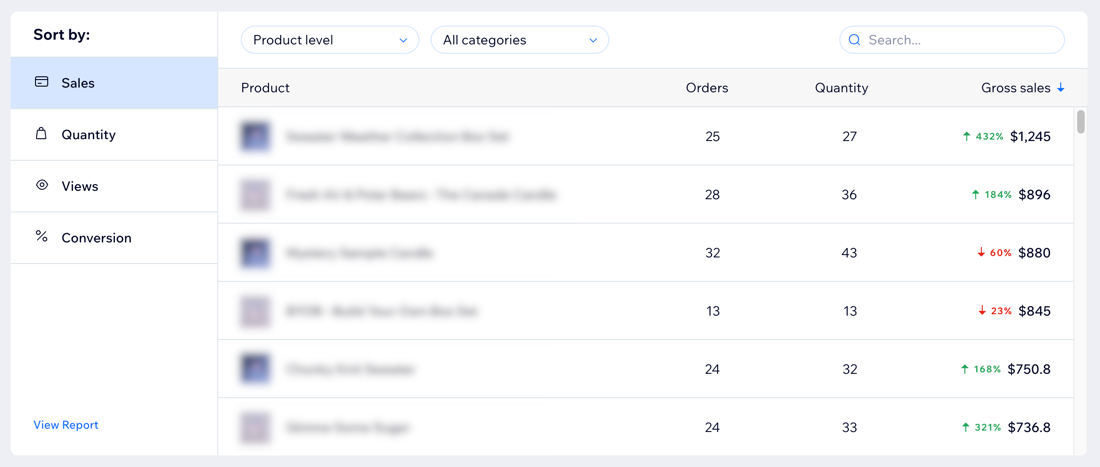
This section helps you analyz e product performance by providing data per product on the number of orders, sales, net revenue, and more. For example, you can see which is your top-selling product or which product gets the most views on your site.
Select a metric under Sort by:
Sales: Sort by top-selling products in gross sales.
Quantity: Sort by the number of sold items.
Views: Sort by the number of views of the product's page.
Conversion: Sort by the percentage of sessions that ended with a purchase, out of all sessions where the product was viewed.
Click the Product level drop-down to choose between showing data by products (e.g. T-shirts) or by variants (e.g. black T-shirt in size M). You can also filter by product category using the All categories drop-down (e.g. show only T-shirts). Learn more about creating product options.
Tip:
By default, the products are sorted from the highest to lowest value of the chosen metric. Click the header with the arrow to change the sorting.

Conversion funnel
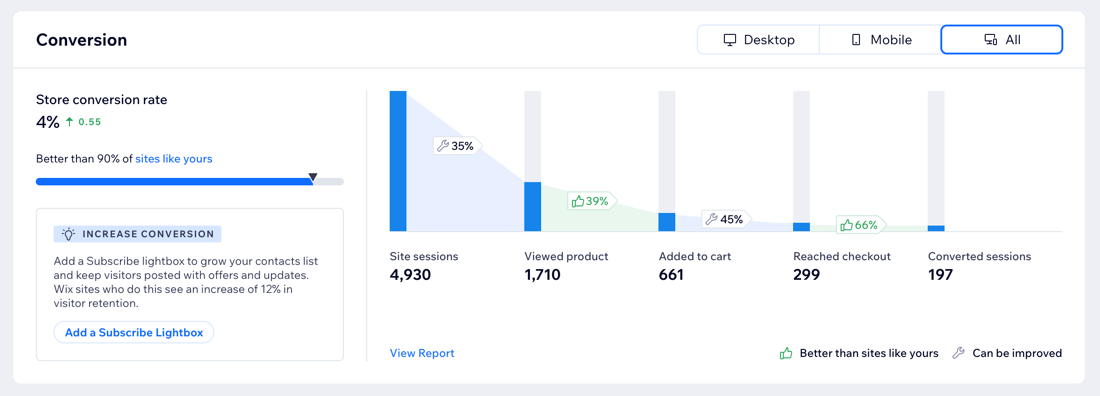
The conversion funnel shows how many site sessions resulted in purchases. Understanding the gap between the number of site visitors and the number of purchases can help you get a clearer view of your site's effectiveness.
Choose to see the conversion rates on desktop, mobile, or all at the top of the section.
You can compare the overall conversion rate and every step of the funnel to similar sites in your category and location. A thumbs up icon

means you're doing better than other sites and a repair tool icon

means this step of the funnel can be improved.
The steps of the funnel include:
Site sessions: A site session is a visit to your site. It ends after 30 minutes of inactivity.
Viewed product: The product view rate is the percentage of sessions where a product was viewed, out of all site sessions.
Added to cart: The add to cart rate is the percentage of sessions where a product was added to the cart, out of all sessions where a product was viewed.
Reached checkout: The cart to checkout rate is the percentage of sessions that reached checkout, out of all sessions where a product was added to the cart.
Converted sessions: The session conversion rate is the percentage of converted sessions out of all site sessions. This rate shows how many of your site sessions result in a purchase.
Note: These purchases include Wix Stores products only. Purchases from other apps (e.g., booking a session through Wix Bookings) will not be counted as a converted session in this step.
Tip:
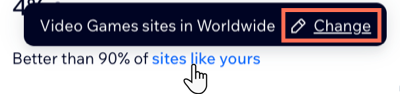
You can update your site's category and location to make sure you're getting compared to the most relevant sites. To do this, hover over sites like yours and click Change. Update the data in the Site category and Location drop-downs, and then click Done.
Abandoned carts funnel
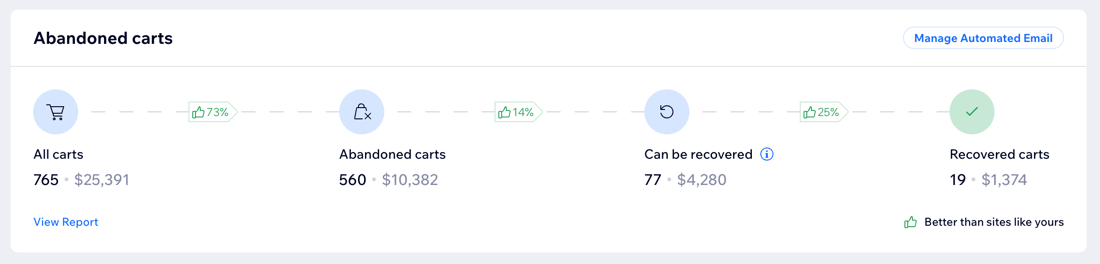
The abandoned carts funnel shows how many carts get to each stage and their total value. Use this information to identify potential obstacles in your checkout process and see where you stand compared to similar sites.
The steps of the funnel include:
All carts: The total number of carts that were created.
Abandoned carts: Carts that did not go through checkout.
Can be recovered: Abandoned carts that can be recovered by contacting the customer.
Recovered carts: Abandoned carts that were eventually purchased (i.e. the customer returned to complete the purchase of products in the cart).
Note: You won't see this step if you don't have an active abandoned cart email automation.
Boost sales by recovering abandoned carts:
Set up an automated email to remind customers of their abandoned carts. This sends them a personalized email displaying the items they left in their cart with a link to complete their purchase.
FAQs
Click a question to learn more about Store Analytics.
What do the terms used in this overview mean?
In Store Analytics, the following terminology is used:
Total sales: The total amount expected from sales and redeemed gift cards, including taxes, shipping, tips and fees, after discounts. Refunds aren't deducted.
Gross sales: The item price multiplied by the number of items sold.
Amount paid: The total amount of money you've received so far from customers.
Net revenue: The amount paid minus refunds, tax, and shipping. In other words, the amount left after deducting all expenses and fees.
Profit: The net revenue minus the cost of goods. In other words, how much you've made in the end.
Learn more about Wix Store terms in the Wix Analytics glossary.
What do the percentages indicate?
The percentages next to the stats indicate an increase (green) or decrease (red) in the data, compared to the previous time period or year.
Why are there no products showing as frequently bought together in the average order value section?
You may not see any products in this section if there were no purchases where two different products were bought together or the purchase of two products together happened only once.
Why do I see different abandoned cart numbers in Wix Stores and Wix Analytics?
In Wix Analytics, there are two separate metrics related to carts: Abandoned carts and Recoverable carts. Wix Stores only shows Recoverable carts.
The Abandoned carts number in Wix Stores should match the Recoverable carts metric in Wix Analytics.
Recoverable carts are created when a customer is logged in as a site member or enters their email address at checkout. You have their contact details, so you can try to recover the sales for example by sending an email campaign or coupon code.
A cart becomes non-recoverable when a visitor adds items to the cart but leaves before logging in or sharing their email. Because you do not have their contact details, the cart cannot be recovered.
Why can't I see all my products in the Products table?
The Products table shows up to 200 products. Click View Report at the bottom left of the section to access the full list of products.
Can I see data about my store inventory in this overview?
Currently, it is not possible to see insights about your inventory in this overview. However, this will be available soon. Until then, check out your inventory reports to get the data you need.
This article is credited to the Wix team - https://support.wix.com/ and we thank them for that!