After you update your homepage's title tag, you may see an error message in your Wix SEO Setup Checklist. This can happen if you add a title tag that does not include your keywords or business name. Follow the steps below to resolve the issue.
Updating your homepage's title tag
Update your homepage's title tag from your SEO Setup Checklist.
Wix Editor
Go to the SEO Setup Checklist in your site's SEO dashboard.
Hover over the error message and click Go for it.
Select a suggested title tag from the list, or select Other to enter your own title tag.
Tips:
Use at least one of your keywords and your business name.
Enter between 55-70 characters.
If you create your own title tag, we recommend checking our tips for writing your own title tag.
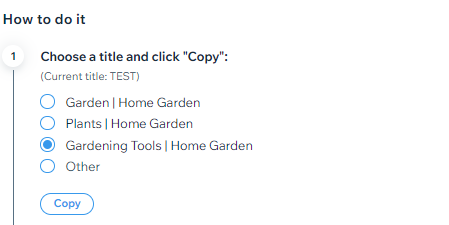
Click Copy.
Click Pages & Menu

on the left side of the editor.
Click the More Actions icon

next to your homepage.
Click SEO basics.
Paste the page title under Title tag (title in search results).
Click Publish.
Go back to your SEO Setup Checklist.
Click Refresh.
Studio Editor
Go to the SEO Setup Checklist in your site's SEO dashboard.
Hover over the error message and click Go for it.
Select a suggested title tag from the list, or select Other to enter your own title tag.
Tips:
Use at least one of your keywords and your business name.
Enter between 55-70 characters.
If you create your own title tag, we recommend checking our tips for writing your own title tag.
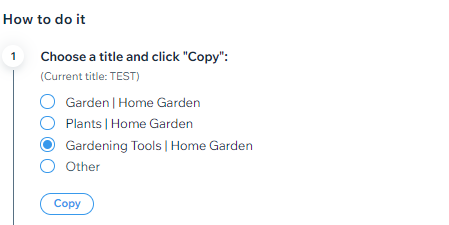
Click Copy.
Click Pages

on the left side of the editor.
Click the More Actions icon

next to your homepage.
Click SEO Basics.
Paste the page title under Title tag (title in search results).
Click Publish.
Go back to your SEO Setup Checklist.
Click Refresh.
Wix Harmony Editor
Go to the SEO Setup Checklist in your site's SEO dashboard.
Hover over the error message and click Go for it.
Select a suggested title tag from the list, or select Other to enter your own title tag.
Tips:
Use at least one of your keywords and your business name.
Enter between 55-70 characters.
If you create your own title tag, we recommend checking our tips for writing your own title tag.
Click Copy.
Click the Page dropdown at the top left of the page.
Click the More Actions icon

next to the relevant page.
Hover over SEO and accessibility and click SEO.
Click Set title tag.
Paste the page title under Title tag.
Click Publish.
Go back to your SEO Setup Checklist.
Click Refresh.
Dashboard
Go to SEO & GEO in your site's dashboard.
Scroll down to Tools and settings.
Click SEO Settings.
Select Main pages under Edit by page type.
Select the Edit by Page tab at the top.
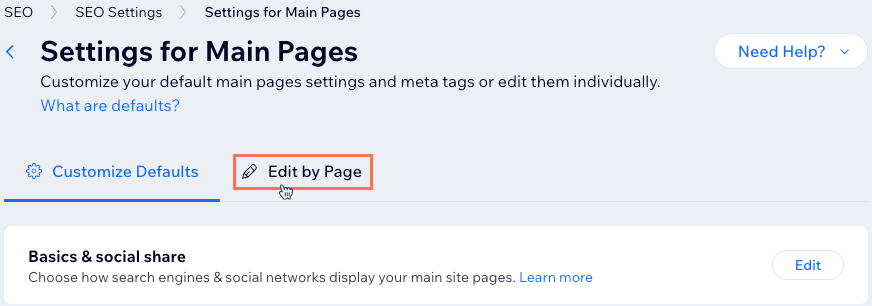
Click the More Actions icon
next to your homepage.
Click Edit.
Enter the page title under Title tag.
Tip: Click Create AI text to choose a suggested title tag.
Click Publish.
Tips for writing title tags
We recommend following the tips below if you decide to create your own title tags for your pages.
Each page on your site should have its own unique title tag.
The title tag should provide concise information on what the page is about.
You should include one of your keywords and your business or site name. This also helps AI engines identify and mention your brand in search results more consistently.
It's also a good idea to include the location of your business to your homepage title tag. This will help Google know to display your site to searchers in your area.
The length of your title tag should be 55-70 characters. Use the pipe sign ‘|’ to distinguish different parts of your title tag.
Want to learn more?
Check out these additional SEO tips for beginners.
This article is credited to the Wix team - https://support.wix.com/ and we thank them for that!