Generate invoices for all restaurant orders paid online.
Invoices are only created for:
Orders paid online through your site (e.g. not with the manual payment method).
Orders you haven't yet manually created an invoice.
To automatically generate an invoice for every order:
Go to Checkout Settings in your site's dashboard.
Enable the Automatically create invoices for every new order paid online toggle under Payments.
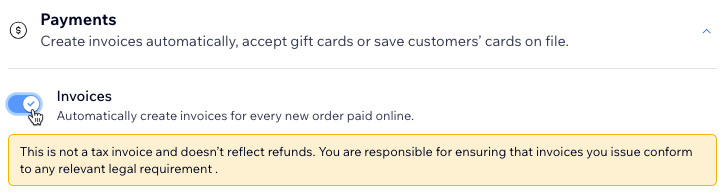
Note:
If you issue a partial or complete refund on an order, the invoice doesn't update to reflect the refund amount.
This article is credited to the Wix team - https://support.wix.com/ and we thank them for that!