Check your Wix Photo Album stats tab to see how many views each of your albums has received. You can also track the total views of all your albums combined, your total site visits, and more.
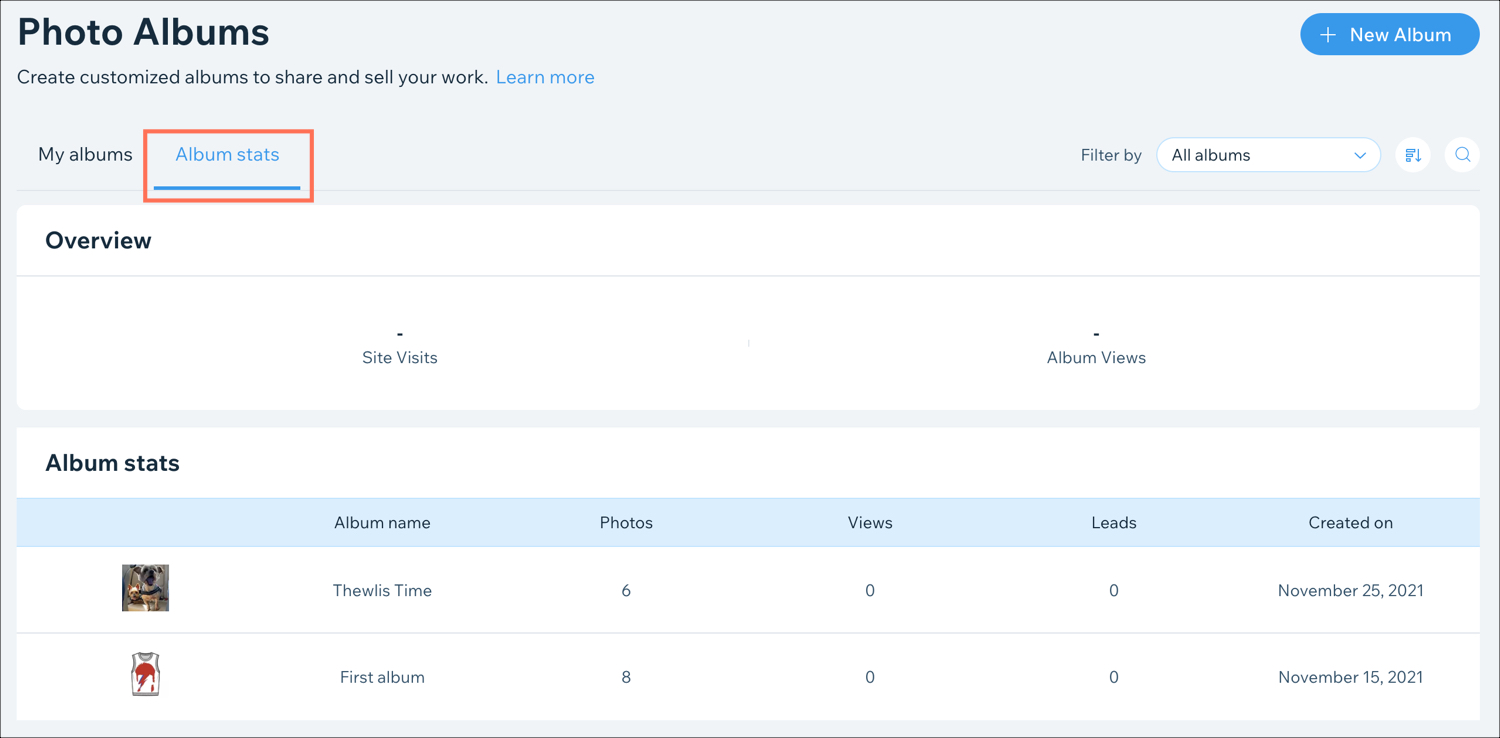
To view your photo album statistics:
Go to Photo Albums in your site's dashboard.
Click the Album Stats tab.
Choose what you want to do:
View your stats
View the following photo album stats in the relevant section:
Overview: View your overall site and album traffic.
Site visits: The number of visits to your site.
Album Views: The total number of album views.
Album stats: View the breakdown of your site traffic by album:
Photos: The number of photos in each album.
Views: The number of times each album has been viewed.
Leads: The number of leads this album generated for your site. A lead is when a visitor views your album and then clicks on your business name to get to your site.
Filter your stats
Click the Filter by drop-down to filter the albums on display by:
All albums
Drafts
Published
Sort your stats
Click the Sort icon

to view your albums by:
Newest
Oldest
Album name: A - Z
Album name: Z - A
Search for albums
Click the Search icon

to search for a specific album by any word in the title of the album.
This article is credited to the Wix team - https://support.wix.com/ and we thank them for that!