When necessary, you can refund a customer for all or part of a payment they've made through Wix Payments. Refunds can take up to 3-5 business days to reach your customer's credit card / bank account, depending on the financial institution.
Refunding a Wix Payments payment
Issue refunds from your Wix Payments account on desktop or from the Wix app on your mobile device.
Desktop
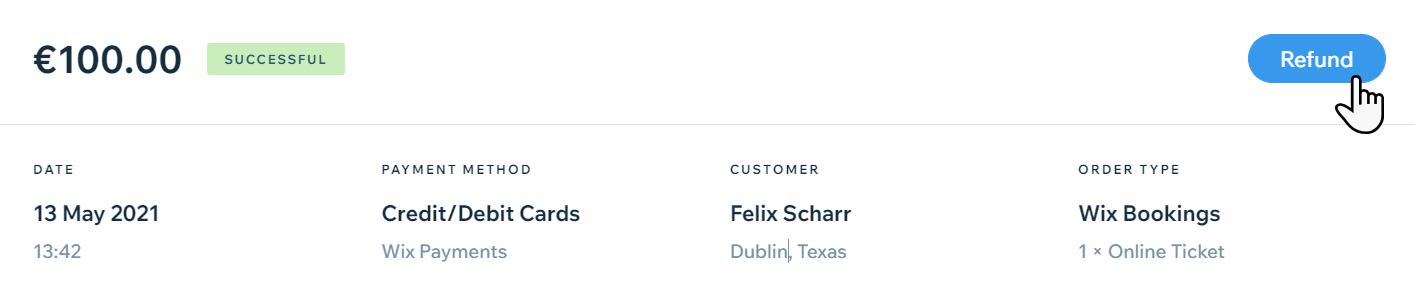
Go to Payments in your site's dashboard.
Click on the payment to refund.
Click Refund.
Enter the amount to refund and a note (if needed).
Click Refund.
Wix app
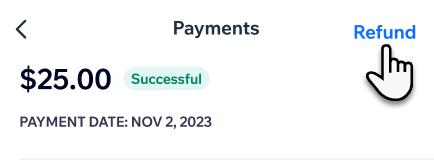
Go to Payments in the Wix app.
Tap on the payment to refund.
Tap Refund.
(Optional) Tap the Note icon

to add a note of the details of this refund and tap Save.
Enter the amount to refund, and tap Issue Refund.
Tap Issue Refund to confirm.
FAQs
Click a question below to learn more about refunds in Wix Payments.
What is the minimum amount that can be refunded?
The typical minimum refund amount per currency is as follows:
Canada: 1 CAD
European Union: 1 EUR
Switzerland: 1 CHF
United Kingdom: 1 GBP
United States: 1 USD
Note: For PayPal with Wix Payments, refunds can be made for 0.50 USD
Wix Payments reserves the right not to allow refunds of less than $1, or the local currency equivalent.
Can refunds be cancelled?
Once initiated, refunds cannot be canceled or reversed.
Can I refund a payment in partial refunds?
After providing a partial refund to a customer, you can still refund them for the remaining amount at a later point in time.
Is there a time limit for refunds?
For Affirm payments, refunds can be issued up to 120 days after the initial payment
For Afterpay payments, refunds can be issued up to 120 days after the initial payment
For Klarna payments, refunds can be issued up to 180 days after the initial payment
For PayPal with Wix Payments, refunds can be issued up to 180 days after the initial payment
What are the fees for refunding payments?
For refunded payments, standard Wix Payments processing fees apply. For example, in the U.S., if you issue a $100 refund to your customer, the original processing fee of $2.90 + $0.30 for that customer's purchase will not be paid back to your Wix Payments account. No additional refund fees will be charged.
Why are processing fees not refunded when I issue a refund?
Processing fees are non-refundable as they cover the cost of payment processing services. When issuing a refund, you will need to cover the processing fee amount if your Wix Payments balance is insufficient.
I issued a refund, but my customer hasn't received it yet. What should I do?
Allow 3-5 business days for the refund to reach your customer's credit card. If your customer still hasn't received their refund after 3-5 business days, contact us and we'll be happy to assist you further.
I need to issue a refund, but my account has a negative balance. What can I do?
You may need to refund a customer and currently don't have enough funds in your Wix Payments account to cover the return. If your current balance can't cover a specific refund, you'll need to add funds to your Wix Payments account.
Note: Currently, it's not possible to top-up a negative balance for PayPal with Wix Payments. To return to a positive balance for PayPal with Wix Payments, you need to wait for additional PayPal payments to be successfully processed.
This article is credited to the Wix team - https://support.wix.com/ and we thank them for that!