Accept EUR payments from your customers via direct bank transfers using iDEAL | Wero, processed by Wix Payments.
General Info | |
Supported country | Netherlands |
Supported currency | EUR |
Transaction fees | 2.5% + €0.30 |
Before you begin:
You must set up Wix Payments to accept payments via iDEAL | Wero through Wix Payments.
Connecting iDEAL | Wero through Wix Payments
Go to Accept Payments in your site's dashboard.
Click Manage next to Wix Payments.
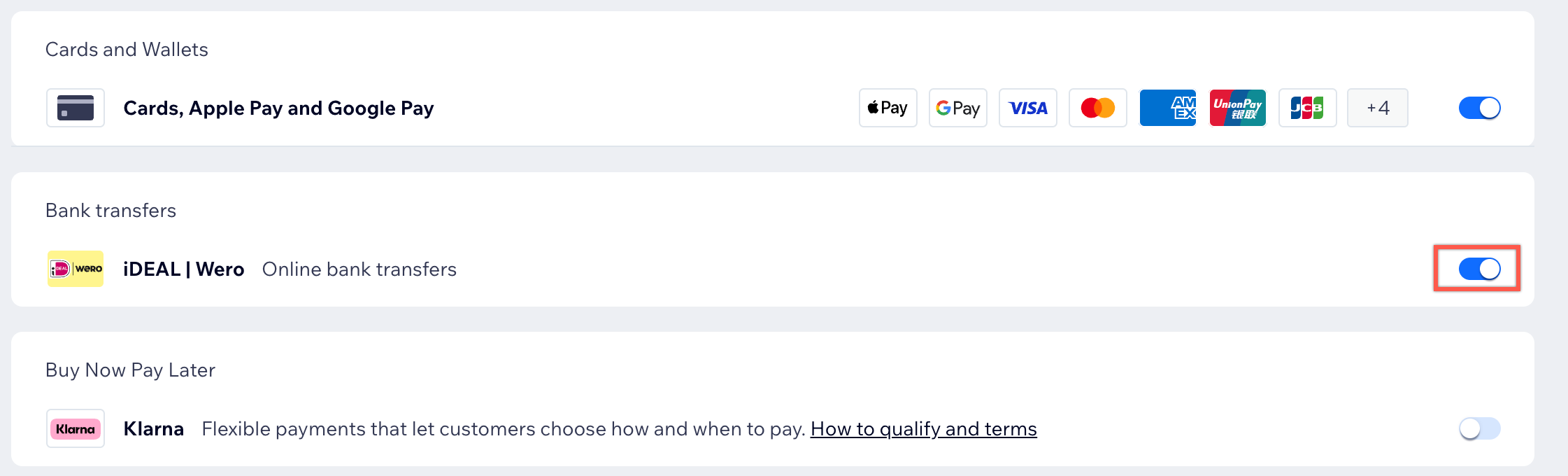
Enable the toggle next to iDEAL | Wero.
Note: You can disable the toggle at any time to remove iDEAL | Wero from your payment options.
FAQs
Click a question below to learn more about Wix Payments.
I currently accept iDEAL | Wero payments through another payment provider. Can I change to accept iDEAL | Wero payments through Wix Payments?
Yes. You can switch to Wix Payments if you've already connected your Wix site to a different provider.
How can I tell if a payment method is active?
In order to accept online payments, you must connect a payment provider.
Once connected, your checkout will be active for your chosen payment method(s).

You need to have your account successfully verified to receive payouts.
How often do I receive payouts?
Once your account setup is complete, payouts are sent daily, weekly or monthly, depending on the payout schedule you choose. Please allow 3-5 business days for the funds to appear in your bank account.
This article is credited to the Wix team - https://support.wix.com/ and we thank them for that!