Before you begin:
To accept Bancontact through Wix Payments, you must first set up Wix Payments.
Items sold via Bancontact are subject to our list of prohibited goods and services.
Bancontact is only available to eligible Wix Payments users.
Add Bancontact as a payment method to offer your customers an additional local checkout option. Bancontact is a Belgian payment method that people use for online, in-store, and peer-to-peer (P2P) payments.
You can connect Bancontact in through Wix Payments and manage it from your Wix dashboard alongside your other business finances.
General Info | |
Supported countries | Belgium |
Supported currencies | EUR |
Processing fees | 1.4% of the transaction amount + 0.3 EUR |
Adding Bancontact
Go to Accept Payments in your site's dashboard.
Click Manage next to Wix Payments.
Note:
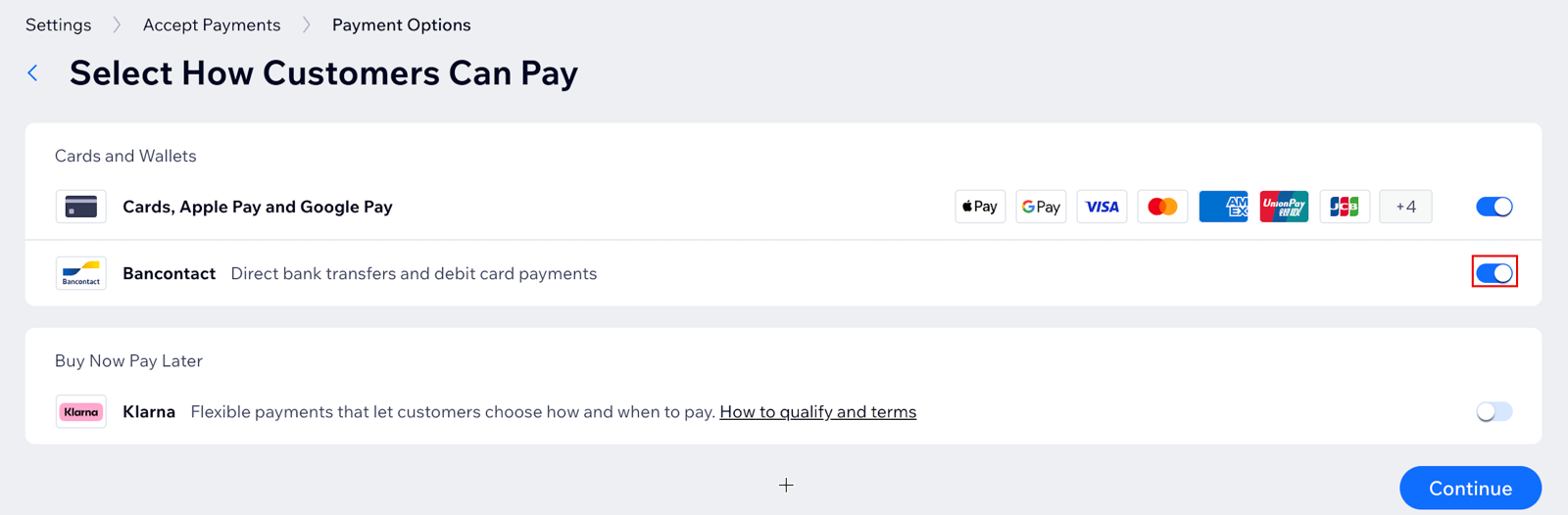
Bancontact is enabled by default on the Manage Wix Payments page. You can disable the toggle at any time to remove Bancontact from your payment options.
This article is credited to the Wix team - https://support.wix.com/ and we thank them for that!