You can archive or delete online programs that you no longer need. Archiving a program means the program is still accessible from your dashboard. Deleting a program removes the data altogether, with no option to restore it.
Dashboard
Go to Online Programs in your site's dashboard.
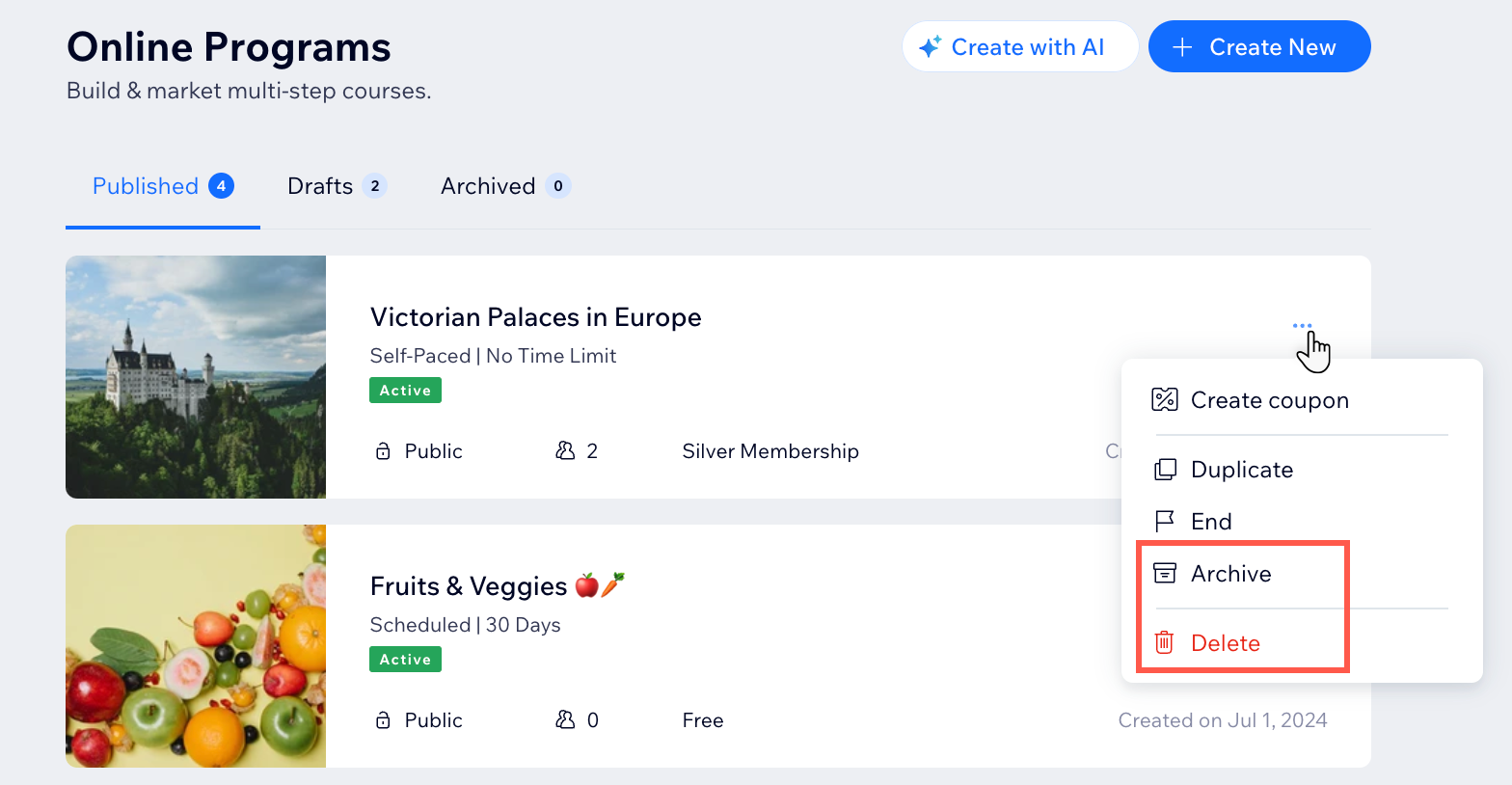
Click the More Actions icon

next to the relevant program.
Choose what you want to do next:
Archive your program:
Click Archive.
Click Archive in the pop-up to confirm.
Delete your program:
Click Delete.
Click Delete in the pop-up to confirm.
Wix app
Go to your site in the Wix app.
Tap Manage

at the bottom.
Tap Online Programs.
Tap the relevant tab according to the status of your program: Published, Drafts or Archived.
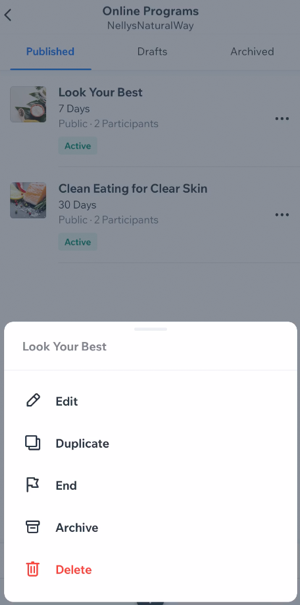
Tap the More Actions icon

next to the relevant program.
Choose what you want to do next:
Archive: Send your program to the archive. You can find it in the Archived tab.
Delete: Delete your program and its information permanently.
Tip:
If you want to show an archived program on your site again, duplicate the program and publish it as a new one.
Want to delete the Online Programs app from your site?
You can delete Online programs from your site to remove the app altogether.
This article is credited to the Wix team - https://support.wix.com/ and we thank them for that!