If you decide to remove Online Programs from your site, you can delete the app. This will remove the app and all related pages from your site. Your data is saved, so you can re-add the app later if you change your mind.
Dashboard
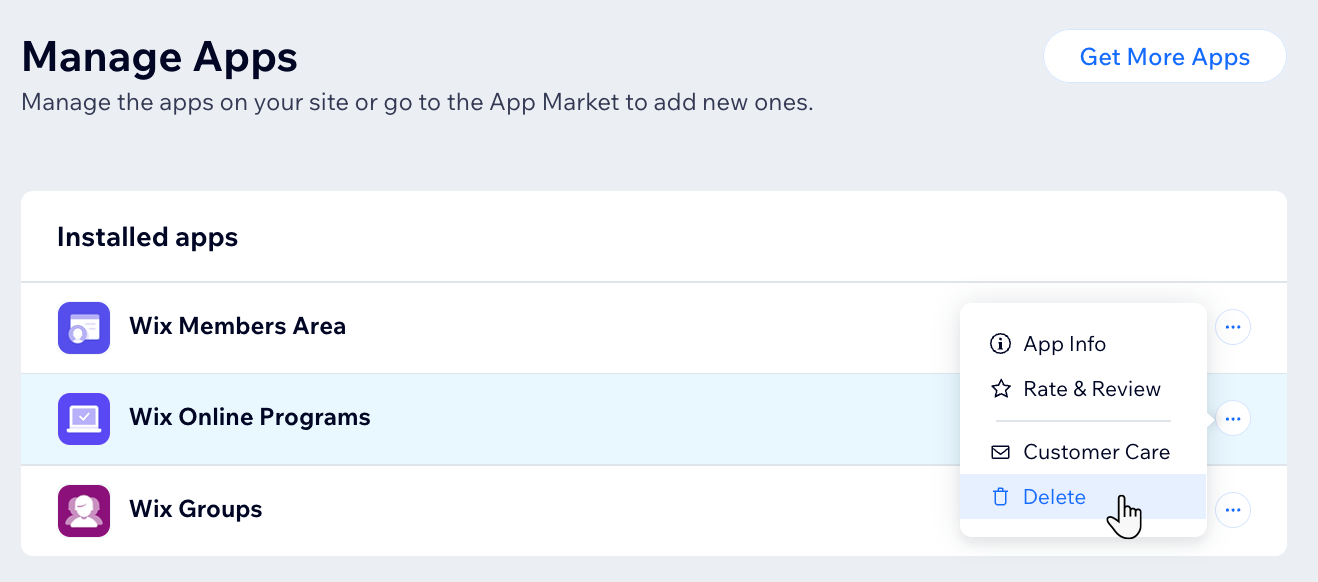
Go to Manage Apps in your site's dashboard.
Click the More Actions icon

next to Wix Online Programs.
Select Delete.
Click Go to Editor.
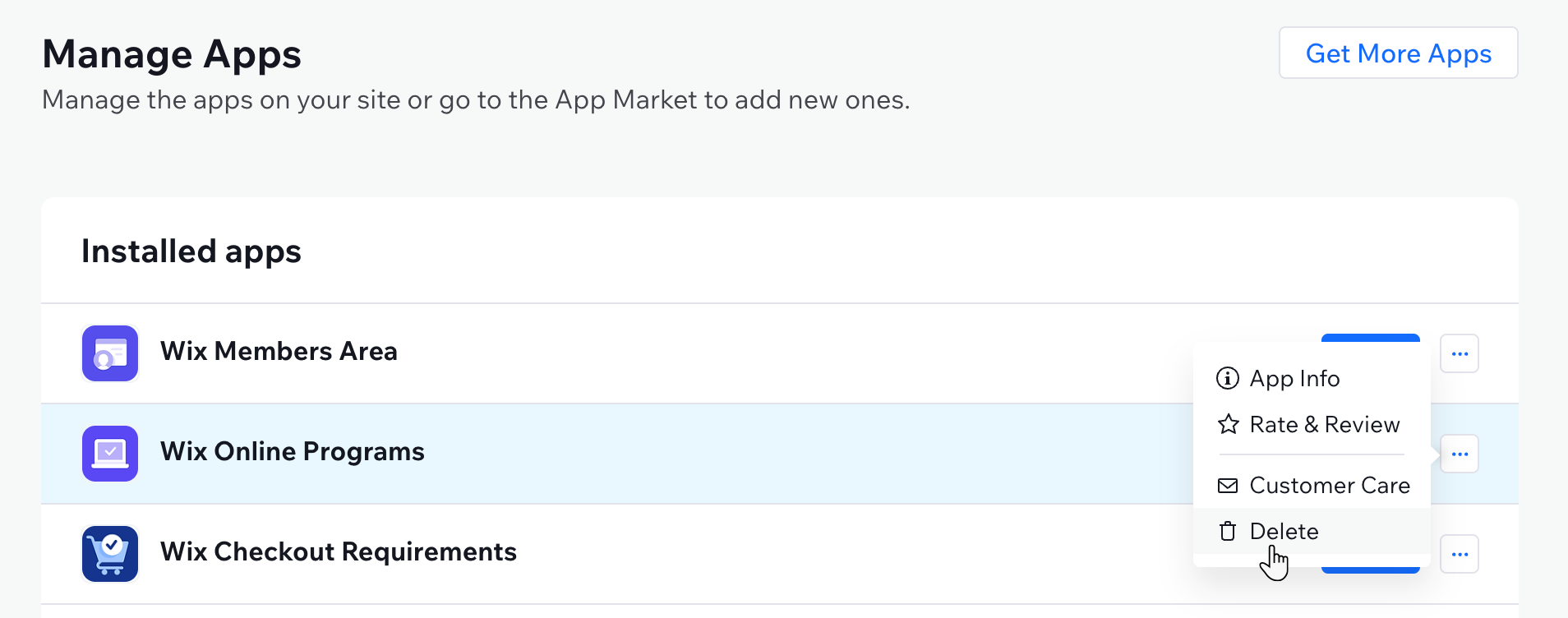
Click the More Actions icon
next to Wix Online Programs.
Select Delete.
Select your reason for deleting the app in the feedback form and tell us why (optional).
Click Delete App.
Wix Editor
Click Apps

on the left side of the editor.
Click Manage Apps at the bottom.
Click the More Actions icon
next to Wix Online Programs.
Select Delete.
Select your reason for deleting the app in the feedback form and provide details (optional).
Click Delete App.
Studio Editor
Click Apps

on the left side of the editor.
Click Manage Apps at the bottom.
Click the More Actions icon
next to Wix Online Programs.
Select Delete.
Select your reason for deleting the app in the feedback form and provide details (optional).
Click Delete App.
Wix app
Go to your site in the Wix app.
Tap Manage

at the bottom.
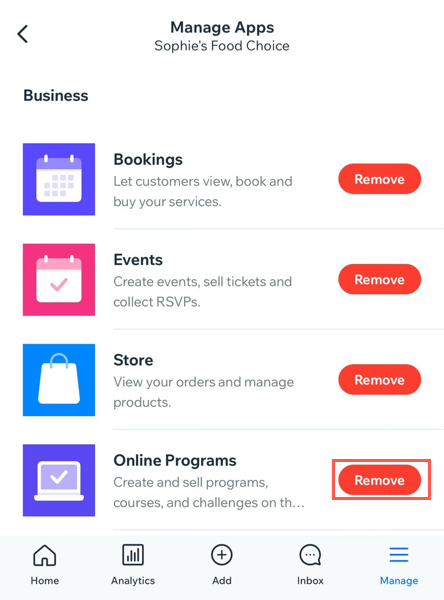
Tap Manage Apps.
Tap Remove next to Online Programs.
Tap Remove.
This article is credited to the Wix team - https://support.wix.com/ and we thank them for that!