Easily locate a specific invoice or price quote any time you need it, filter by a specific criteria or sort your lists according to your needs.
To search, filter, and sort your invoices or quotes:
Go to your Invoices or Price Quotes tab on your site's dashboard.
Choose what you want to do:
Search for an invoice or price quote
Enter a search term in the search bar above the:
Invoice list
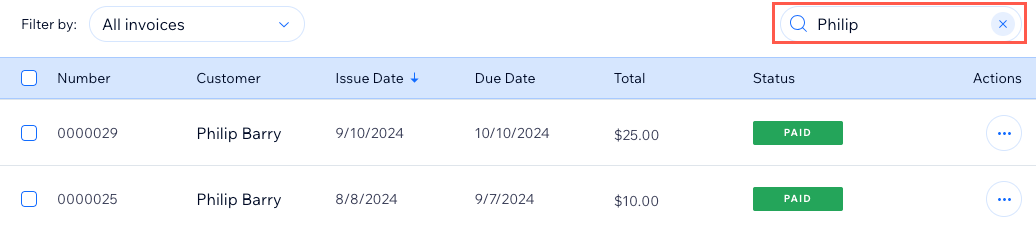
Price Quote list

Filter your invoice list or price quote list
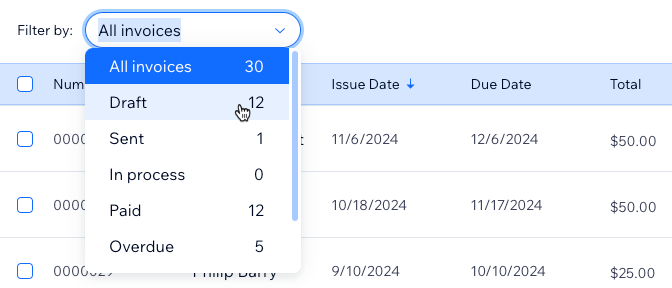
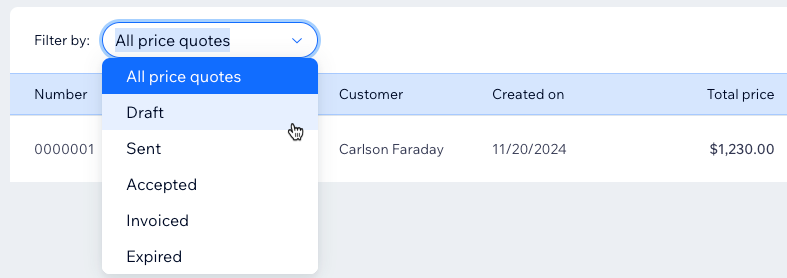
Click the Filter By drop-down and select a status for:
Invoices
Price Quotes
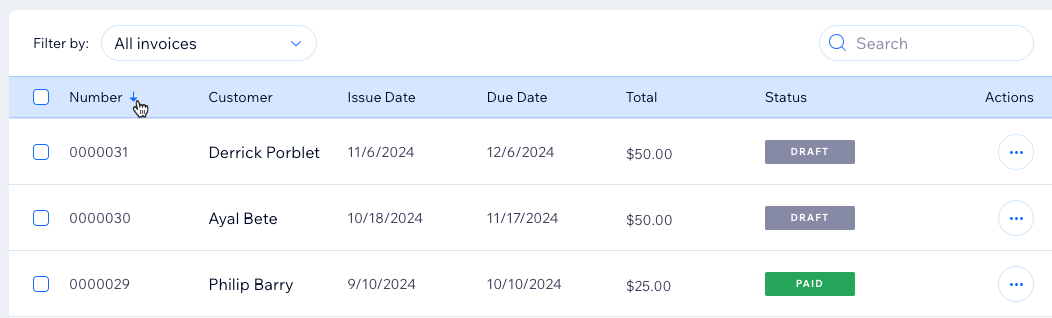
Sort your invoice list or price quote list
Click a column name to sort the list by one of the following for your:
Invoices:
Number
Customer
Issue date
Due date
Total
Status
Price Quotes:
Number
Title
Customer
Created On
Total Price
Status
(Optional) Click again to reverse the order (e.g. Number 000125 to 000001 instead of 000001 to 000125).
This article is credited to the Wix team - https://support.wix.com/ and we thank them for that!