Wix Inbox lets you manage all your communication channels in one place, so you can stay connected with leads and customers without switching between apps. Link your email account and integrate popular messaging platforms like Instagram, Facebook, and WhatsApp to centralize and streamline your communication.
Connecting your channels helps you:
View all conversations in one place, no matter the platform.
Maintain a professional presence across all platforms.
Engage with leads and customers in a timely manner.
Understanding your communication channels
You can connect and manage the following types of communication channels in Wix Inbox:
Email channels: Use your personal email or business email to send and receive messages with ease.
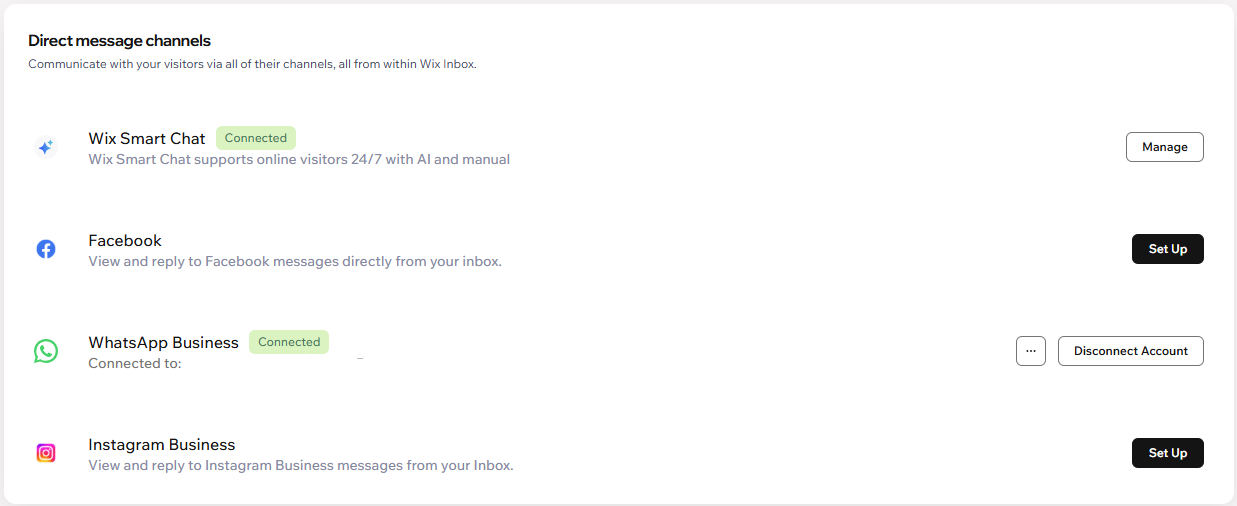
Direct message platforms: Integrate popular platforms like Instagram Business, Facebook, or WhatsApp Business.
When you access Wix Inbox, you see all your messages from every connected channel and you also see which platform your messages are coming from.
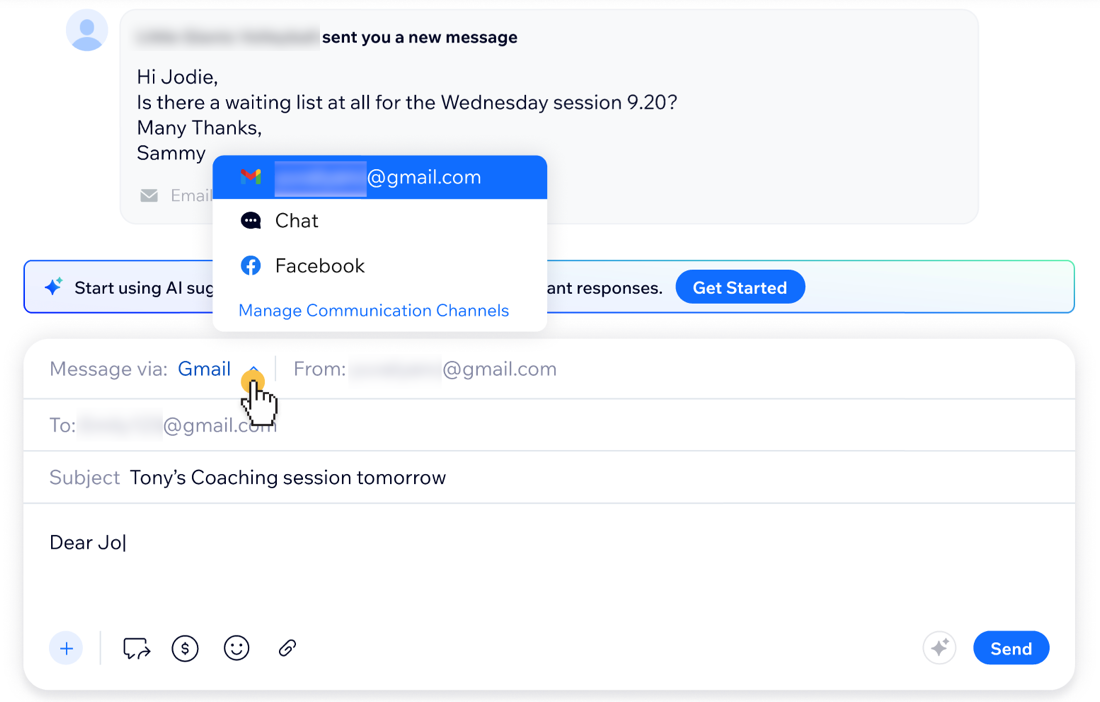
When you reply to a message or compose a new message, you can choose which channel to use. For example, if a customer contacts you on Instagram, choose to send your reply via Instagram. If you want to send an important file or need a more formal communication, you can change the channel and reply via email instead.
Managing email channels
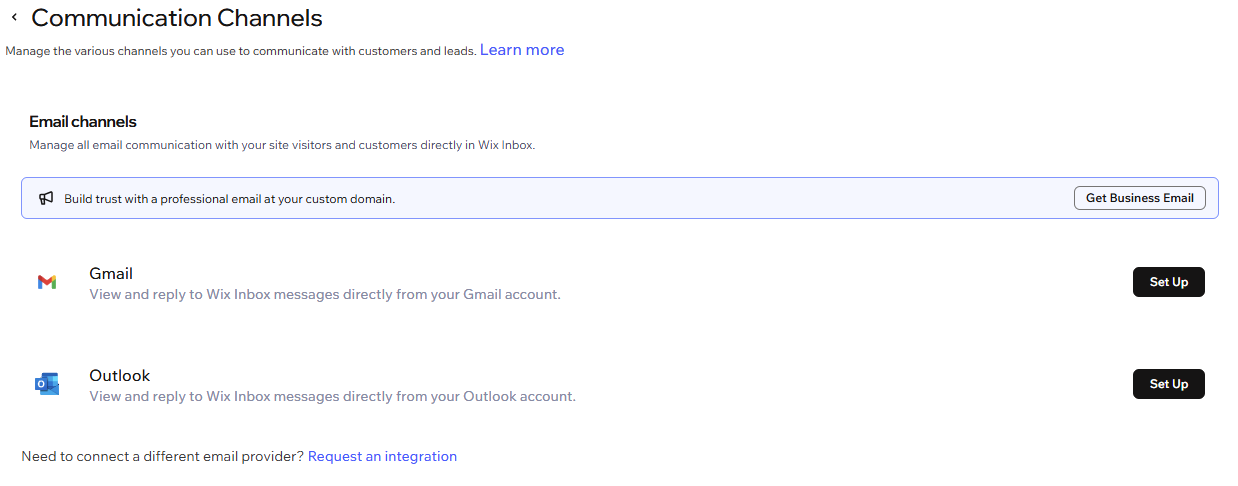
You need to connect an email channel to send emails from Wix Inbox, such as a Gmail account, Outlook account or a business email. All outgoing emails from your site, such as contact form responses or store order updates, are sent from the email address you connect.
When you connect your email account, you can see and respond to Wix Inbox messages directly from it.
Tip:
If you want to disconnect an email channel, click Manage App and Disconnect to stop email communications. The email channel will still be installed and you'll see an 'Inactive' badge on it.

Managing direct message platforms
Stay on top of platform-specific chats by integrating messaging apps with Wix Inbox.
Connect direct message platforms like:
Wix Smart Chat: Respond to site visitors instantly with an AI-powered chat that learns about your business, answers queries, and captures new leads around the clock.
Instagram Business: Connect your Instagram page to Wix Inbox to manage Instagram messages.
WhatsApp Business: Connect WhatsApp Business to Wix Inbox to manage WhatsApp messages.
Tip: If you're using Wix Smart Chat on your site, you can let AI reply to your WhatsApp messages. Learn how to activate AI replies for WhatsApp.
Facebook: Connect your Facebook page to Wix Inbox to manage Facebook messages.
Managing phone & Messaging channels
Connect your business phone line to communicate with customers via calls or messages.
You can use your Business Phone Number to handle business calls and texts using a dedicated number for your business.
Note:
This is available only for existing Business Phone Number users.

FAQs
Click a question below to learn more about this.
Which email address is used as my sender address?
Your sender address is the email address you connect to Wix Inbox, such as a Gmail or Outlook account or a business email. All outgoing emails from your site (for example, contact form replies or store order updates) are sent from this address.
Note: You must connect an email channel before setting up outgoing email settings.
How many email addresses can I connect to Wix Inbox?
You can connect Gmail and Outlook to your site at the same time. To use a different sender address, choose the relevant channel in the email conversation.
Can I manage communication channels from my mobile device?
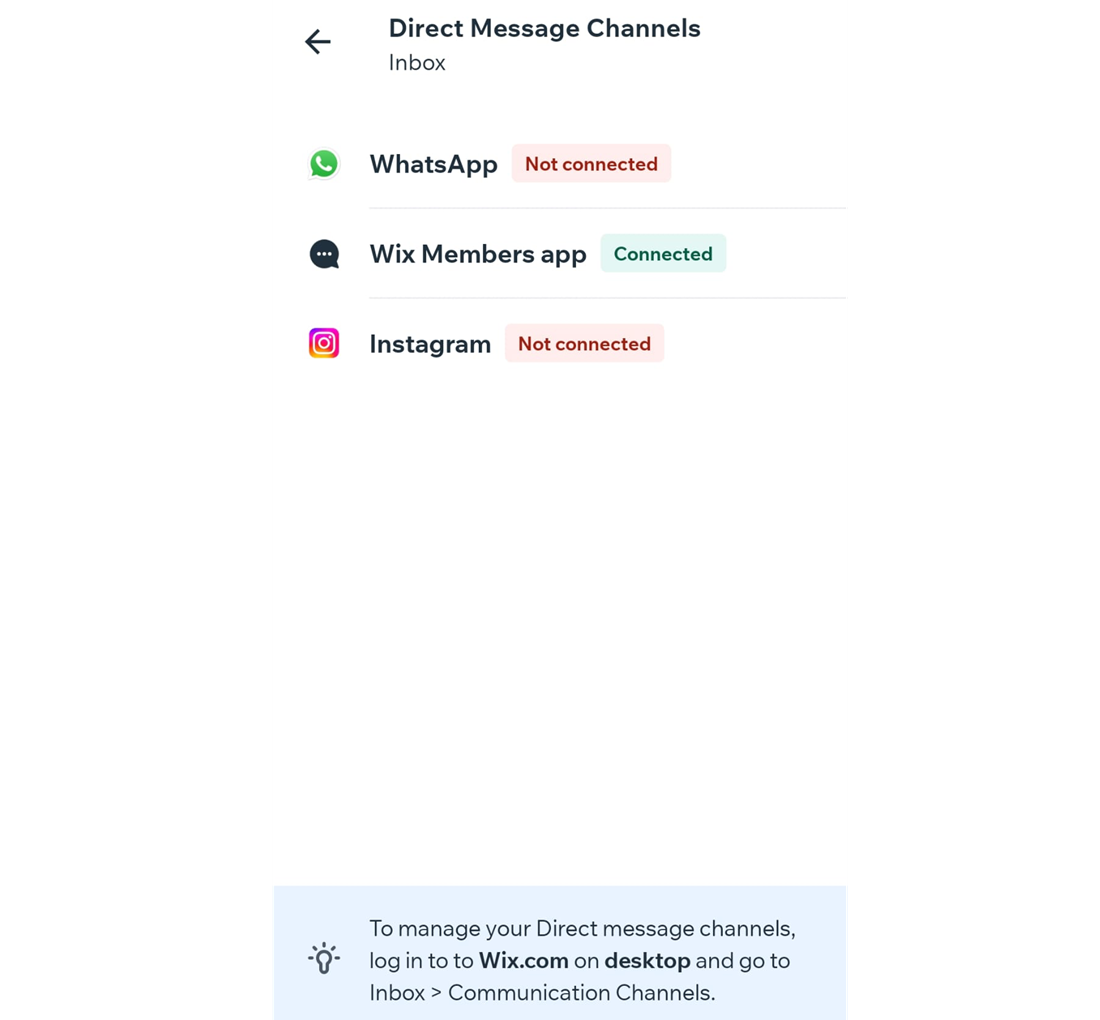
No. While you can view which platforms are connected to Wix Inbox through the Wix app, it is only possible to connect and manage communication channels on desktop.
To view your connected platforms from the Wix app:
Go to your site in the Wix app.
Tap Inbox

at the bottom.
Tap the More Actions icon

at the top.
Tap Communication Channels.
Select the relevant communication channel to view the connected platforms.
Are there other ways to change my sender email?
You can purchase a Google Workspace business email through Wix or connect a business email purchased outside of Wix. This also changes the sender for emails sent from your site, but you manage the rest of the conversation from your email provider's inbox.
This article is credited to the Wix team - https://support.wix.com/ and we thank them for that!