When adding Wix Groups to your site, you'll find 3 new customizable pages in the editor:
Group Page: Each group has its own dedicated page.
Groups: Lists all available groups for visitors to browse and join.
Members Area: Site members can customize their profile, connect with others, and manage notifications.
In this article, learn about each of these areas and how you can make them your own.
The Group Page
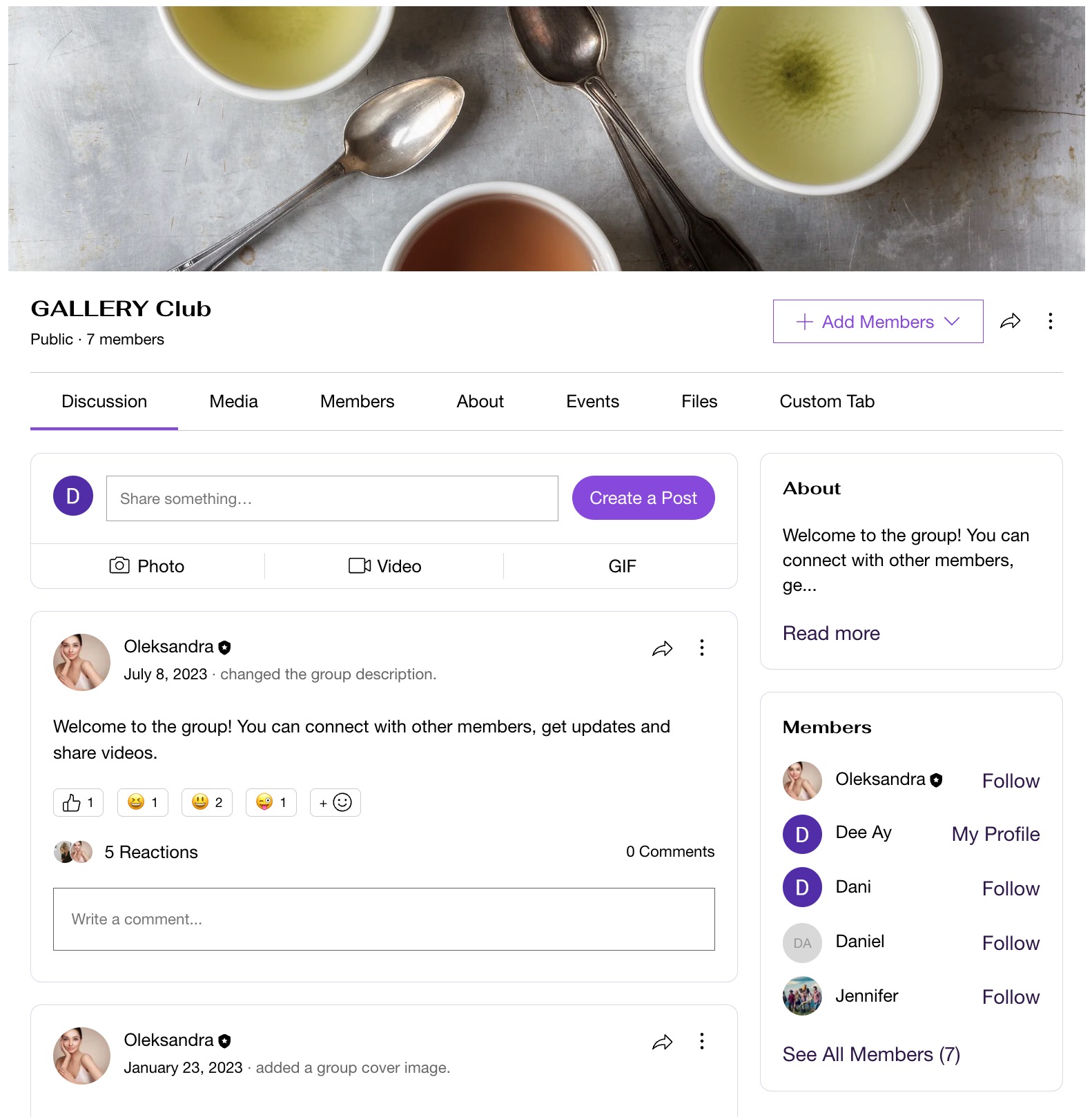
Each group you create has its own dedicated page, featuring a discussion tab for posts and media, as well as a members tab. You can choose to display member names on profile photos to enhance connections among group members.
Customize this page with design adjustments and integrate features like emoji reactions and member badges, promoting community recognition and participation.
Tip:
Each group page features various tabs such as "About" and "Media." You can create custom tabs, rename existing ones, and link specific events to the group.
Groups (Group list)
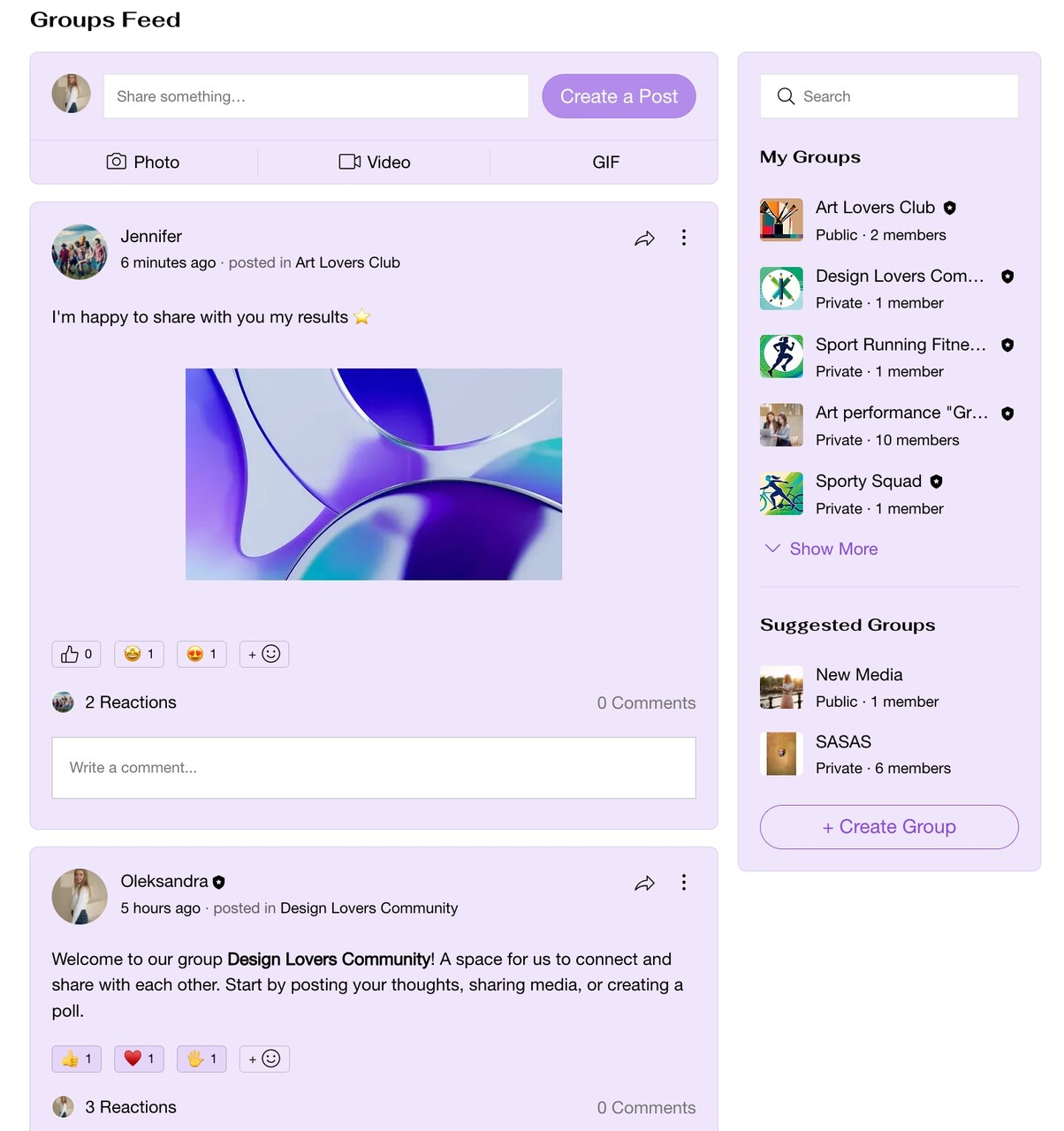
The Groups page displays all the groups on your site and features a feed where members of each group can post updates, share content, and interact within their specific group's context.
You can customize this page (e.g. 'News Feed', 'Latest Updates') to match your site's theme with colors and fonts. Organize groups by activity or member count, and add features like a share button to boost member interactions.
Create group posts:
You can offer exclusive posts with your content, accessible only to paying members.
Categorize posts with topics, monetize exclusive content with a pricing plan, and delete irrelevant posts at any time.
The Members Area
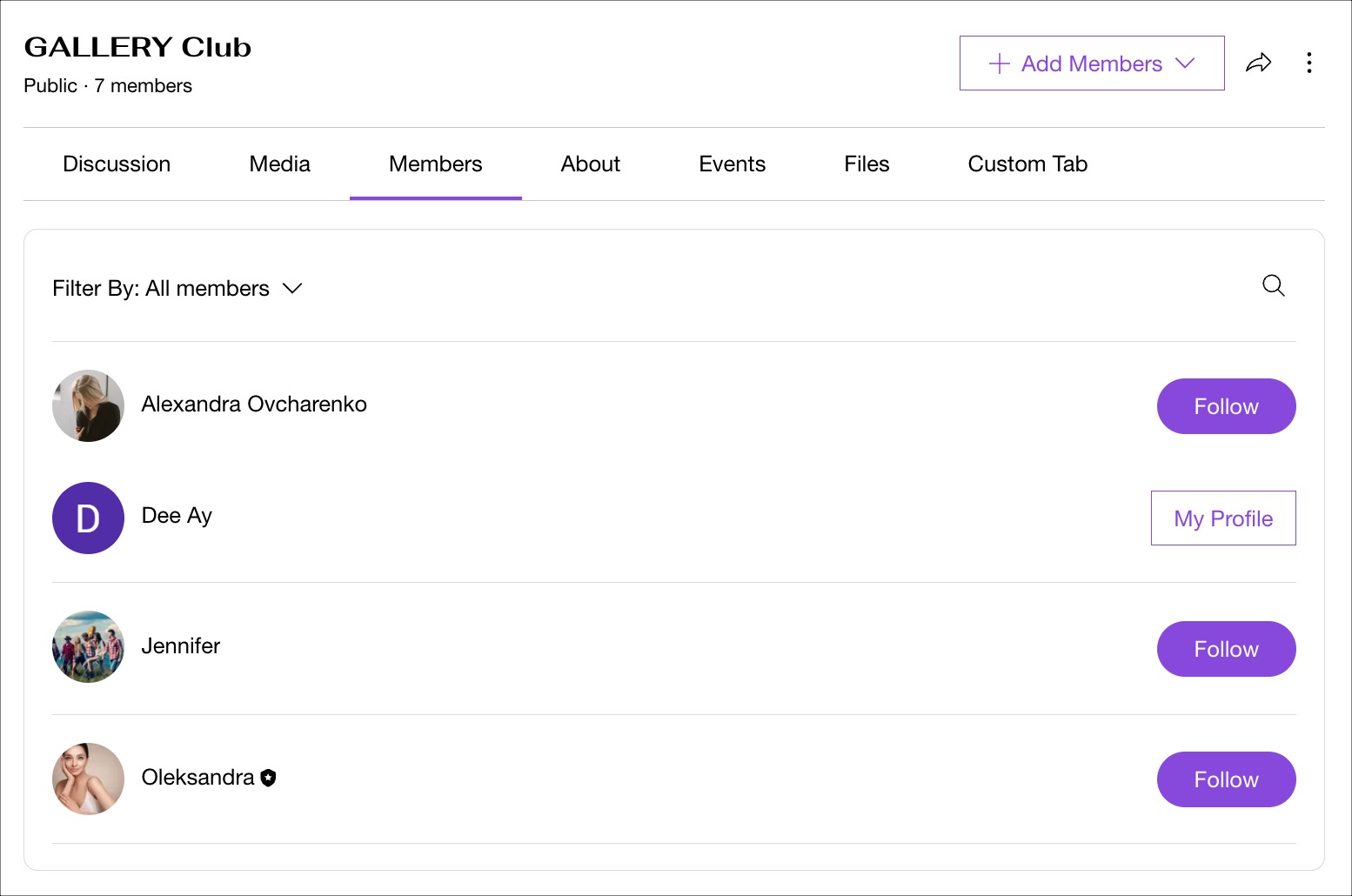
When you add Wix Groups to your site, a Members Area is also included. This allows group members to have their own accounts, where they can manage personal information and connect with others through their profiles.
The Members Area also gives people access to exclusive pages and benefits, such as Wix Events, Wix Bookings, and other Wix apps.
FAQs
Click a question below to find out more information.
How can I organize group content to help members easily find posts of interest?
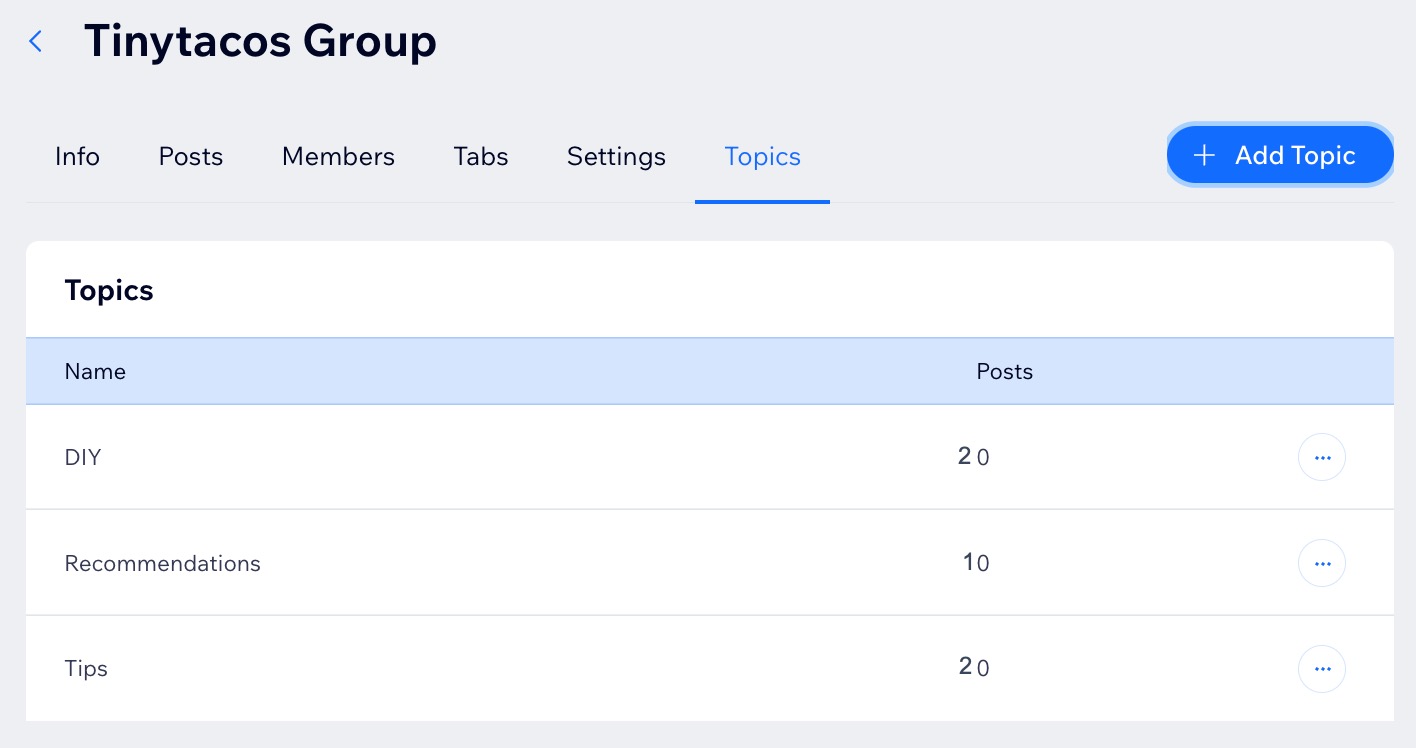
You can use topics to organize posts and help members easily filter and find conversations that interest them.
Can I display my Groups Feed on other pages of my site?
Yes. The Groups List Add-On allows you to add a list of your groups to any page of your site, making it easy for visitors to view and join your groups.
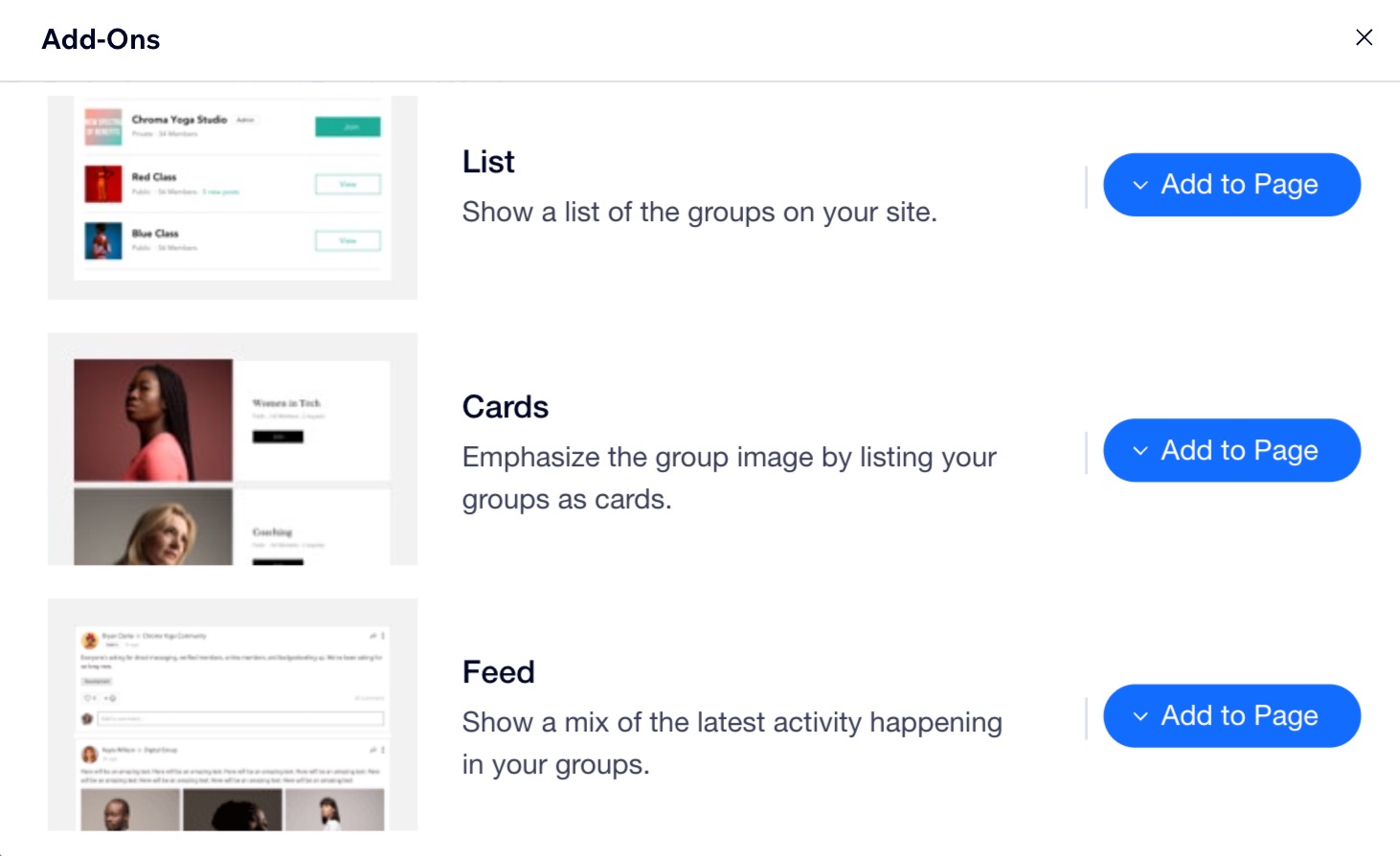
For example, you can add your groups list to your home page so it's the first thing people see when they visit your site. You can also display your active groups as cards or in a feed for everyone to see.
Can members create groups?
Yes. You can allow your members to create their own groups straight from the relevant members app.
How can I manage notifications for group activities?
You and your members can adjust the relevant notification settings to receive updates on posts, comments, reactions, and new member additions,
How do I automatically add site visitors to my group?
When new people join your site, you can set up an automation that adds them to your group automatically.
This article is credited to the Wix team - https://support.wix.com/ and we thank them for that!