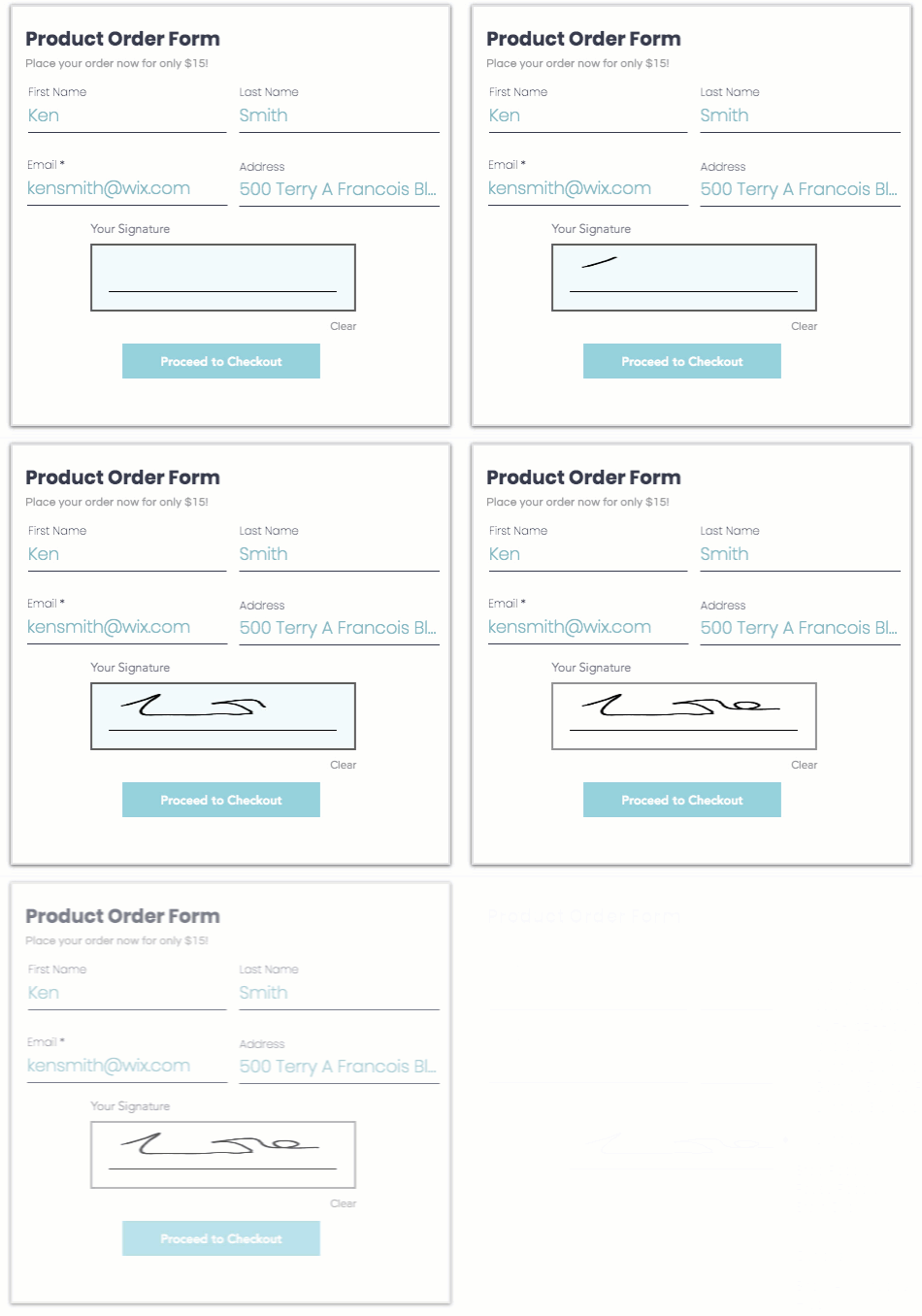
A signature field allows visitors to electronically sign their names before they submit a form. Signature fields are useful for health waivers, registration forms and application forms. All signatures are saved in your form submissions dashboard.
Important:
The signature field is a premium feature. Learn more about upgrading Wix Forms.
Important legal information:
Legal recognition of electronic signatures may have different and additional requirements according to internal laws/regulations of the country. Make sure you verify which requirements apply to you in accordance with local laws.
To add a signature field to a site form:
New Forms
Click the relevant form in your editor.
Click Edit Form to open the form builder.
Click Add

on the left side of the builder.
Click General.
Click Signature and drag the form element onto the page.
Click the newly added field on your form and click Settings.
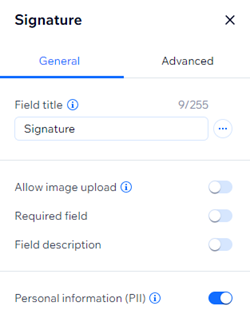
Choose from the following customization options:
Field title: Give a short title that tells people what you are asking for in the field.
Allow image upload: Enable the toggle to allow people upload an image of their signature instead of signing with their mouse or trackpad.
Required field: Enable or disable the toggle to make the signature field mandatory or optional. If required, site visitors need to sign the form before submitting.
Field description: Add a field description if your form needs additional explanation (e.g. terms and conditions or additional legal information for health waiver forms)
Personal information (PII): Protect personally identifiable information (PII) like addresses and passport info with an additional layer of protection.
Good to know:
Once the form is submitted, a preview image of the visitor's signature will appear in your form submission table. You can download the table’s contents, however the PDF will only display “Signed” without an image of the signature.
The form field key can be found under the Advanced tab in the settings panel. Use this key to reference the form field in code. It can't be changed later.
Old Forms
Click the relevant form in your editor.
Click Add New Field above the form.
Click Advanced Fields on the left.
Click the Add icon

next to Signature Field.
Click Edit Field above the signature field in your form and edit the following:
Field Title: Enter the title for your signature field. The title appears above the field to let your visitors know what the field is for. It should be a call-to-action such as "Sign Here" or "Enter Signature".
Clear Signature Button: Enter text for the clear signature button. If your visitors are not satisfied with their signature, they can redo it by clicking the button.
The field is required: Select or deselect the Required checkbox to make the signature field mandatory or optional. If required, site visitors need to sign the form before submitting.
(Optional) Click Preview on the top bar to test out your field.
Good to know:
Once the form is submitted, a preview image of the visitors signature will appear in your form submission table. You can preview, download or replace the signature.
Click the Layout

and Design

icons above the signature field to change the text alignment or design of the field.
How do I know if I'm using old Wix Forms or new Wix Forms?
This article will help you understand the differences between old and new Wix Forms.
This article is credited to the Wix team - https://support.wix.com/ and we thank them for that!