Manage your event tickets directly from your site's dashboard. You can see how many tickets you've already sold, edit the ticket details, hide tickets that are sold out, and more.
To view and manage your tickets:
Go to Events in your site's dashboard.
Click Manage next to the relevant event.
Click the Tickets and Seating tab.
Choose the relevant option:
Manage tickets
Choose how you want to manage your tickets—individually or in bulk—using the available options.
Bulk actions: Save time when managing several tickets.
Select the checkbox(es) next to the relevant tickets and choose what you want to do:
Click Hide Tickets / Show Tickets to temporarily remove or display them on your live site.
Click Delete. Then, click Delete Tickets to confirm.
Individual events: Make specific changes or customizations to one ticket only.
Click the More Actions icon

next to the relevant ticket and select an option:
Hide: Temporarily remove the ticket from your live site.
Duplicate: Create a copy of the ticket to save time setting up similar ones.
Note: It is not possible to use a duplicated ticket for a different event.
Preview: See how the ticket appears to guests (tickets are sent as PDF files).
Edit Design: Customize ticket PDF to match your event theme.
Use existing design: Apply a saved design to the selected ticket.
Delete: Permanently delete the ticket if it’s no longer needed.
Customize your ticket list view
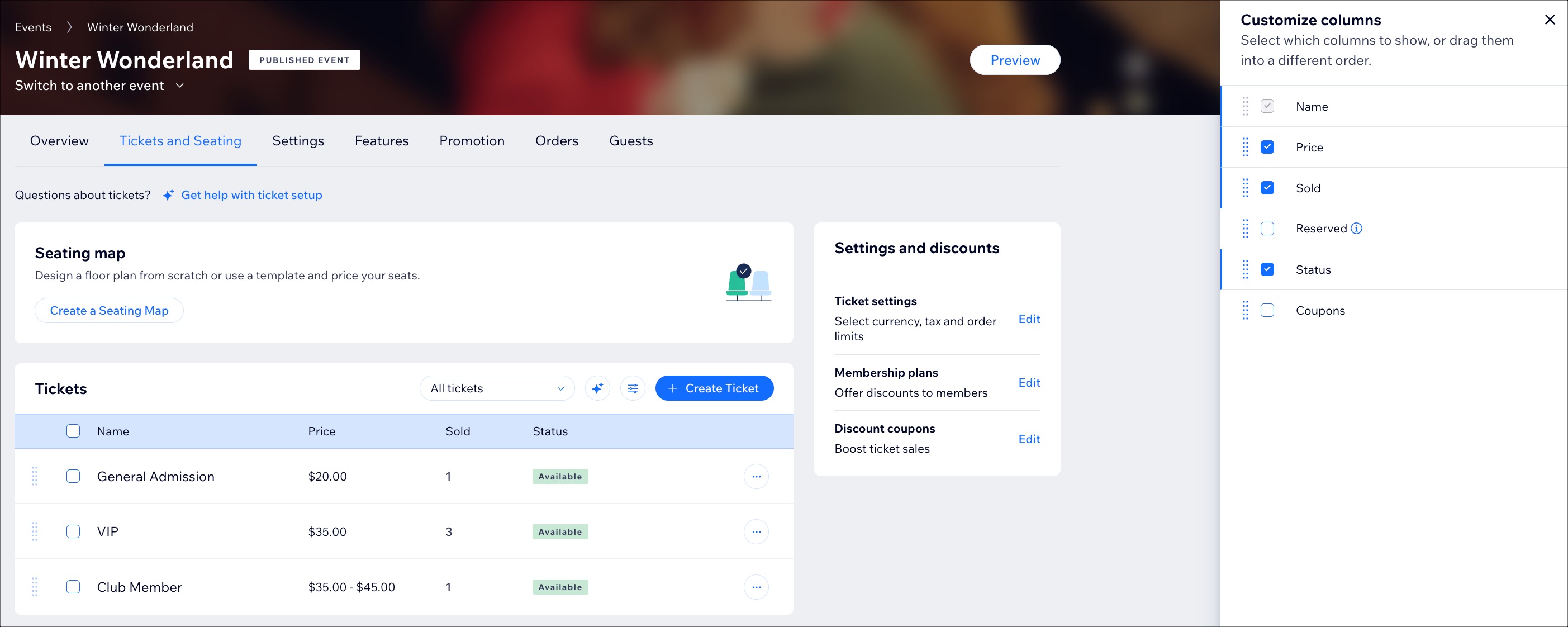
Choose which columns you want to display in your ticket list to focus on the details that matter most:
Click the Customize columns icon

.
Select the checkbox next to the relevant option:
Price: Displays the ticket price.
Sold: Displays the number of tickets that have been purchased.
Reserved: Shows how many tickets are currently reserved.
Status: Indicates the ticket’s current availability.
Available: Ticket is visible on your site and available for purchase.
Scheduled: Ticket has a future sales start date and is not yet available.
Hidden: Ticket is not visible on your site.
Sold Out: All available ticket capacity has been sold.
Coupons: Displays if a coupon is applied or available for the ticket.
Tip:
Click Edit next to the relevant ticket type to update details like the description, pricing, or the number of tickets you want to make available to guests.
This article is credited to the Wix team - https://support.wix.com/ and we thank them for that!