After you create an event, let people know about it by sending an invitation right from your mobile device.
To invite guests to join an event:
Go to your site in the Wix app.
Tap Manage

at the bottom.
Tap Events.
Select Published Events.
Tap the More Actions

icon next to a specific event.

Tap Invite Guests.
Select an option:
Email Wix Contacts: Send an email directly to the contacts saved in your Wix account (site members, customers, contacts).
SMS: Send an SMS(text message) to the phone contacts you select.
Share via Social & More: Send the link and invitation code to people through the share links available on your phone.
Copy Link: Copy the link and paste it into a new message in any application.
Guests inviting guests:
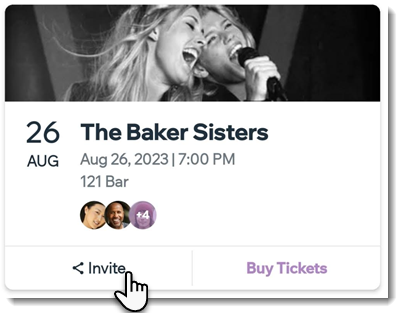
Members can invite friends and family to join an event by clicking the Events tab in the Spaces by Wix app and then Invite under the relevant event.
This article is credited to the Wix team - https://support.wix.com/ and we thank them for that!