By exporting guest and order lists, you can simplify event management and streamline organization. For ticketed events, each transaction is reflected as a single order.
For instance, if a guest purchases two tickets, one order is recorded, adding two guests to the event. This allows you to track attendees and manage your event.
To export your guest / order list:
Go to Events in your site's dashboard.
Click Manage next to the relevant event.
Choose what you want to do:
Export your guest list
Export the list of individual guests attending your event.
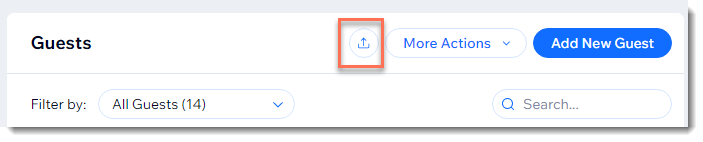
Click the Guests tab.
Click the Export Guests icon

.
Save the file to your computer:
Chrome: The .csv file downloads and appears on the bottom of your screen.
Firefox: Select Open with to open or Save File to save.
Internet Explorer: Click Save at the bottom of your screen.
Safari: The file opens. Press cmd + s on your keyboard to save the file (with a .csv extension, and Page Source format).
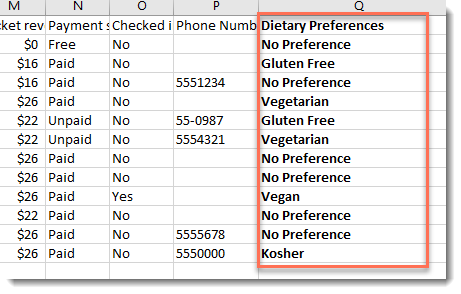
Tip: You can view all answers to custom registration questions on one page by exporting the guest list.
Export your order list
For ticketed events, the order list tracks purchases, while the guest list tracks attendees. A single order for two tickets appears as one order with two guests
Click the Orders tab.
Click Export Order List.
Save the file to your computer:
Chrome: The .csv file downloads and appears on the bottom of your screen.
Firefox: Select Open with to open or Save File to save.
Internet Explorer: Click Save at the bottom of your screen.
Safari: The file opens. Press cmd + s on your keyboard to save the file (with a .csv extension, and Page Source format).
This article is credited to the Wix team - https://support.wix.com/ and we thank them for that!