You can edit the text that appears in the Wix Events app so that it matches your site's style. To edit the name of an event, head over to the Events tab in your site's dashboard.

Notes:
Editing options in the Text tab vary depending on the selections you made in the Layout and Display tabs.
Text options vary depending on selections you make in the My Events, Layout and Display tabs.
Wix Editor
Go to the Events page:
Click Pages & Menu

on the left side of the editor.
Click Event Pages.
Click your Events page.
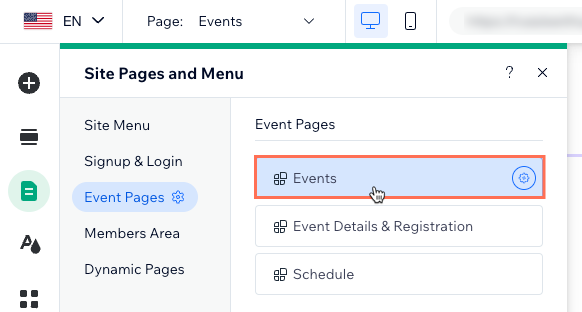
Click the Event List element on your page.
Click Settings.
Click the Text tab.
Edit the available text options.
Studio Editor
Go to the Events page:
Click Pages

on the left side of the editor.
Click your Events page.
Click the Event List element on your page.
Click Settings.
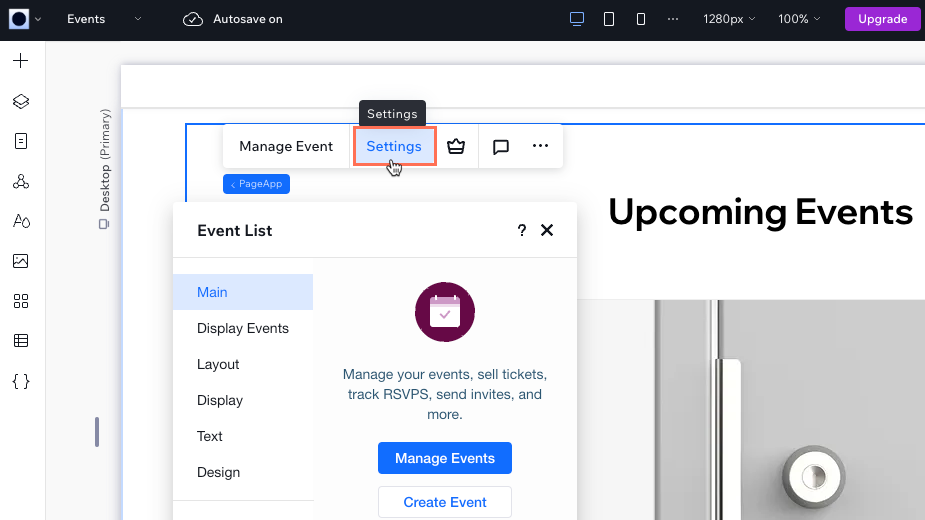
Click the Text tab.
Edit the available text options.
Wix Harmony Editor
Click the Page dropdown at the top left of the page.
(In the Site Pages panel) Select the Events page under Event Pages.
Tip: Jump to the page you need by clicking the dropdown next to Site Pages and selecting Event Pages.
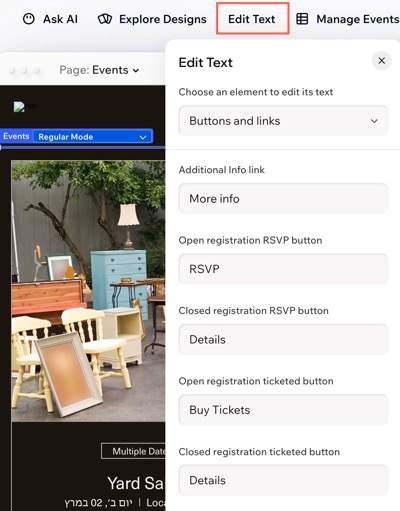
Click the Events element on your page.
Click Edit Text on the action bar.
Click the Choose an element to edit its text drop-down and select the relevant option.
Edit the available text options.
Got a multilingual site?
Did you know that you can translate your event using Wix Multilingual.
This article is credited to the Wix team - https://support.wix.com/ and we thank them for that!