Wix Checking is currently only available to select users in the U.S. If you live in the U.S and your business was formed in the U.S, but you don’t have access to apply for Wix Checking, contact Customer Care.
Wix Checking may also be referred to as Wix Balance.
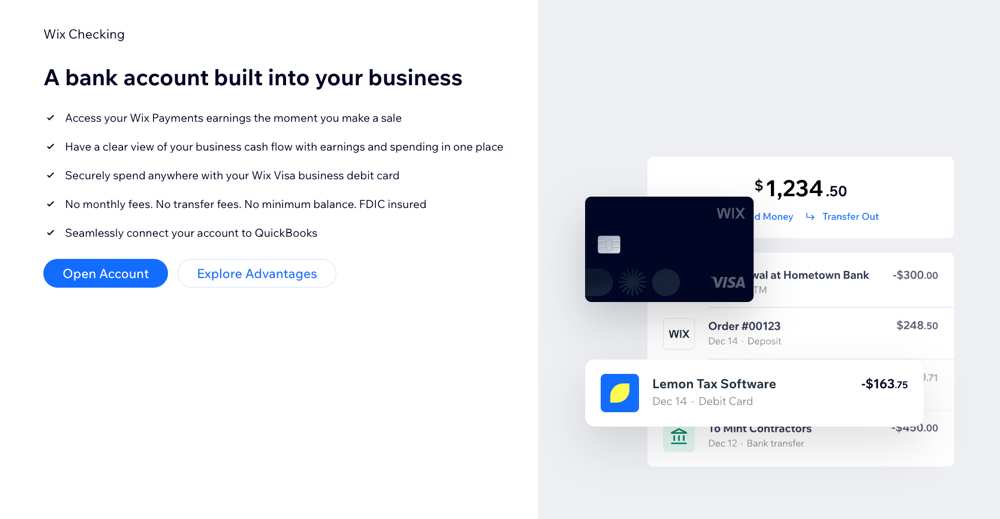
Wix Checking lets you integrate a bank account directly into your business, allowing you to access your Wix Payments earnings immediately after a sale. This helps you manage your business finances efficiently with no transfer fees and no minimum balance requirements.
For example, if you run an online store, you can see your cash flow in real-time and make quick decisions about inventory purchases or marketing campaigns.
Setting up your Wix Checking account
Setting up your Wix Checking account is the first step to managing your business finances directly from your Wix dashboard.
To set up your Wix Checking account:
Go to Business Checking in your site's dashboard.
Click Open Account.
Enter the last 4 digits of your SSN and click Continue.
Enable 2-step verification by entering your phone number and click Continue.
Click Import My Info.
Review the following information and click Continue:
Business info
Business name on your card
Name on your card
Where to send the card
Tip: Start spending online right away with your card details, even before your physical card arrives. Full card details will be viewable as soon as you open your account.
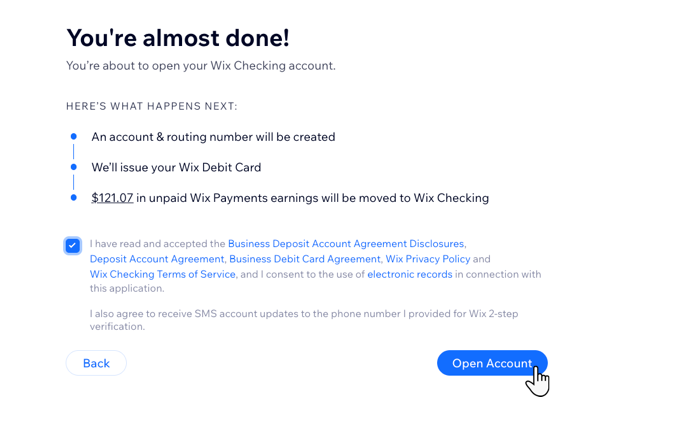
Read and accept the terms and conditions and click Open Account.
FAQs
Click a question to learn more about your Wix Checking account.
How do I activate my Wix Visa business debit card?
Once you receive your physical card, follow the activation instructions included with it.
However, you can start using your card details right away from your Wix dashboard as soon as you open your account by adding the card to Apple Pay or Google Pay.
How can I track my expenses with Wix Checking?
You can track your expenses directly from your Wix dashboard. Every transaction made with your Wix Visa business debit card is recorded, making it easy to monitor your spending and manage your finances.
Note: Click on a transaction in your dashboard to see all related information.
Wix is not a bank. Banking products and services are provided by Lincoln Savings Bank, Member FDIC. The Wix Visa Debit Card is issued by Lincoln Savings Bank pursuant to a license from Visa U.S.A. Inc. and may be used everywhere Visa debit cards are accepted. Wix is not FDIC insured. FDIC insurance only covers the failure of a covered bank.
This article is credited to the Wix team - https://support.wix.com/ and we thank them for that!