As your needs change, you may wish to switch your video conferencing (VC) service provider from Zoom to another app such as Google Meet or Skype.
Important:
If you disconnect your main VC account, VC links won't appear for any sessions, even if your staff have their own individual VC accounts.
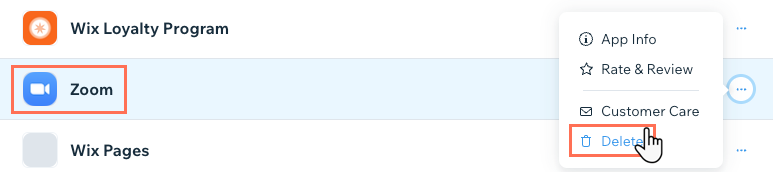
To uninstall the Zoom app:
Go to Manage Apps in your site's dashboard.
Click the More Actions icon

next to the Zoom app.
Click Delete.
Select your reason for deleting the app from the dialogue box.
Click Delete App.
This article is credited to the Wix team - https://support.wix.com/ and we thank them for that!