Discover helpful data in Wix Bookings analytics reports, such as how your bookings have increased over time, your most popular services, who your top clients are, and more.
Use these reports to make informed decisions to improve your services, increase client satisfaction, and boost your business's overall performance.
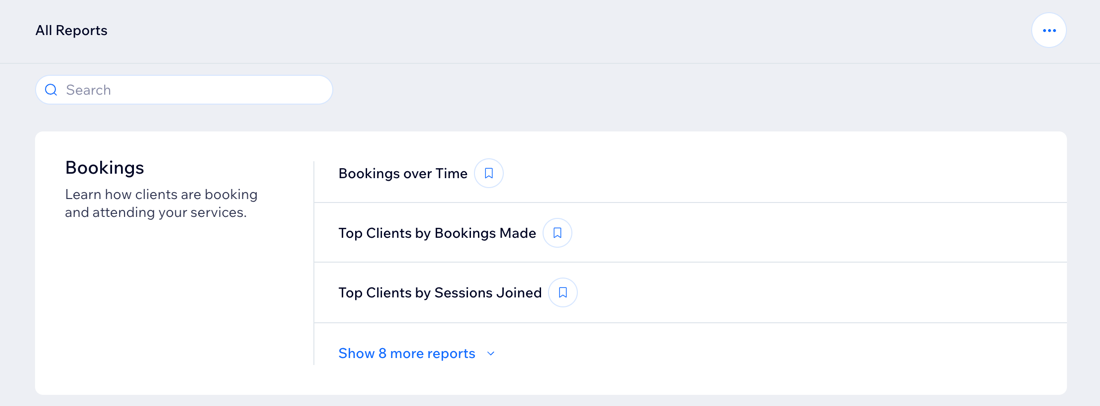
How to access your Bookings reports:
Go to All Reports in your site's dashboard and view the reports in the Bookings section. You can also check out the Bookings Overview to gain deeper insights into your booking trends and performance, customer preferences, and more.
Types of Wix Bookings reports
Understand the different types of reports available to help you analyze and improve your business performance. Learn which reports provide the insights you need, such as for booking trends, client behavior, staff activity, and more.
Click a report below to learn more about it.
Bookings over time
Explore your bookings performance and trends over a specific time period and compare data against previous months.
Use this report to:
Analyze if any new services or marketing campaigns increased bookings.
Find out if clients book more services on specific days of the week. For example, see if clients prefer booking at the beginning or end of the week.
Top clients by bookings made
Learn who your top clients are who book your services the most.
Use this report to:
See how many confirmed and cancelled bookings your top clients have.
View any overdue balances for any of your top clients.
See if any top clients have paid for services using a discount or coupon.
Note: The data in this report is based on the date a client booked a service, not the day the service is scheduled for.
Top clients by sessions joined
See which clients attend the most sessions, or who has checked in the most to sessions they've booked.
Use this report to:
Learn about client engagement by comparing the check in rate to previous time periods.
Segment your top clients by metrics such as new vs. returning clients, payment method, and booking method.
Popular services by bookings
See which services are booked the most.
Use this report to:
See which services are most frequently booked by clients.
Identify the services in highest demand based on the total number of bookings.
Popular services by sessions
See which services have the highest number of spots filled (i.e. the number of people in a session).
Use this report to:
Discover which services have the highest attendance rates.
Adjust your offerings based on what services clients book the most.
Staff activity
Assess staff performance and activity. View a staff member's booking price, their total participants in sessions as well as their session check-in rate amongst clients.
Use this report to:
Compare your staff using a variety of metrics including participation in sessions, unique clients, total session duration and more.
See how many sessions each staff member has run vs. how many clients have attended their sessions.
Popular session times
Review attendance across different classes and class times.
Use this report to:
Find out which times have the highest attendance rates.
Check stats like occupancy, check-in rates, and average spots filled per class time.
Determine when to schedule more sessions or rearrange your schedule based on the most popular session times.
Clients at risk of leaving
Identify which clients have visited your business less over the past 90 days.
Use this report to:
Identify clients who have not visited recently and check their session activity.
Reach out to these clients to understand their needs and keep them engaged.
Clients with overdue payments
Keep track of clients and accounts with outstanding payments as well as the amount that is overdue.
Use this report to:
Keep track of clients who owe money for services.
Follow up with clients to remind them of outstanding payments.
Booked sessions
Get a comprehensive view of all sessions that have been booked.
Use this report to:
See booking trends by dates.
Get details on clients and registration (e.g. registration date, payment status).
Booking channels
Find which platforms your clients use most to book your services.
Use this report to:
Discover which platforms clients use most to book services (e.g. by web, manual orders).
Find the most effective channels for your business.
Evaluate where to focus your marketing efforts.
Want to customize your report?
You can customize the data you're viewing and the way it's displayed. You can also save the views you want to return to later. Learn more about customizing your report.
This article is credited to the Wix team - https://support.wix.com/ and we thank them for that!