As clients show up for your classes, you can mark their attendance from the Participants list. If you mark attendance regularly, you can later check your attendance statistics and other analytics in the Reports tab.
Note:
We are in the process of releasing a new version of the Booking Calendar. You may see a slightly different version in your calendar.
To mark attendance:
Go to Booking Calendar in your site's dashboard.
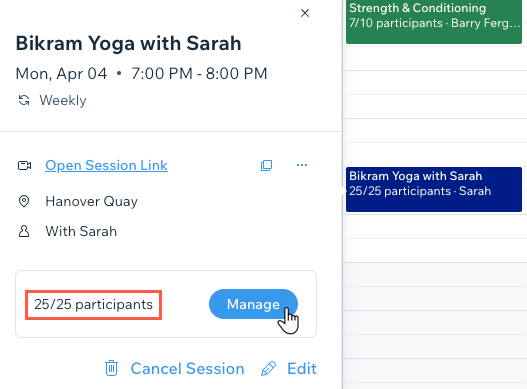
Click the relevant class in your calendar.
Click Manage next to participants.
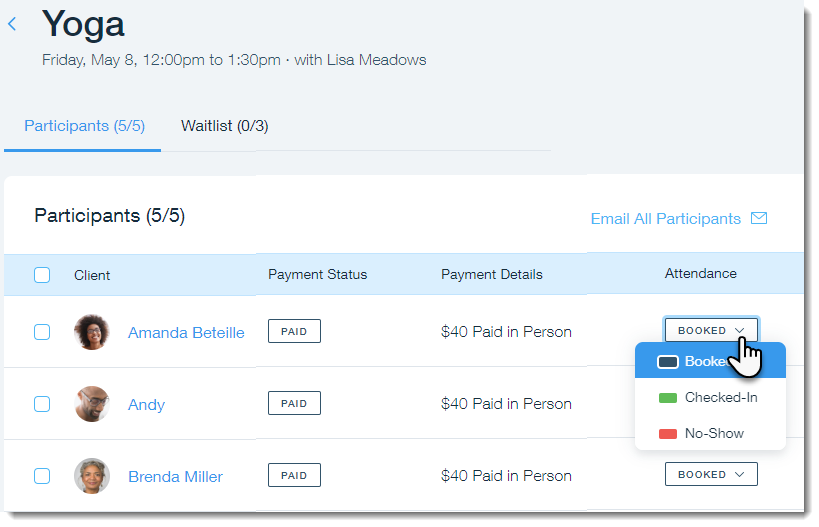
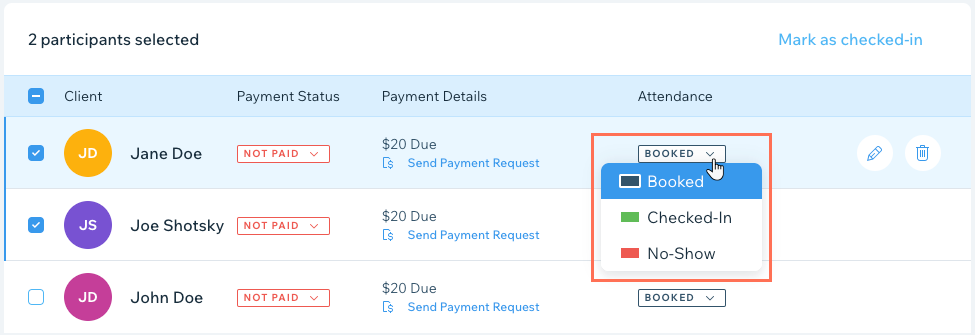
Click the Attendance drop-down next to the relevant client and choose an option:
Booked: Your client booked the class and hasn't yet arrived.
Checked-In: Your client arrived to the class.
No-Show: Your client booked the class but never arrived.
Tip:
You can mark the attendance of multiple clients by selecting the checkbox next to each one.
What's next?
You can install the Client Check-In app to allow your members to check themselves in at your services.
You can also mark attendance on the go using the Wix app.
This article is credited to the Wix team - https://support.wix.com/ and we thank them for that!