You can easily remove staff members from Wix Bookings whenever you need to. All services require at least one assigned staff member. So, before you delete a staff member, make sure to cancel or reassign any services tied to them.
Deleting a staff member
Delete a staff member directly from your site's dashboard, the Wix app or the Wix Studio app.
Keep in mind, your site needs at least one staff member at all times. You (the owner) become the default staff member if you don't have any other staff members.
Dashboard
Go to Staff in your site's dashboard.
Hover over the relevant staff member and click the More Actions icon

.
Click Delete.

Click Delete to confirm.
Wix app
Go to your site in the Wix app.
Tap Manage

at the bottom.
Scroll down and tap Settings.
Tap Booking Settings.
Tap the Staff tab.
Tap the relevant staff member.
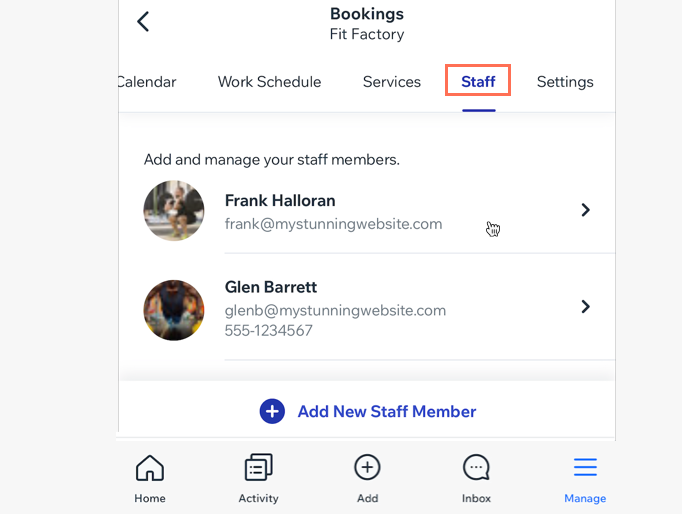
Scroll down and tap Delete Staff Member at the bottom.
Tap Delete to confirm.
Wix Studio app
Go to your site in the Wix Studio app.
Tap Manage.
Scroll down and tap Settings.
Tap Booking Settings.
Tap the Staff tab.
Tap the relevant staff member.
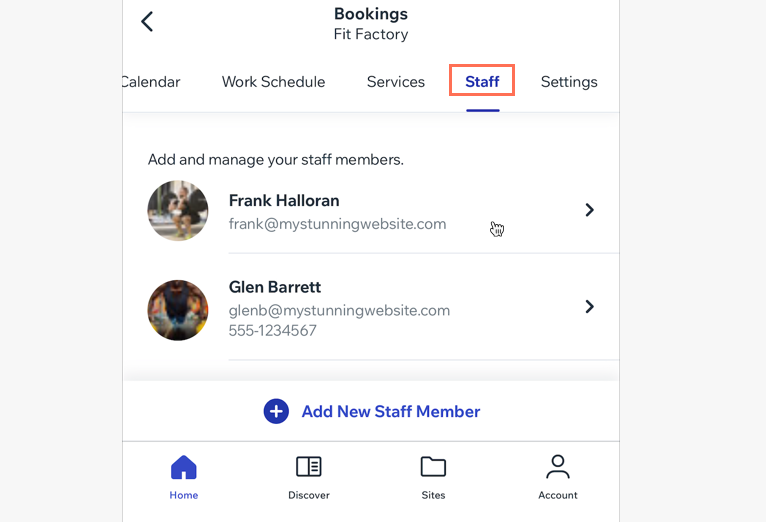
Scroll down and tap Delete staff member.
Tap Delete to confirm.
FAQs
Click below for answers to our most common questions about deleting staff members.
Does deleting a staff member impact appointments?
Yes, deleting a staff member impacts appointments. If there is only one staff member assigned to the appointment, it will no longer be available. If there are multiple staff members assigned to the appointment, the appointment will still be available for booking. The availability of the remaining staff members is displayed.
Does deleting a staff member impact classes or courses?
Yes, deleting a staff member impacts classes/courses.
The remaining available sessions continue to have the deleted staff member assigned, and are bookable. We recommend that you replace the assigned staff member.
If the session is integrated with Zoom - the Zoom link is retained.
Existing sessions that are already booked keep the deleted staff member as assigned.
On your live site, the name of the staff member that has been deleted still appears next to services, until they are replaced with another staff member.
How do I reassign classes or courses to a new staff member?
Learn how to reassign any class or course the staff member is assigned to.
How do I reassign appointments to a new staff member?
Learn how to reassign any appointment the staff member is assigned to.
What should I do if I want to delete a staff member who is assigned a member role?
If you assigned the staff member to a Bookings Staff Member role, remove them from their collaborator role.
This article is credited to the Wix team - https://support.wix.com/ and we thank them for that!