Stay organized by deleting services that you no longer want to offer.
Important:
Deleting a class service removes all its future sessions from your Bookings calendar and site. To avoid losing upcoming bookings, you can make it unbookable instead.
Disconnecting Wix Bookings from Google Calendar, or deleting your site, does not remove the services from Google Calendar. To remove a service from Google Calendar, you must delete the service, as described below.
Deleting a service
Delete a service on your dashboard or through your Wix mobile app. You can also decide if you want to email participants that the service is cancelled.
Dashboard
Go to Booking Services in your site's dashboard.
Clickthe More Actions icon

on the relevant service.
Click Delete.
Click Yes, Delete to confirm.

Wix app
Go to your site in the Wix app.
Tap Manage

at the bottom.
Tap Booking Services.
Tapon the service you want to delete:
For appointments
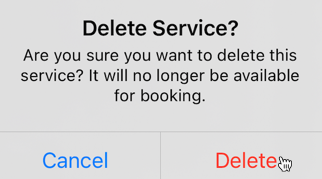
Tap Delete service.
Tap Delete to confirm.
For classes
Tap Delete service.
Tap Delete to confirm.
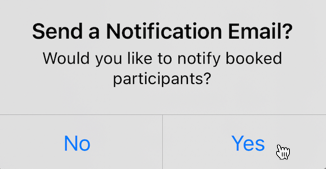
(Optional) Tap Yes to send a notification email to your booked participants.
For courses
Tap the More Actions icon

at the top right of the screen.
Tap Cancel course.
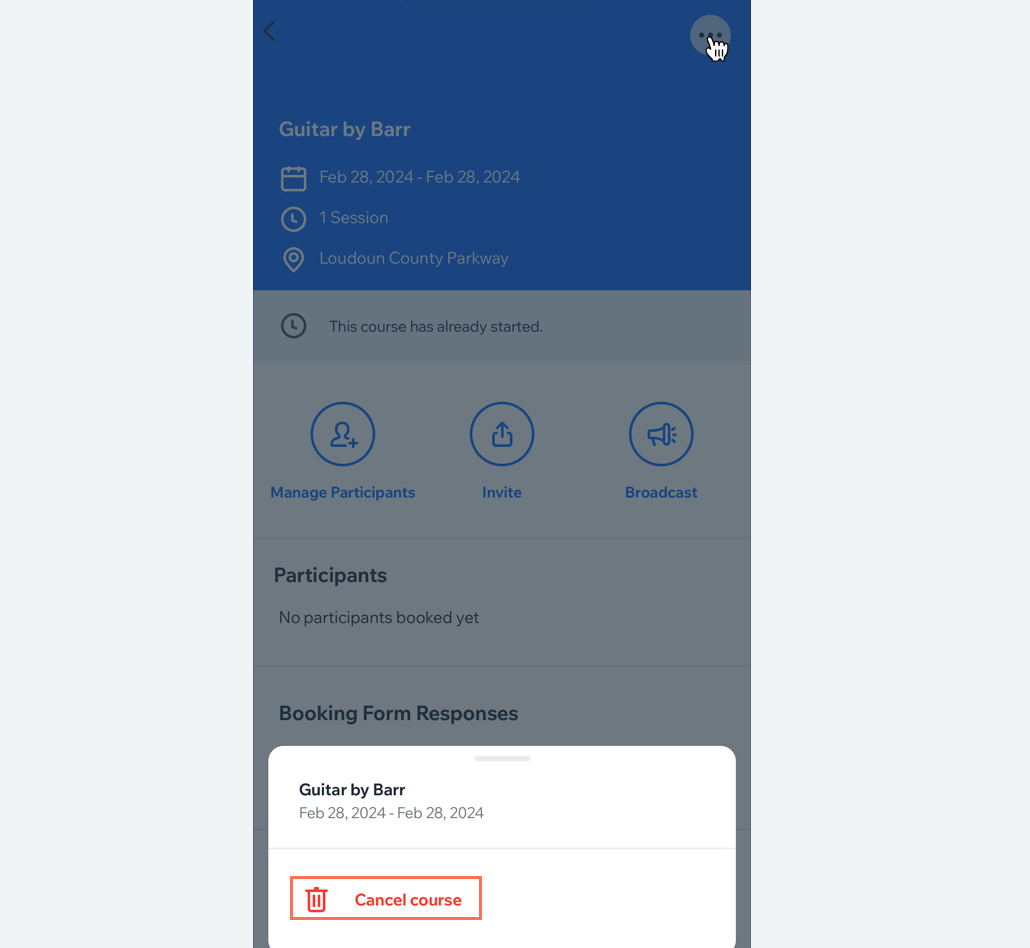
Tap Cancel to confirm.
(Optional) Tap Yes to send a notification email to your participants.
FAQs
Click a question below to learn more about deleting a service.
What happens to clients who used a plan to book a service that I delete?
Clients who booked with a plan will receive automatic session credit if you delete the service.
Can I delete one session without deleting the entire service?
You can cancel and remove sessions from your calendar as needed. Read more about it here.
How do I edit a notification email when a service is cancelled?
You can personalize your cancellation email through your Booking Settings. Read more about it here.
This article is credited to the Wix team - https://support.wix.com/ and we thank them for that!