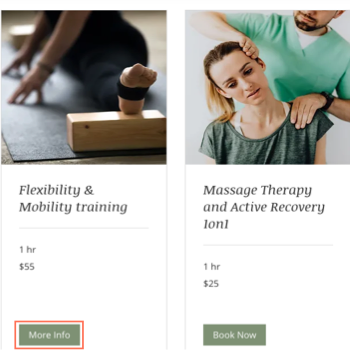
View-only services let you offer appointments, classes or courses without requiring users to book in advance. This is useful when you have a large venue and don't need to know who is attending your service ahead of time (e.g. free yoga session in the park).
Dashboard
Go to Booking Services in your site's dashboard.
Click + Add a New Service.
Scroll to the type of service you want create: Appointment, Class or Course
Choose what you want to do:
Click Edit below the relevant service template.
Click + Start from Scratch to use a blank template.
Complete the form to create your service.
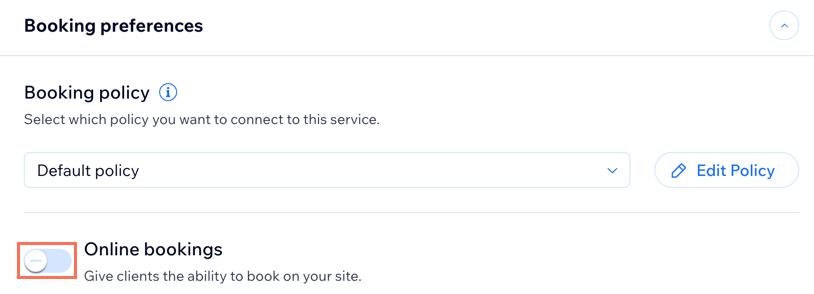
Scroll down and click the Booking preferences section.
Disable the Online bookings toggleto create a view-only service.
Click Save.
Wix app
Go to your site in the Wix app.
Tap Manage

at the bottom.
Tap Booking Services.
Tap + Create New Service at the bottom.
Choose the relevant service type: Appointment or Class
Note: To create a course, go to your site's dashboard from a desktop computer.
Complete the form to create your service.
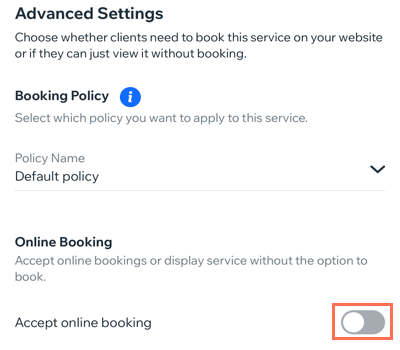
Scroll down to the Advanced Settings section.
Disable the Accept online booking toggleto create a view-only service.
Tap Save at the top.
Studio app
Go to your site in the Wix Studio app.
Tap Manage.
Tap Booking Services,or tap Catalog and select Booking Services.
Tap + Create New Service at the bottom.
Choose the relevant service type: Appointment or Class
Note: To create a course, go to your site's dashboard from a desktop computer.
Complete the form to create your service.
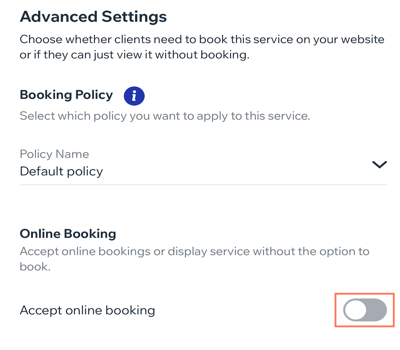
Scroll down to the Advanced Settings section.
Disable the Accept online booking toggleto create a view-only service.
Tap Save at the top.
This article is credited to the Wix team - https://support.wix.com/ and we thank them for that!