You may want to reward or compensate a client by adding extra sessions to their package. Alternatively, you may also want to deduct a session if your client paid for it separately before buying a package.
Notes:
When you change the number of sessions, you do not charge your client an additional amount.
You cannot edit an expired plan. Once a subscription expires, the number of remaining sessions resets to 0.
You cannot edit a recurring plan.
To change the number of sessions in a package:
Go to Subscriptions tab in your site's dashboard.
Select the relevant package you want to edit.
Click the Edit icon

under Sessions Remaining.

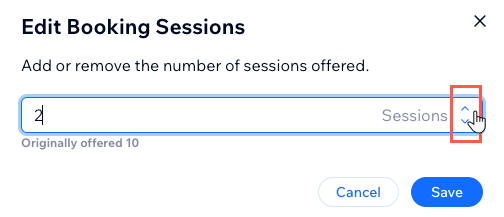
Click the up or down arrows to add or remove sessions.
Click Save.
This article is credited to the Wix team - https://support.wix.com/ and we thank them for that!