Use Wix Automations to publish your site at a specific date and time automatically. If you’re launching a special design or updating for an event, you don’t have to publish the changes manually. By pairing the 'Publish site' action with a 'Scheduled Time' trigger, you can automatically publish your new site design on the selected date and leave the tedious tasks to automations.
To schedule your site to publish:
Go to Automations in your site's dashboard.
Click + Create Automation at the top right.
Click + Start from Scratch to begin from a blank automation template.
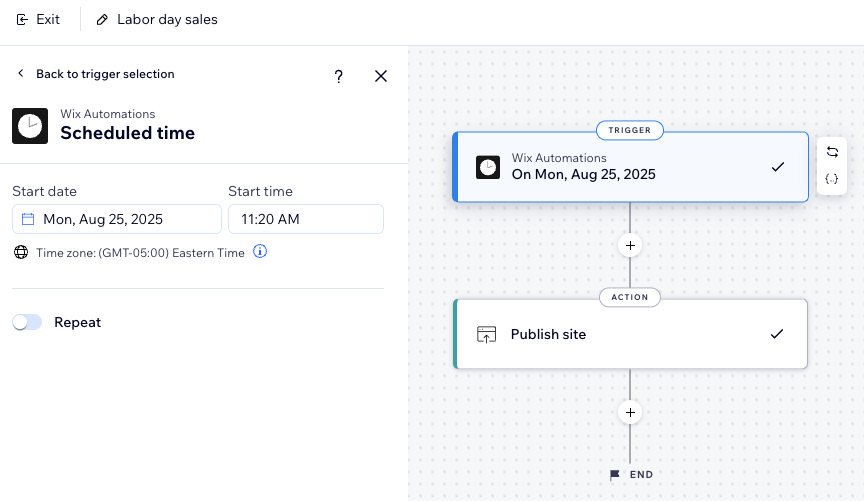
Click the title to give your automation a name.
Click Scheduled time as your trigger.
Select a Start date.
Select a Start time.
(Optional) Enable the Repeat toggle:
Set how often the trigger repeats (e.g. day, week, month).
Click the drop-down menu to select an End:
Never: Trigger doesn't have a set end date.
On specific day: Select a specific date for the trigger to end.
(Optional) Enhance your automation further by adding a Condition, Delay, Local variable or Global storage item.
Click the Add Step icon

and add an Action.
Click Publish site.
Click Activate or Save at the top right.
This article is credited to the Wix team - https://support.wix.com/ and we thank them for that!