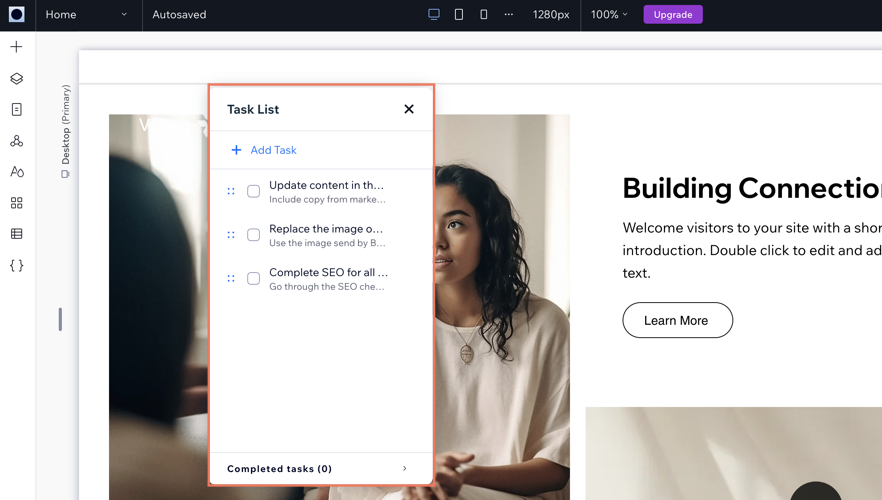
The Wix Task List add-on enables you to set up and monitor a list of tasks to complete while working on your site. Think of it like a to-do list that's integrated into your site just for you or your co-workers.
To add the Task List add-on to your site:
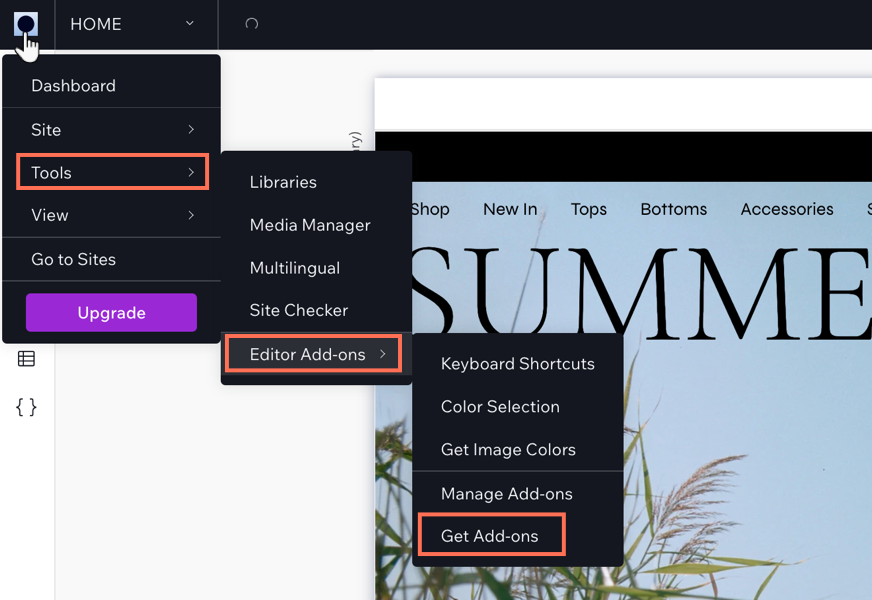
Click the Wix Studio icon

at the top left.
Click Tools.
Click Editor Add-ons.
Click Get Add-ons.
Hover over Task List and click Add.
Once you have added Task List, you can start creating tasks for yourself. When you have finished a task, select the checkmark next to the relevant task and it will move to your 'Completed tasks' section in the add-on.
This article is credited to the Wix team - https://support.wix.com/ and we thank them for that!