Using the Get Image Colors add-on, you can make your own unique color palette from the images on your site.
The add-on lets you sample a total of five colors and turn them into your own color palette. Once you've sampled your colors, you can then add them to any element on your site.
The Get Image Colors add-on is only available in the Wix Studio Editor.

Adding the Get Image Colors add-on
Add the Get Image Colors add-on from the tools in your Studio Editor.
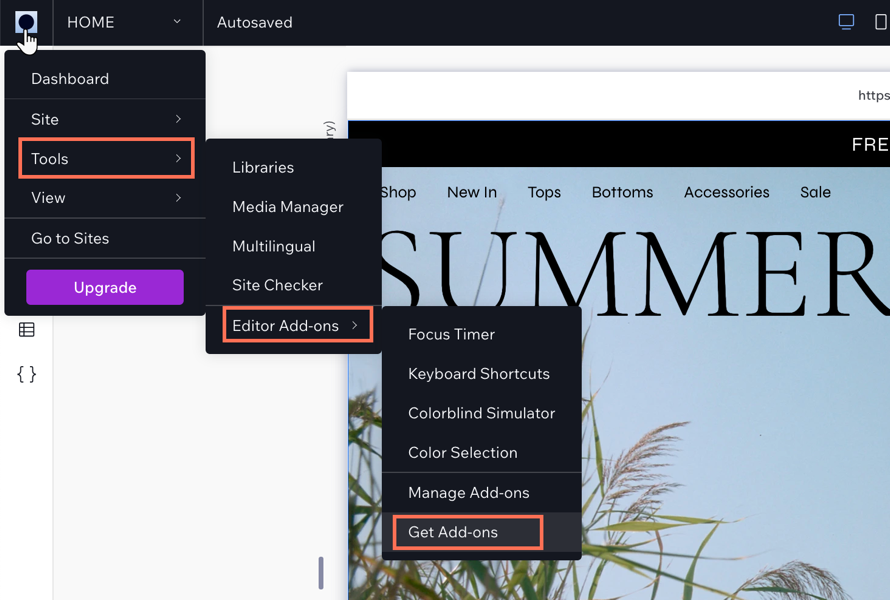
To add the Get image colors add-on:
Click the Wix Studio icon

at the top left.
Click Tools.
Click Editor Add-ons.
Click Get Add-ons.
Click Get Image Colors.
FAQs
Click a question below to learn more:
Can I create palettes from any element on my site?
You can only create palettes from images on your site.
Can I generate different palettes from the same image?
Yes, you can generate a different palette from the same image by clicking Generate New Palette.
Can I download my color palette?
Yes, just click Download palette to download the palette.
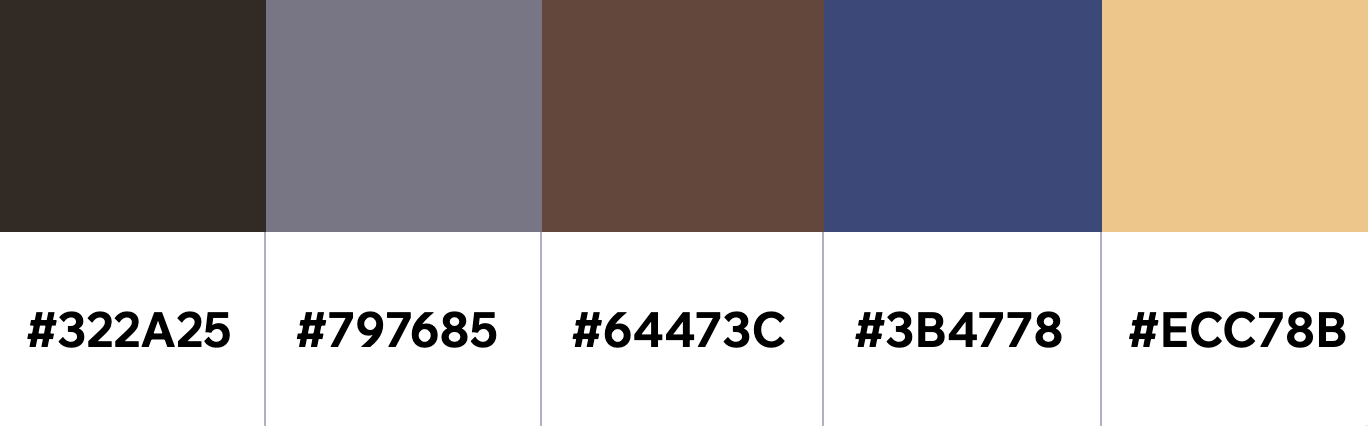
Here's an example of a downloaded image palette file:
This article is credited to the Wix team - https://support.wix.com/ and we thank them for that!