The Wix Focus Timer is an add-on that helps you with time management.
The timer is designed to maximize your productivity and effectiveness by splitting work time into intervals of focus time followed by short and long breaks.
The Wix Focus Timer add-on is only available in the Wix Studio Editor.

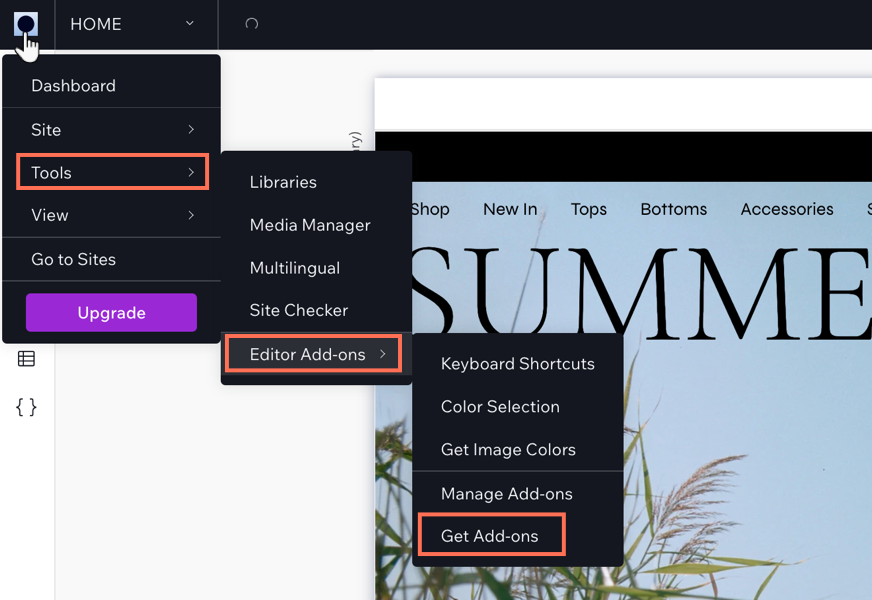
To add the Wix Focus Timer to your site:
Click the Wix Studio icon

at the top left.
Click Tools.
Click Editor Add-ons.
Click Get Add-ons.
Click Focus Timer.
This article is credited to the Wix team - https://support.wix.com/ and we thank them for that!