The Wix File Share app is added to your site as a full page app. This means that if you want to delete it, you need to delete the entire page.
Note:
Deleting the app does not delete any of the uploaded files or content, but does prevent members from viewing the files or uploading new ones. If you decide to add the File Share app again at a later stage, all your files and content will be restored.
To delete the File Share app:
Wix Editor
Click Pages & Menu

on the left side of the Editor.
Hover over the File Share page.
Click the More Actions

icon.
Click Delete.
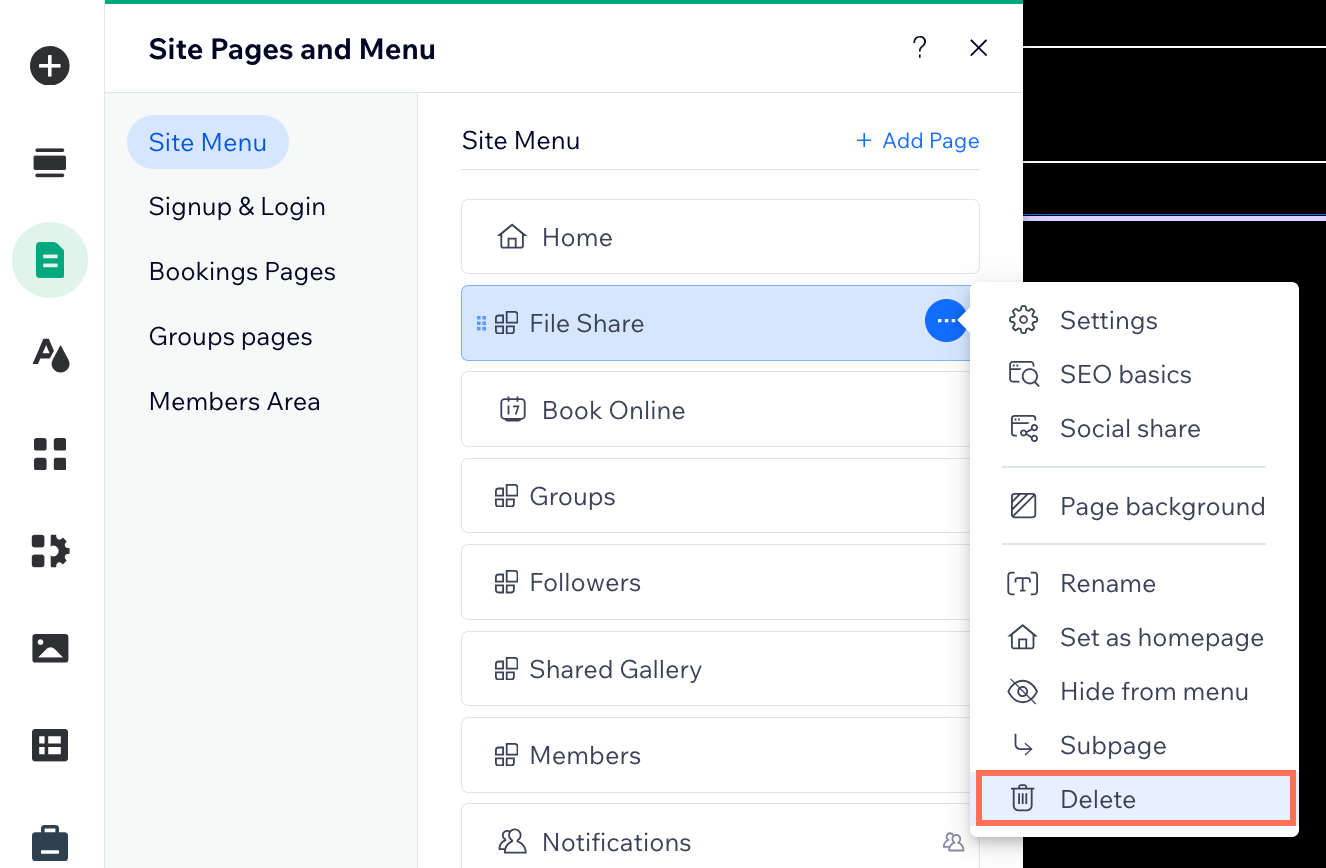
Click Delete to confirm.
Studio Editor
Click Pages

on the left side of the editor.
Hover over the File Share page.
Click the More Actions icon

.
Click Delete.
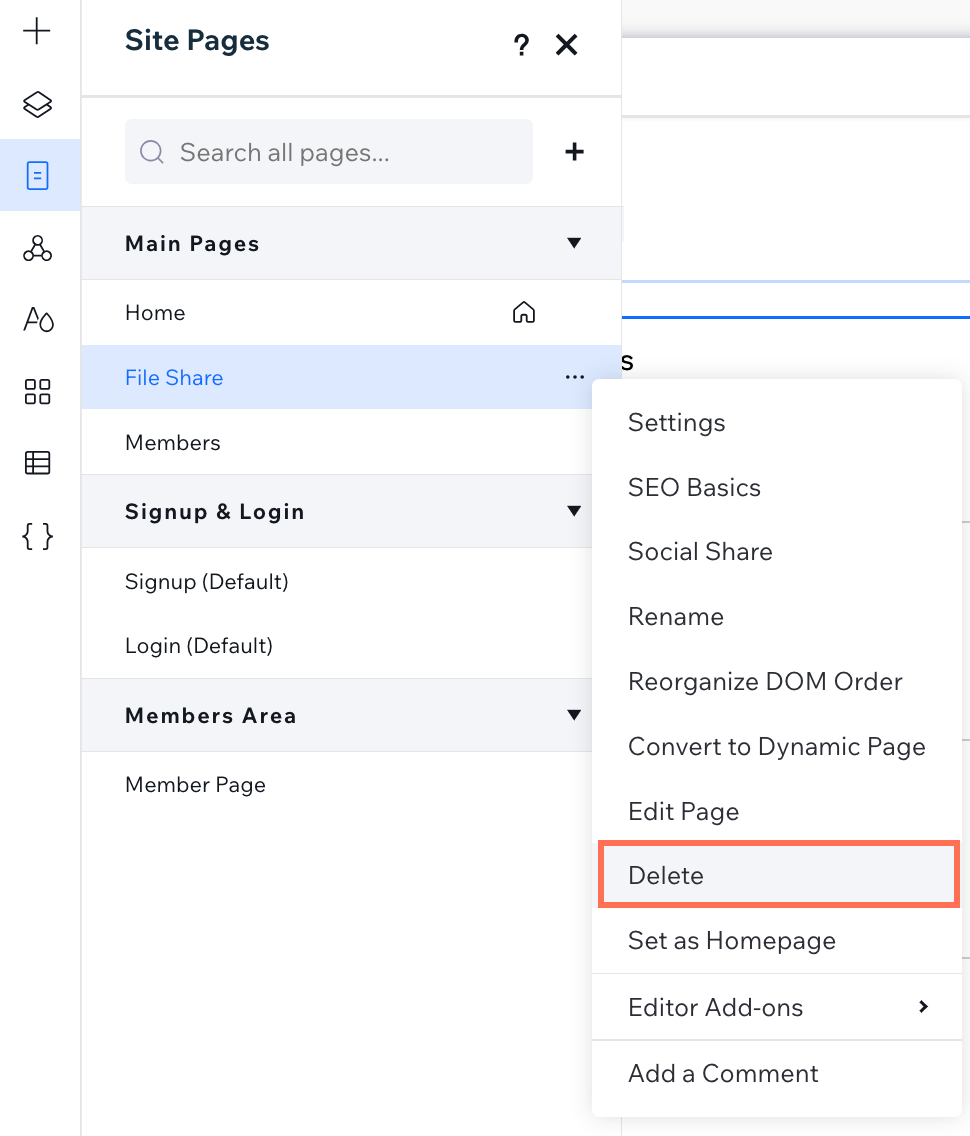
Click Delete to confirm.
This article is credited to the Wix team - https://support.wix.com/ and we thank them for that!