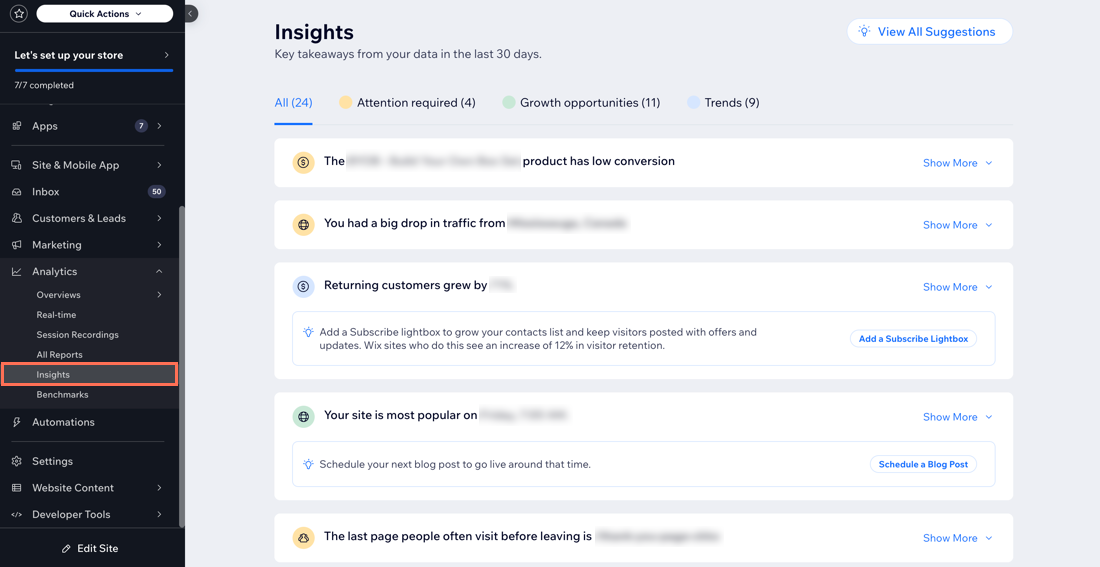
The Insights page in your site's dashboard can help you uncover key insights within your site data, empowering you to make impactful, well-informed business choices. Using this page, you can see the opportunities we've identified, general trends and potential areas of risk.
You can find the Insights page under Analytics in your site's dashboard.
Important:
The insights on this page are based on visitor activity over the last 30 days. To get insights, your site needs to have enough data for significant trends to be detected. It is possible that even if you have enough data on your site, insights may not appear if no significant trends were found. We recommend checking back periodically for new trends.
Explore different categories to make well-informed business decisions
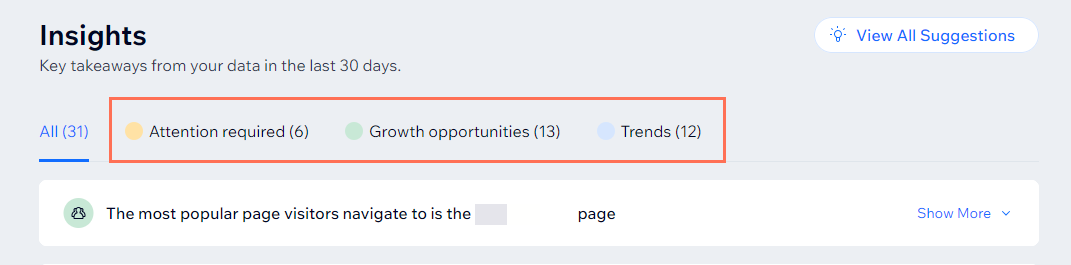
The Insights page is divided into distinct categories, for your convenience. Explore these tabs to gain further understanding of key data.
Attention required: See what areas need your attention most at a glance. The Insights page gathers information and lets you know which areas need the most attention. For example, if your site sees a major decrease in traffic from Facebook, you might want to consider advertising on social media.
Growth opportunities: Discover fresh opportunities to take your site to new heights. Insights identify opportunities across your site that you should note and capitalize on. For example, many site visitors might be visiting a specific product page in your online store. Consider adding an incentive to buy.
Trends: Trends draw your attention to other things to take note of that don't appear in the other two categories. See changes in stats, and compare your site with others in the same category.
Get personalized suggestions on how to improve your business
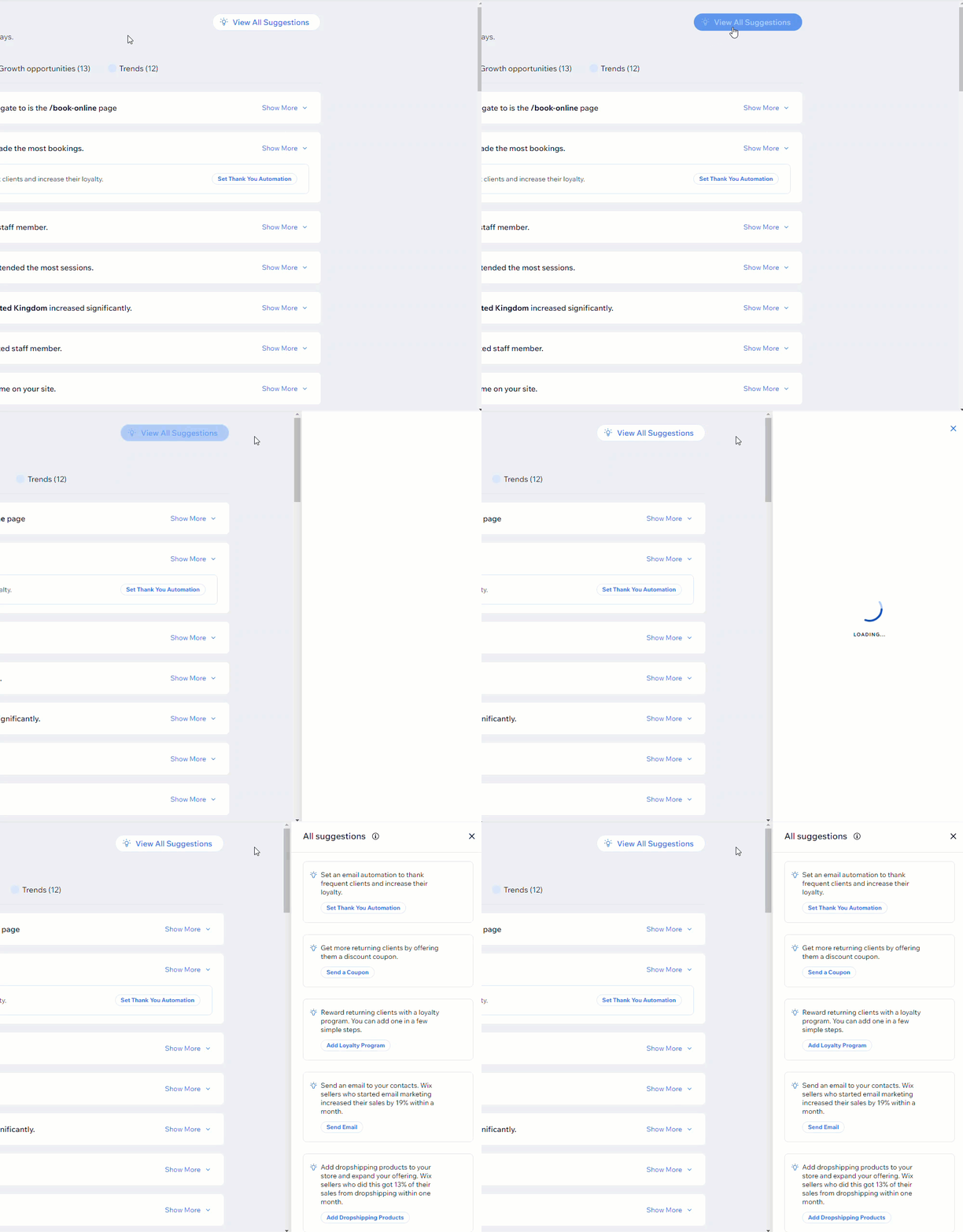
Alongside the insights on this page, you get tailored suggestions for your site, based on successful strategies used by similar sites. View suggestions about increasing traffic, sales and more.
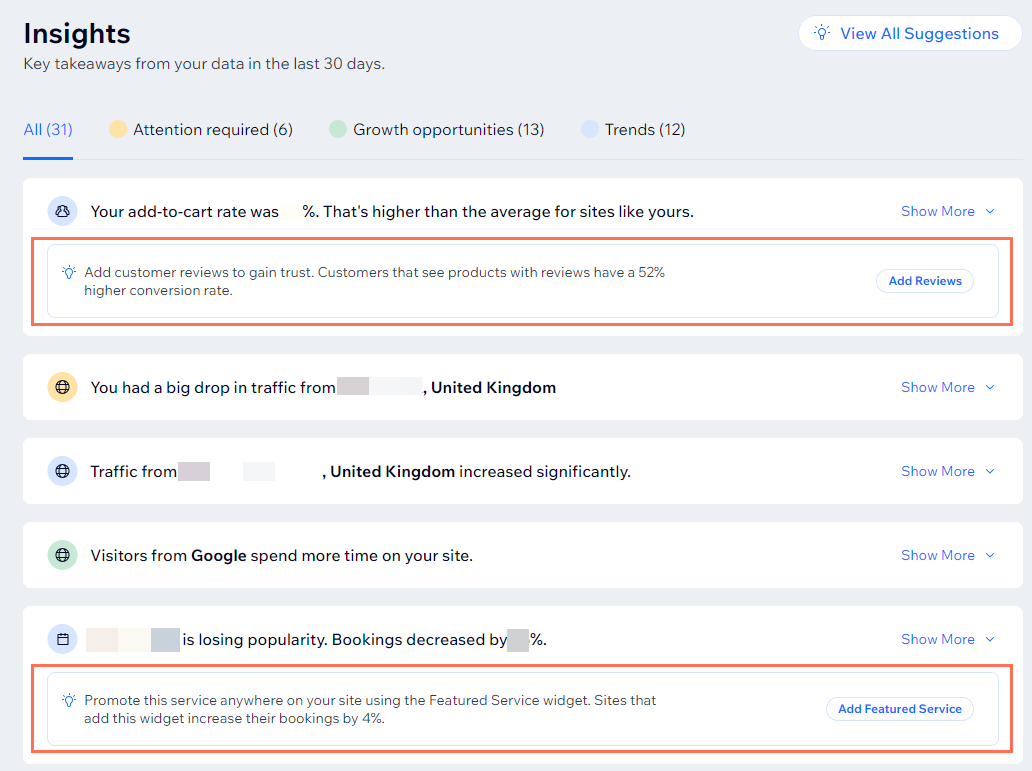
These data-driven recommendations are crafted with your business in mind. View offered suggestions by category or collectively and unlock your site's maximum potential with ease.
Ready to get started?
Visit the Insights page in your dashboard.
FAQs
Click a question to learn more about the Insights page.
Why don't I see any insights on my Insights page?
If your site hasn't had enough visitor activity over the last 30 days, insights may not appear. Even if your site has enough data, insights might not show up if no significant trends are detected. We recommend checking back periodically, as it's possible that new trends will be identified.
Can I access this page on my mobile device?
Yes, you can access the Insights page on the go with the Wix app or Wix Studio app.
Wix app:
Go to your site in the Wix app.
Tap Analytics

at the bottom.
Scroll down to Insights.
Wix Studio app:
Go to your site in the Wix Studio app.
Tap Manage.
Tap Analytics and select Insights.
Why do I see an old URL of a renamed page or a /blank page if those pages no longer exist on my site?
The Insights page shows data from the last 30 days, so some data may still refer to the page as it was before you changed it. These pages existed before, but you may have deleted or renamed them since, so they no longer appear on your site in the same way.
This article is credited to the Wix team - https://support.wix.com/ and we thank them for that!