Important:
This article refers to the original Wix Hotels app. If you are using the new Wix Hotels by HotelRunner, read this article. Learn how to check which version of Wix Hotels you are using.
You can view and manage all of your reservations from the Wix Hotels dashboard.
To view your reservations:
Click the Hotels tab.
Click the Reservations tab.
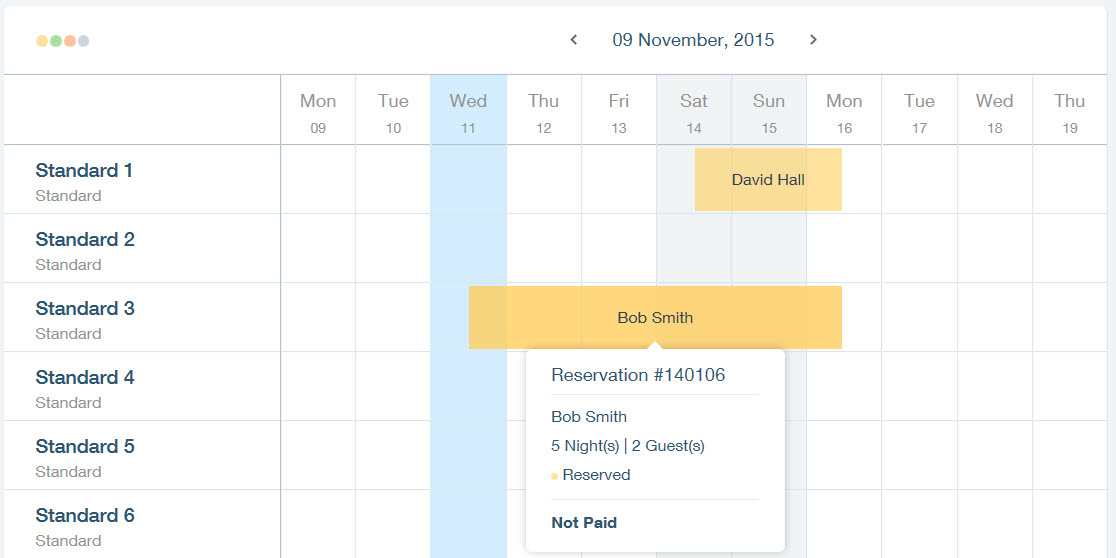
Hover over a reservation to see more details.
Tip:
Click the reservation to edit the reservation details or mark the reservation as Paid.
Note:
Changing the size of your browser window, changes the amount of days you can see on the calendar.
Click the arrows next to the date to view different days in your calendar.

This article is credited to the Wix team - https://support.wix.com/ and we thank them for that!