Wix offers over 250 great apps for you to try. Some apps are dashboard apps, meaning they are added to your site's dashboard. Other apps are editor apps, meaning they are located in your site's editor.
Accessing your apps from your site's dashboard
You can access any of your site's apps from your dashboard. Opening a dashboard app takes you to the app's tab on your site's dashboard, whereas opening an editor app takes you to your site's editor in a new tab.
Note:
Some apps have both dashboard and editor elements. These apps open as a tab on your site's dashboard, but you can also view them in the editor by following the steps here.
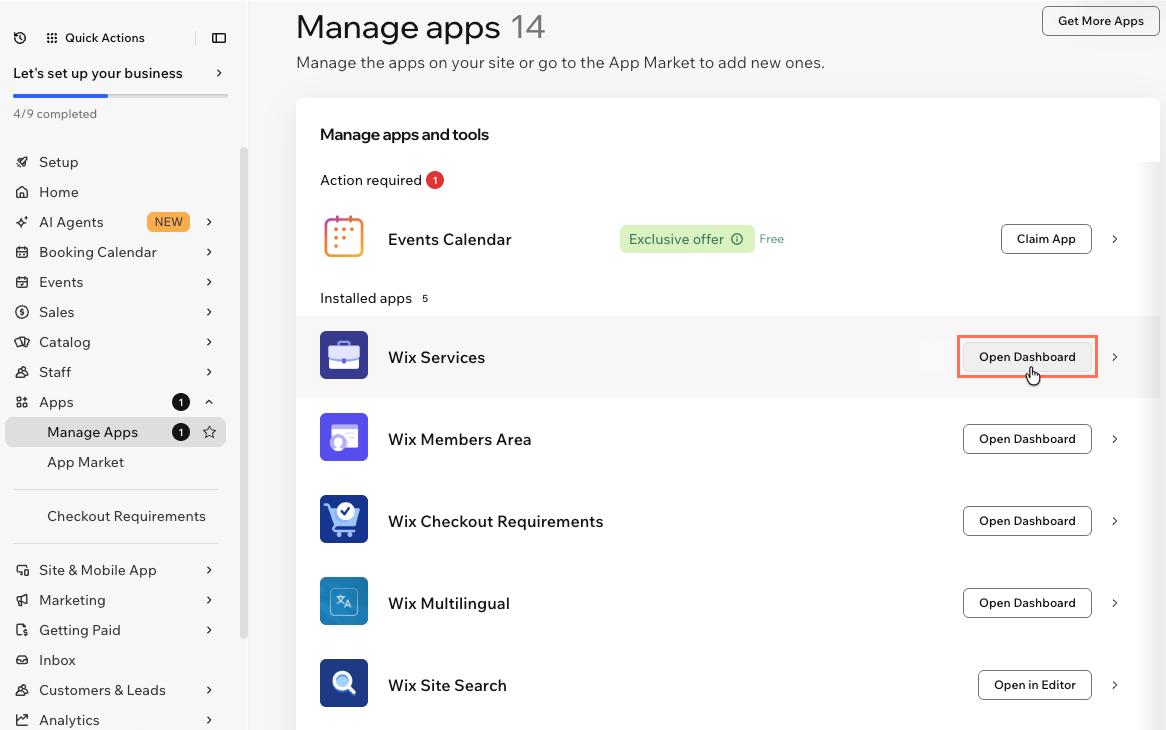
To access your apps from your site's dashboard:
Go to Manage Apps in your site's dashboard.
Click Open Dashboard next to any of your installed apps.
Accessing your apps from your site's editor
You can access any of your site's apps from your site's editor. Dashboard apps open as a new tab in your browser, whereas editor apps switch to the page that the app is on.
Notes:
Some apps have both dashboard and editor elements.
The Settings panel usually includes a "Manage" button (e.g. Manage Posts to manage your blog, Manage Products to manage Wix Stores, etc.) This button redirects you to the app's tab in the dashboard.
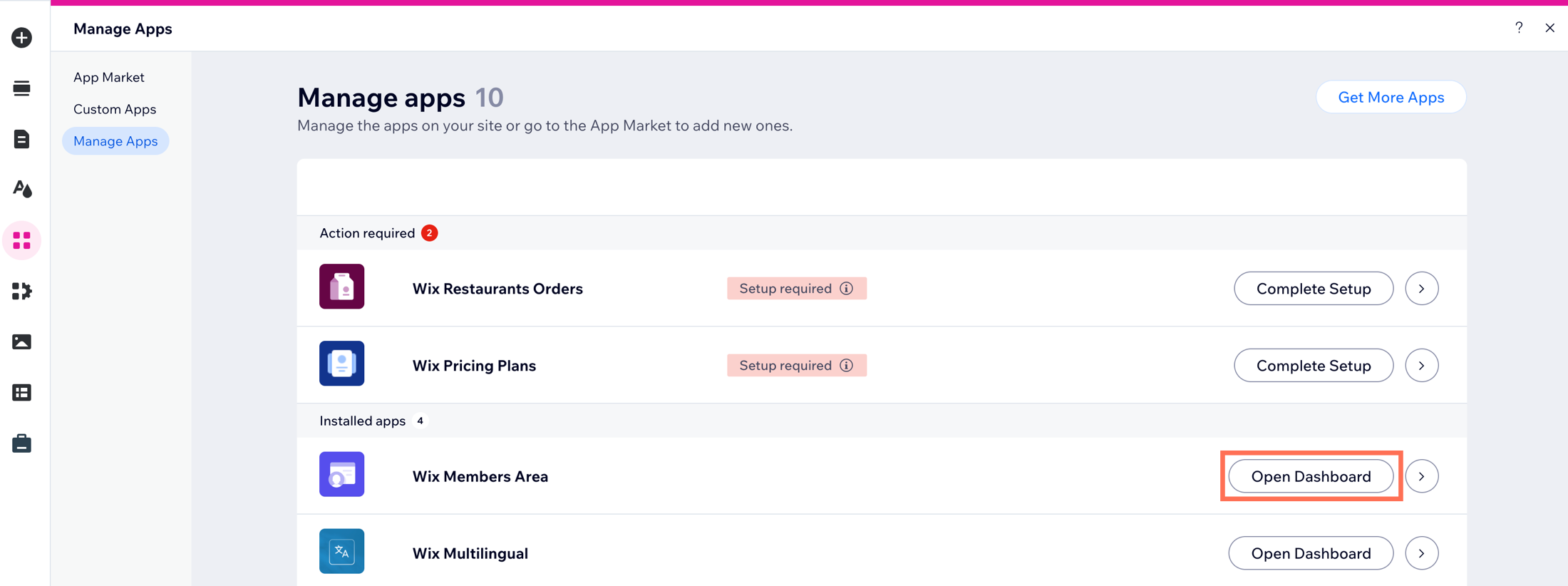
To access your apps from your site's editor:
Click Add Apps

on the left side of the editor.
Click Manage apps at the bottom left.

Click Open Dashboard next to any of your installed apps.
Tip:
In Manage Apps, you can also upgrade apps or click the More Actions icon

to delete the app. Learn more about deleting apps.

This article is credited to the Wix team - https://support.wix.com/ and we thank them for that!